Making sense of Marketo email bounce categories | Community
Skip to main content
Edward_Masson
Level 10
July 14, 2015

Making sense of Marketo email bounce categories

  • July 14, 2015
  • 22 replies
  • 25152 views

There is many websites out there that can help walk you through email bounced codes, categories and examples. What I wanted to cover here is how Marketo handles bounce categories and what they are. For some time now, I had a hard time trying to find information regarding Marketo’s bounce categories and then try to report on them.

Working with Marketo support over the years I was able to nail down some of them.

Was told that there are 6 categories but not in numerical order. I’m not too sure what categories 5 and 6 are. I’ve not seen any leads being tagged with them, but I’m sure some of you may know them and can add to this post and we can all reference them.

The point of this is to monitor and find repeat offenders in case of deliverability issues. With adding a constraint of say last 7 days depending on your email frequency should help you get an idea of the data that needs suspending.

StrongView

The Marketo mail servers use "StrongView” (formally StrongMail) as there mailing software. (At least they did when I went though this few years ago with Marketo support). StrongView stamps emails with 1of 6 different bounce categories. StrongView categories are blocking (receiving server is not allowing mail), hard (unknown user), soft (temporary failure) and technical (infrastructure).

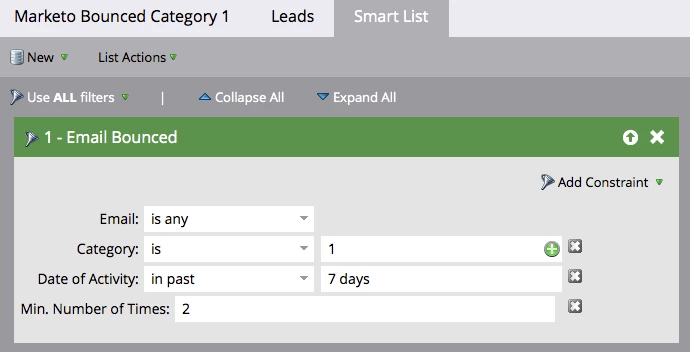
To identify these categories, we will set up a smart list for each of the categories, set them to look at the last 7 days and show me the leads. So lets make a start!

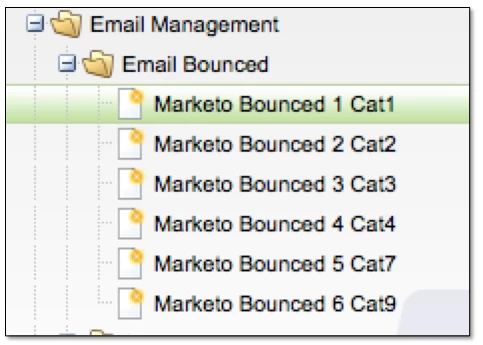
Email Management

  • Create a new folder and name it Email Management
  • Create 6 Smart Lists

The categories

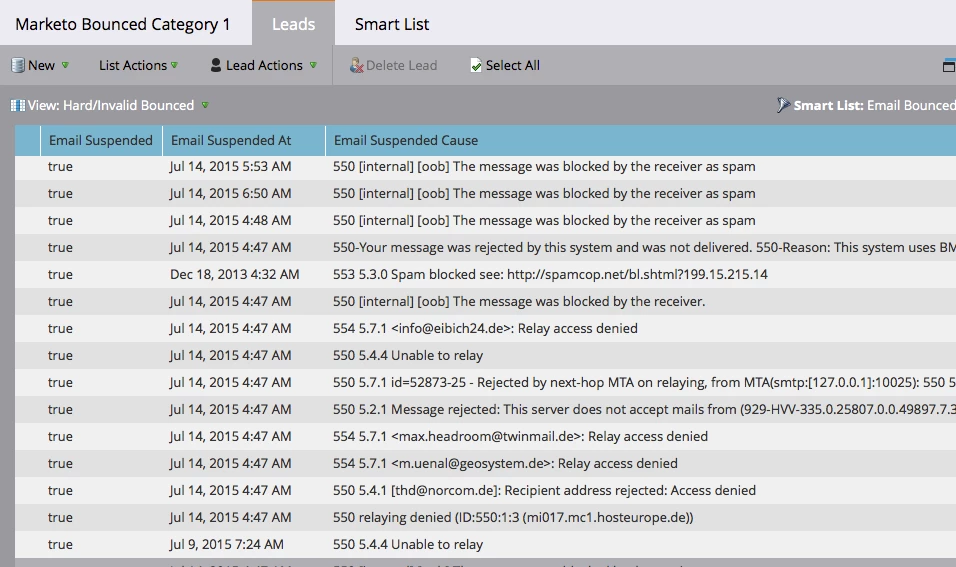
Category 1 – Should be Email Suspended (usually from spamblock). You may find leads (particularly Gmail addresses) that are Category 1 bounces, but have no data in Email Suspended or Email Suspended at. They are STILL problematic leads. You could also add a further constraint for the # of times they hit Category 1.
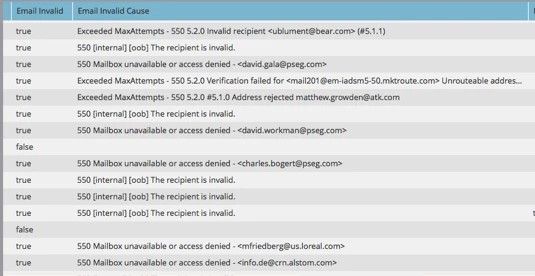
Category 2 – Email Invalid. Anyone who has a Category 2 bounce should be email invalid. Leads in this category should be considered for being marked email invalid if they are not already.

Category 3 – Soft Bounce. “Mailbox is full”, that kind of thing. Temporary. Repeat offenders may be an issue.
Category 4 – Technical. Something was wrong with the mailserver on the other end. Again, temporary, but you might want to look for minimum # of times.
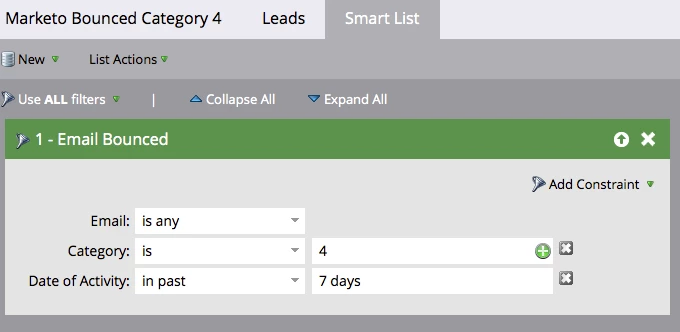
Category 7 – Proprietary, used for Strongmail internally.

Category 8 - Is invalid From Email address

The most common reason this happens is because your "From" email address is incorrect. The easiest way to check this is to go into the results of your campaign, and do a search at the bottom for ‘email bounced’. When results come up, double click on a random one. It will show you the reason for the bounce.
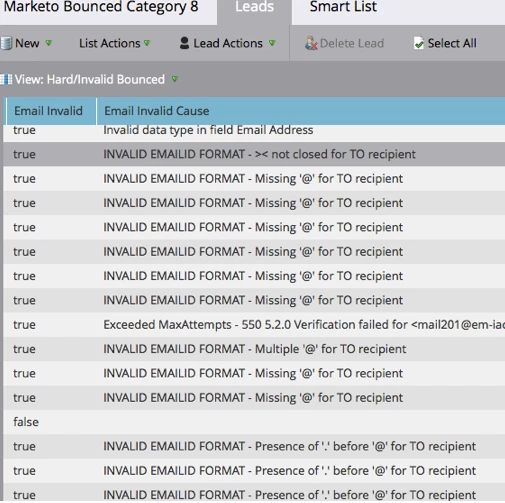
Category 9 – Unknown. Nonsensical errors, non English, etc.

I hope some of this is helpful, this information I gathered was from a few years back but may still be relevant today.

Please feel free to add and more information to this post.

This post is no longer active and is closed to new replies. Need help? Start a new post to ask your question.

22 replies

October 6, 2015

Hi -- Where is the best location to keep the Email Management folder? Trying to keep my company's new Marketo instance as clean and organized as possible. Appreciate it! -Stephanie

Andy_Varshneya1
Level 7
October 6, 2015

Hey Stephanie,

I have a few different high level folders, one of them being Operational. Inside Operational I have Communication Management which contains programs for managing the subscription center, soft and hard bounces, competitor email addresses, etc.

October 13, 2015

Hey Stephanie,

We recommend having the operational folder and underneath this a data management program with all you smart campaigns and smart lists to address these issues.

Cheers
Brooke

Kiersti_Esparz1
Level 4
March 9, 2016

Edward, Great post!  One clarification is that Marketo moved to MessageSystems servers, away from StrongView, about 2 years ago.

Bounce categories remain very similar:

  • Hard Bounces
    • Category 1 – spam block (Email Suspended=true (for 24 hours)) 
    • Category 2 – email invalid (Email Invalid=true) 
  • Soft Bounces
    • Category 3 – Soft Bounce (Mailbox Full, Timeout, Soft Bounce, Generic Bounce)
    • Category 4 – Technical Soft Bounce (Transient Failure, Admin Failure, DNS Failure, Too Large)
    • Category 9 – Unknown (Undetermined)

Thank you!

Kiersti Esparza
May 25, 2016

What does one do with these leads? I'm considering removing the category 2 leads with no activity from my database.

September 23, 2016

Hi Kiersti,

A few questions on your post regarding soft bounces? I am looking for definitions for some of these categories, would you be able to provide or point me in the correct direction?

How would you define these failures:

Transient Failure, Admin Failure, DNS Failure

Thanks

Dottie

January 9, 2017

I have built these Smart Lists and my question is: if an email is no longer considered bounced, will the category be disassociated with the email address and thus removed from the Smart List? Champion ProgramSupportMaking sense of Marketo email bounce categories

Grégoire_Miche2
Level 10
January 9, 2017

Hi Carley,

You should rather post your question to the "products" section of the site to get more people involved and quicker/more extensive answer

The answer to you question depends on how your smart lists are built. Smart list filtering on lead values (e.g. "email is invalid")

will change content if the field values are cleansed. But smart based on activity logs (email bounced) may still have the lead if the time constraint of the filter selects your lead.

To tell you more, we will need screenshots of your smart lists.

-Greg

January 10, 2017

Hi Gregoire,

Thank you for the quick response. Below are screen shots of the Smart Lists:

I want to make sure that if the email is no longer a bounced email that the category will also disassociate and thus they will be removed from this Smart List.

Thank you,

Carley Donovan

Grégoire_Miche2
Level 10
January 10, 2017

Hi Carley,

you should really report in the product sections, so that anyone in the community sees it and can answer

-Greg