Live Event Reminder Email Flow | Community
Skip to main content
February 18, 2016
Question

Live Event Reminder Email Flow

  • February 18, 2016
  • 4 replies
  • 7483 views

Hi,

I cloned a Live Event and renamed it to for my current 'LE'. I changed the flows from the original event to the cloned event information.

I am preparing to send out the 'Reminder Email'. I am not sure if I have the flows set up correctly. I want the reminder email to be sent out to the folks who did not open the email and did not click on the link in the email. This is how I have the flow set up:
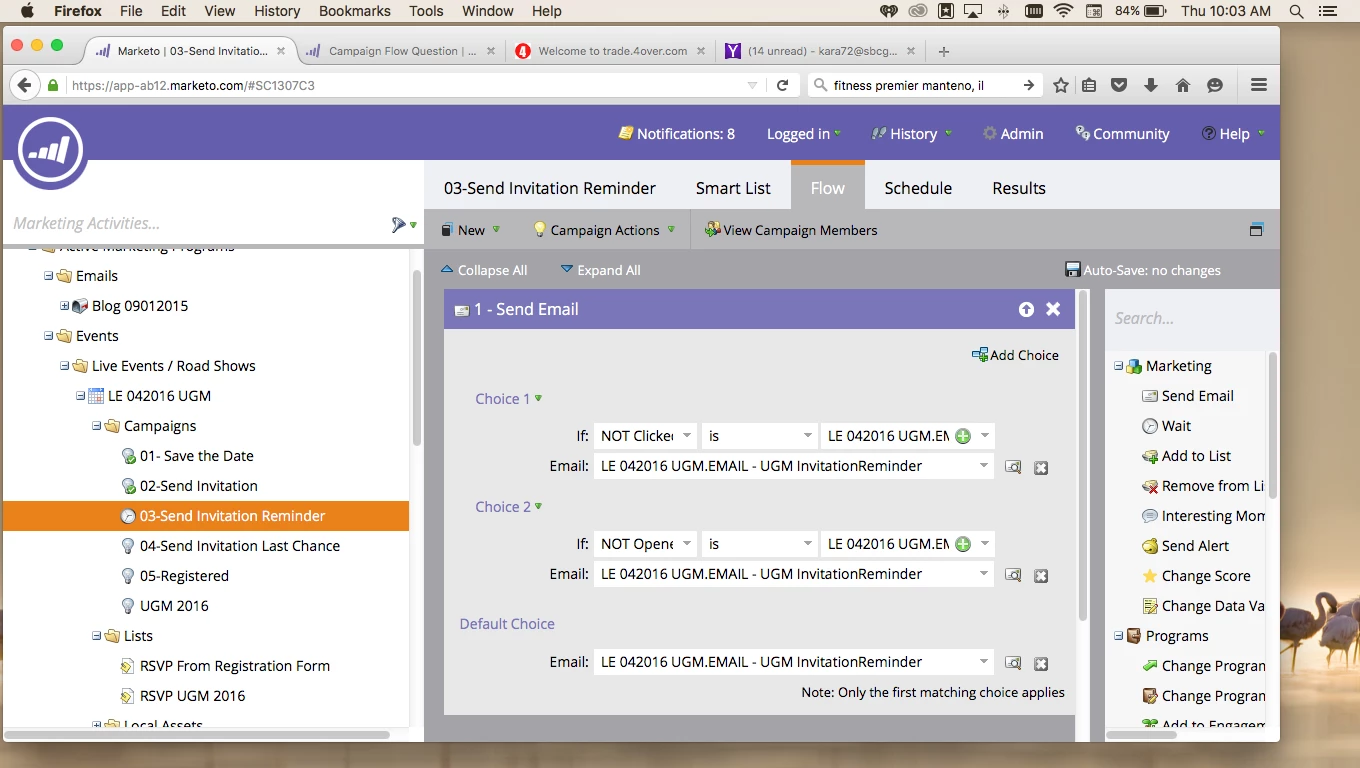
Is this correct?

Also, under the Scheduled tab, I have more leads that the email will affect then the original invite email. If my flow is set up correctly, the leads receiving the Reminder Email should be significantly less then what is showing? I should have maybe 100 leads receiving the Reminder email. The original invite was sent out to 179 folks.
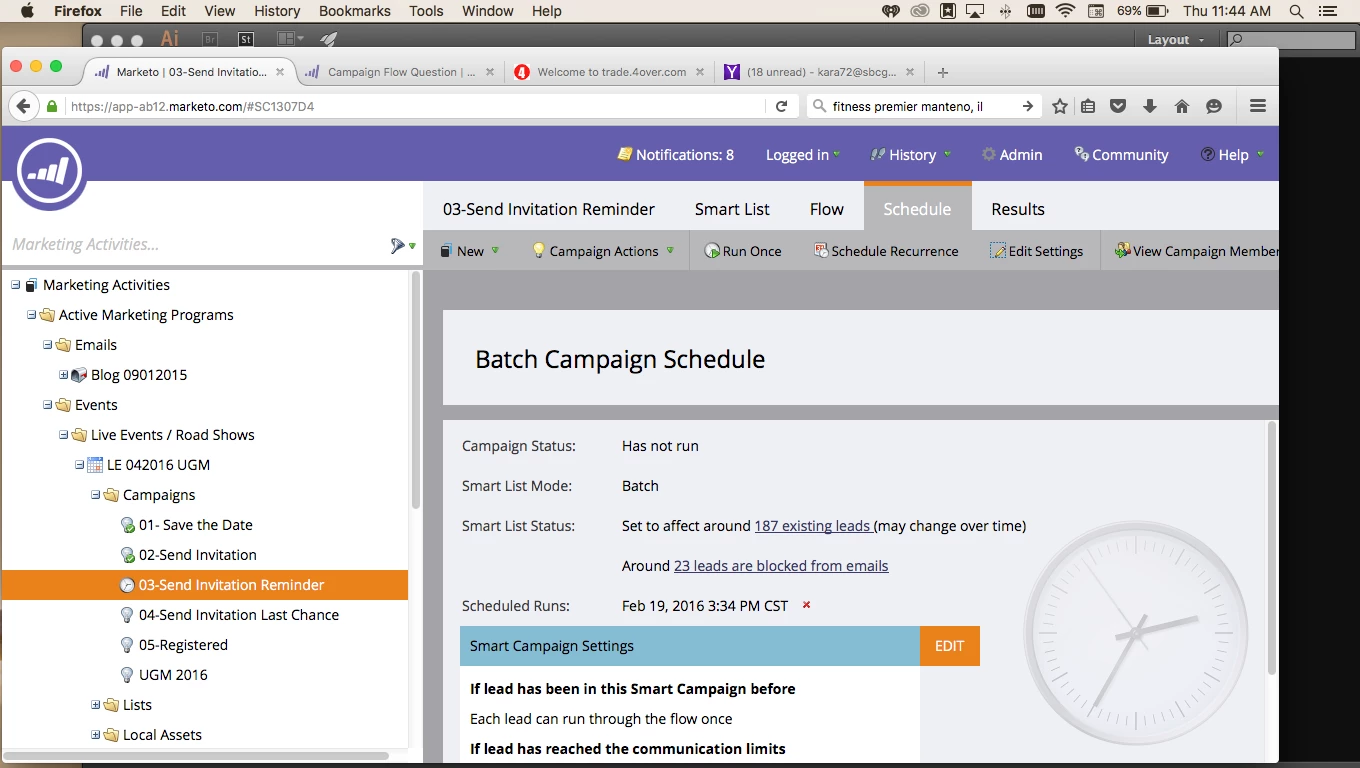
What am I doing wrong?

Thanks

Kara

This post is no longer active and is closed to new replies. Need help? Start a new post to ask your question.

4 replies

Adobe Employee
February 18, 2016

Hi Kara,

If you're wanting to send to those who didn't open and didn't click, then the one choice of didn't click should be enough.  Those who didn't click may have opened the first one or not, but in this case it doesn't matter.

As for your list of leads.  I would look at your smart list again to see if there are any filters you could add.  Maybe a Was Sent Email filter so only those that were sent the email before qualify for the campaign this time?

John

February 18, 2016

Based purely on what I see there I believe you will be sending to everyone regardless of clicks or opens.  I say this because it appears that your default has the same action as the two steps above it.

I would look into the smart list itself and not have to deal with the "if then" logic.  Have your smart list be the group you are after and make the flow a simple send email.

Adobe Employee
February 18, 2016

Good catch, Josh.  I wasn't paying attention to the default!

John

Josh_Hill13
Level 10
February 18, 2016

What is your smart list?

And no, this won't work if you want to send the email to NOT CLICKED OR NOT OPENED Email X. It will choose the first one in your case. So I recommend you use a Smart List at the start and use 1 email choice.

Smart List:

Not Clicked

OR

Not Opened

Chelsea_Kiko
Level 4
February 18, 2016

Kara DeVeny

I agree with Josh Hill​ on this one. I run event marketing campaigns on the daily and usually when I run reminder campaigns - I usually just use the Smart List function by sending the email to those who haven't registered (status is not registered) (if you use the change status > registration function as a flow step within the webinar campaign).

February 19, 2016

Thank you all for you replies. I appreciate it. I still think I am missing something.

I simplified the Smart List & Flow options. According to the ‘Schedule’ tab, everyone will still receive the reminder email