Link ID - Setting up my Smart List Report | Community
Skip to main content
Jessica_Melendr
Level 2
July 13, 2018
Question

Link ID - Setting up my Smart List Report

  • July 13, 2018
  • 1 reply
  • 3727 views

Hi,

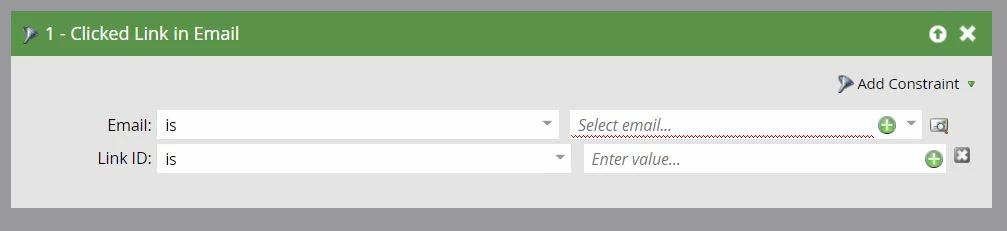
I have added Link IDs to an email and would like to pull an email link performance report. I have pulled in "clicked link in email" to my report smart list with the email and link id values, but am i missing anything else? Everytime i pull the report, it does not pull in the values.

Please advise and thank you in advance!

- Jess
This post is no longer active and is closed to new replies. Need help? Start a new post to ask your question.

1 reply

SanfordWhiteman
Level 10
July 15, 2018

Please show Activity Log details for example activities. The ActLog is always where you should start.

Sample HTML with your IDs would also be useful.

Jessica_Melendr
Level 2
July 16, 2018

Hi Sanford,

Thanks for the quick reply. This is for a email link performance report. Not sure, why i need to start with an activity log. If so, can you please explain.

I have clicked on "setup" and set the marketing activities to pull the email i want the stats for along with the date range...but i am wondering if the problem is the "smart list"? I checked my email and i have checked ids for each link (link ids below in image). I have tried many variations of pulling this information via the smart list, but for some reason when i hit "report" it does not show the link ID clicks. i believe the problem is my smart list, please advise. Thank you.

SanfordWhiteman
Level 10
July 16, 2018

This is for a email link performance report. Not sure, why i need to start with an activity log. If so, can you please explain.

Because if the Activity Log detail doesn't actually correspond to what you think the parameters/constraints were, you won't return any results!

There's no activity filter that doesn't require a corresponding activity, so if you're confused about your filter setup, the first thing you should do is prove someone has had an activity, then find that exact activity with a Smart List filter.