
Lead by Source and Month | Community
Skip to main content
Christian_Tovar
Level 3
January 23, 2019
Question

Lead by Source and Month

  • January 23, 2019
  • 1 reply
  • 4713 views

Hello,

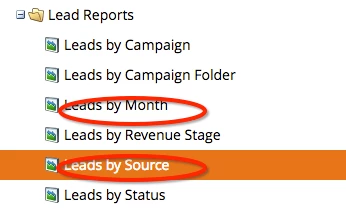
I need help pulling lead source reports. Do you all know how a lead source report created? I found this as a legacy report and am trying to update it for my needs now. How does this standard lead source report pull the data? I would like to see the leads by month but then broken down by source per month. Is there a way to merge the two? I've searched the community and nothing is making sense to me. Please help.
This post is no longer active and is closed to new replies. Need help? Start a new post to ask your question.

1 reply

Denise_Greenb12
Level 6
January 23, 2019

Hi Christian,

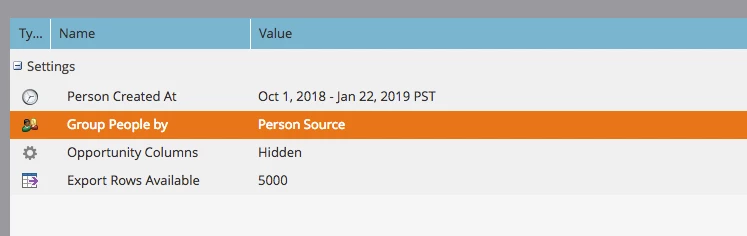
You can do this by adding custom columns to either report. For example, if you Group People by Source, add custom columns for each of the months that you want. A custom column pulls data from a smart list. So the process is:

1) Create the smart lists

2) Add the smart lists to your report as custom colums

Your smart lists (based on your screenshots above) would be:

Created Oct 2018

Created Nov 2018

etc.

Each smart list will have a filter: Was Created Between [1st of month] and [last day of month]

You'll also want to add a filter in the report itself to restrict it to leads created in the timeframe you're examining.

Also note that the first time you run the report the columns won't be in a sensible order. You then just drag and drop them into the order you want. Here's a quick example of the output of such a report with 2 custom columns for month. In this case the leads are grouped by Demographic Score but it would work the same way for Source:

Denise

Christian_Tovar
Level 3
January 23, 2019

Hi Denise,

Thanks for the quick reply.

Would it be easier for me to create the months or do it this way? Ideally, I'd like to setup a subscription so it just emails it to me every 2 weeks or every month.

Denise_Greenb12
Level 6
January 23, 2019

Hi Christian,

It depends how many sources you have vs the number of months you want to track. The easiest thing would be to have the fewest number of custom columns to create.

One limitation to be aware of: 10 is the maximum number of custom columns. So if you need more than 10 custom columns you'll need to divide them into 2 (or more) reports.

Denise