Level 5
April 27, 2020
Solved

Landing page Using Free form

  • April 27, 2020
  • 3 replies
  • 2651 views

Hi Marketo User,


I have created landing page with free-form method. I have created mobile responsive with segment. I have used javascript code. Landing page is mobile responsive.

Problem- Content alignment setting is not given for Mobile in Marketo. Hence, I am facing content alignment issue.

Please suggest how to resolve and I do not want to create guided landing page for now.

I am using below landing page Elements

1. Custom HTML for Java script

2. Marketo form

3. Rich Text -  only one paragraph

4. banner, logo and footer with custom html

 

This post is no longer active and is closed to new replies. Need help? Start a new post to ask your question.
Best answer by srilekha

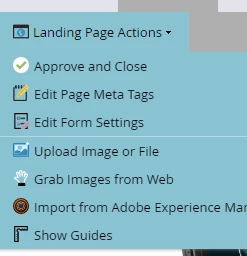
 Select your landing page click on Edit Draft  -> from Landing Page Actions select Edit Page Meta tags.


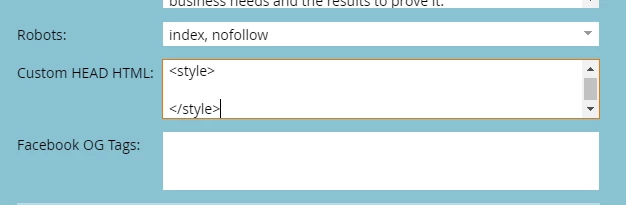
In Custom Head HTML you can write css styles within <style> </style> tags . padding-left or padding-right on element should work try to inspect on element  from browser. 


Thanks,


3 replies

Level 5
April 27, 2020

.

Jay
SanfordWhiteman
Level 10
April 27, 2020

Without knowing your URL (i.e. your markup) it's impossible to help you with this. 


Can't set CSS on a screenshot.

srilekhaAccepted solution
Level 2
April 28, 2020

 Select your landing page click on Edit Draft  -> from Landing Page Actions select Edit Page Meta tags.


In Custom Head HTML you can write css styles within <style> </style> tags . padding-left or padding-right on element should work try to inspect on element  from browser. 


Thanks,