Landing Page Rich Text Editor - Special Character for Spaces are not working properly | Community
Skip to main content
Level 1
August 11, 2021
Question

Landing Page Rich Text Editor - Special Character for Spaces are not working properly

  • August 11, 2021
  • 1 reply
  • 1289 views

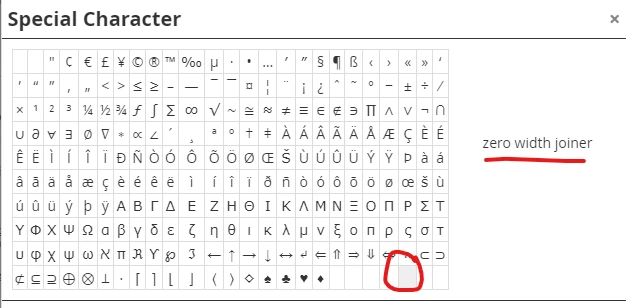
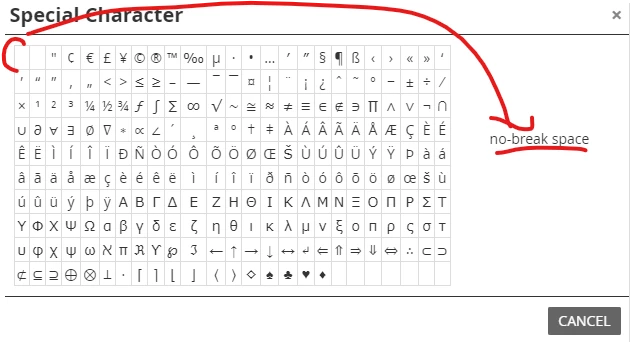
So I am mostly familiar in html and it's easy for me to add non breaking spaces and no space joiner in html but some landingpages will be created by editors without this knowledge. I tried and explayned the great Special Character Properties with adding a non breaking space between words that should not break (for example on mobile phones) and for some combined Words in our Company Language we do need the no break Joiner. But these Spaces just won't work and appear afterwards. 

Any ideas? 


This post is no longer active and is closed to new replies. Need help? Start a new post to ask your question.

1 reply

Dave_Roberts
Level 10
August 14, 2021

I haven't ever used the special characters menu you're pointing out here, but maybe they just aren't translated into the code properly. Would you mind posting the HTML that shows up in the HTML editor after you add these characters to your text in the Rich Text Editor? You should be able to see the HTML by clicking the HTML button on the toolbar. Then to post that in the community thread, you'll want to use the "..." button in the toolbar here and click the "</>" insert/edit code button to paste it into the post.


It might be that these aren't getting added as the entity &nbsp; (non-breaking space) in the code-view?