Landing Page Dynamic Content Not Working | Community
Skip to main content
Dan_Gentsch
Level 2
May 15, 2018
Question

Landing Page Dynamic Content Not Working

  • May 15, 2018
  • 2 replies
  • 6665 views

Hi,

I'm setting up some guided landing pages with dynamic content and I'm having trouble getting it to work correctly. I've gone through the normal steps to set up dynamic content for various landing page elements for the segmentation I want. When I preview the pages based on my segmentation the dynamic content displays correctly.

However, I have done multiple "live" test sends to a test account and the segmentation did not work on the landing pages. I was sending to a test lead in the segment I wanted to test. The dynamic content for the emails functions correctly but it appears that the landing pages are picking up the "default" segmentation.

In a marketo doc it warns of this:
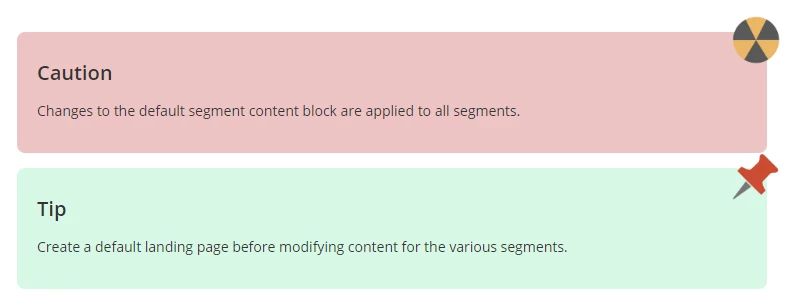
If I did make this error, how would I fix it? What is the "default landing page" that I would have to create before modifying content for various segments?

Thanks!

2 replies

Josh_Hill13
Level 10
May 15, 2018

screenshots?

Page URL?

Justin_Laberge1
Level 4
May 15, 2018

I had a moment to play around and I think I figured out why you're having trouble.

When you drag content into the "Dynamic" section, it will be added as the default content. I tried to edit the text for segments but it wouldn't display correctly when I approved the landing page.

Basically, you have to go into each section, edit the text, and save. It's easier to drag the content into "Default" and work back onto all your segments. When you were editing your segments, did you see the little green check box for each section beside your dynamic content when you were creating it?

1 - Text is static

2 - Text is dynamic but displays DEFAULT only

3 - You've selected a segment but the text is not dynamic for it

4 - You've now edited the text and saved it, resulting in a nice green checkbox.

Maybe I'm missing something though! Also if you're trying to make something come in for just one segment, you'll need to set the default as blank and go select that segment and add the content in.

SanfordWhiteman
Level 10
May 15, 2018

Or else it's that the links are aren't being tracked correctly, thus the person always falls into the Default segment because they're anonymous.

(The fact that it works in preview suggests the segmented content is working.)

Dan_Gentsch
Level 2
May 16, 2018

What would cause the links to not be tracked correctly?