Landing Page Dynamic Content Not Working | Community
Skip to main content
Level 6
June 6, 2022
Solved

Landing Page Dynamic Content Not Working

  • June 6, 2022
  • 1 reply
  • 3386 views

Hello,


We created a dynamic landing page in Marketo last year to capture SMS sign-ups via a form.


We sent out a live email two days ago with a link to the landing page. One of our colleagues, who has an account for a specific brand in Marketo, clicked the link and, unfortunately, the tokens within the landing page did not display the dynamic content, which includes a brand logo, brand phone number and brand colors. However, the email he received, which heavily uses tokens as well, did display the dynamic content.


We use data enrichment to add the brand logo, phone number, colors and more to our customers' profiles in Marketo. 


I tested the landing page myself using the email preview for the email that was sent out. As you can see, the branding appears fine within the email, but with each of the test accounts, when I clicked on the link embedded in the footer image that says "Subscribe to Text Alerts", the branding did not carry over to the page.
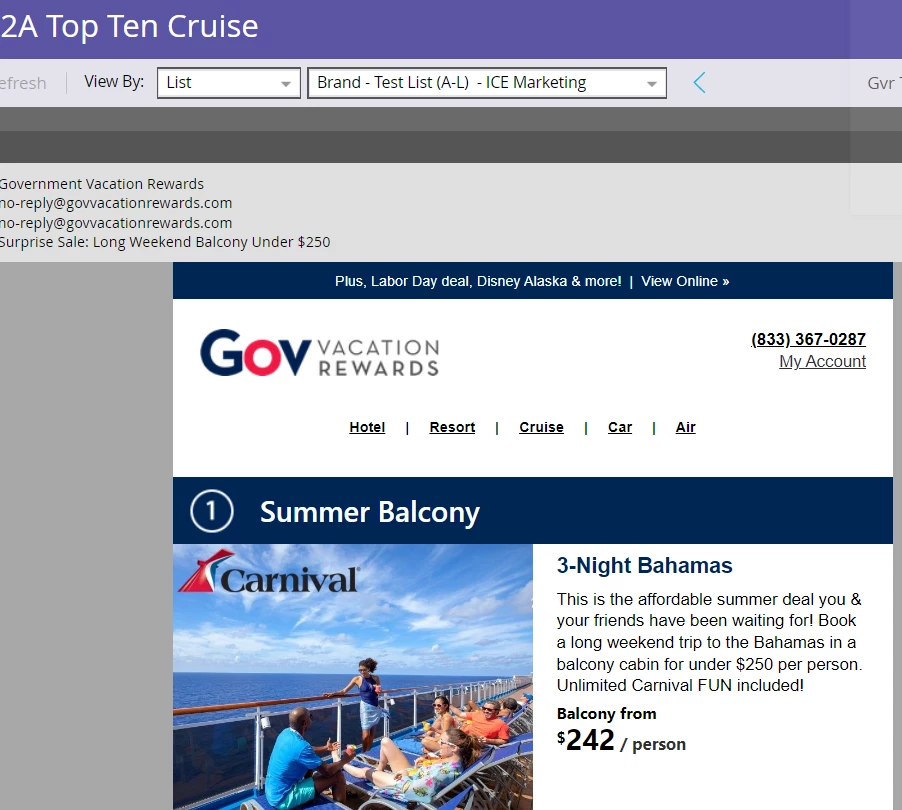



In the past, we tested a ton by sending live emails to ourselves with the landing page link and the dynamic content appeared fine, but now it's not working for some reason.


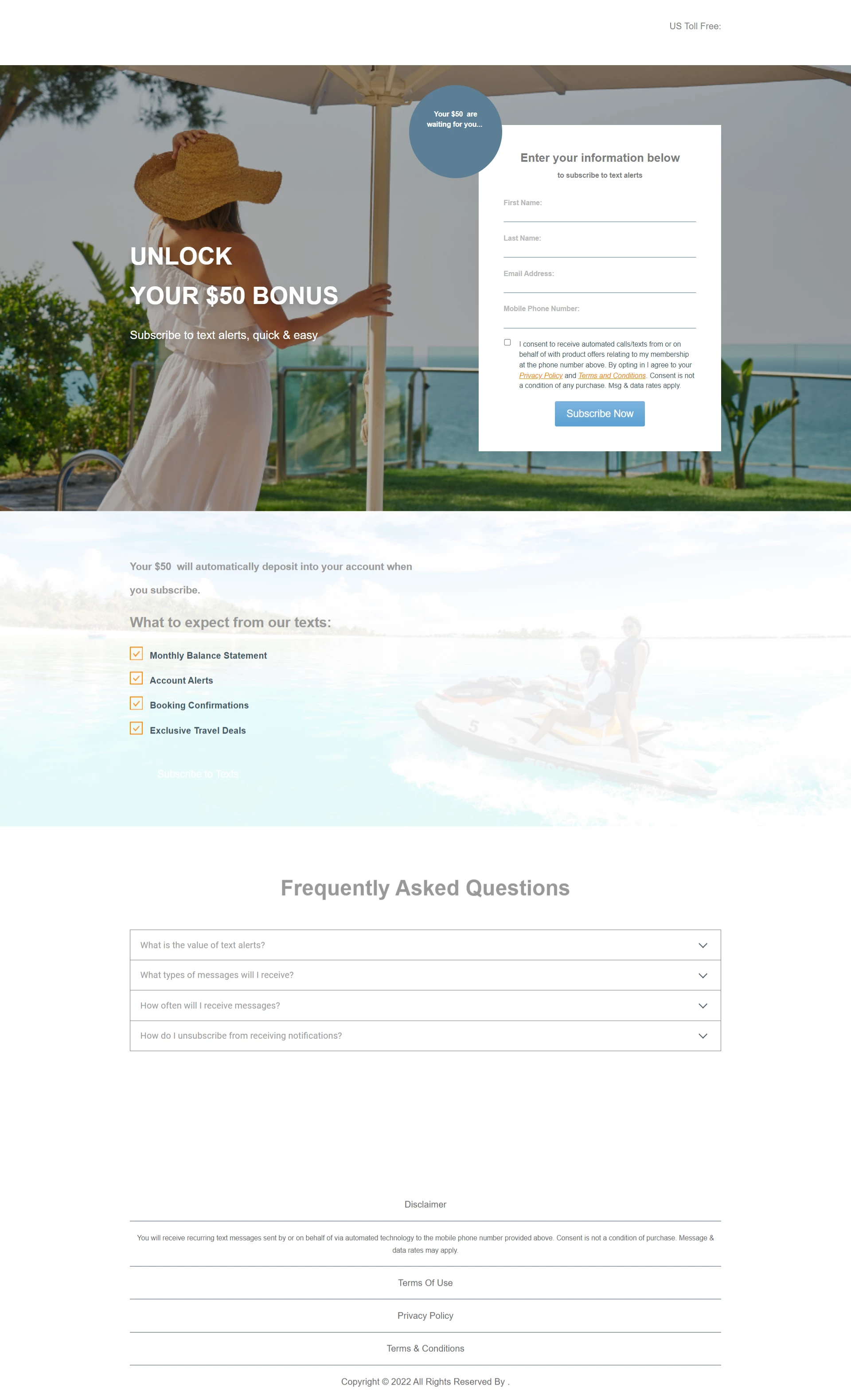
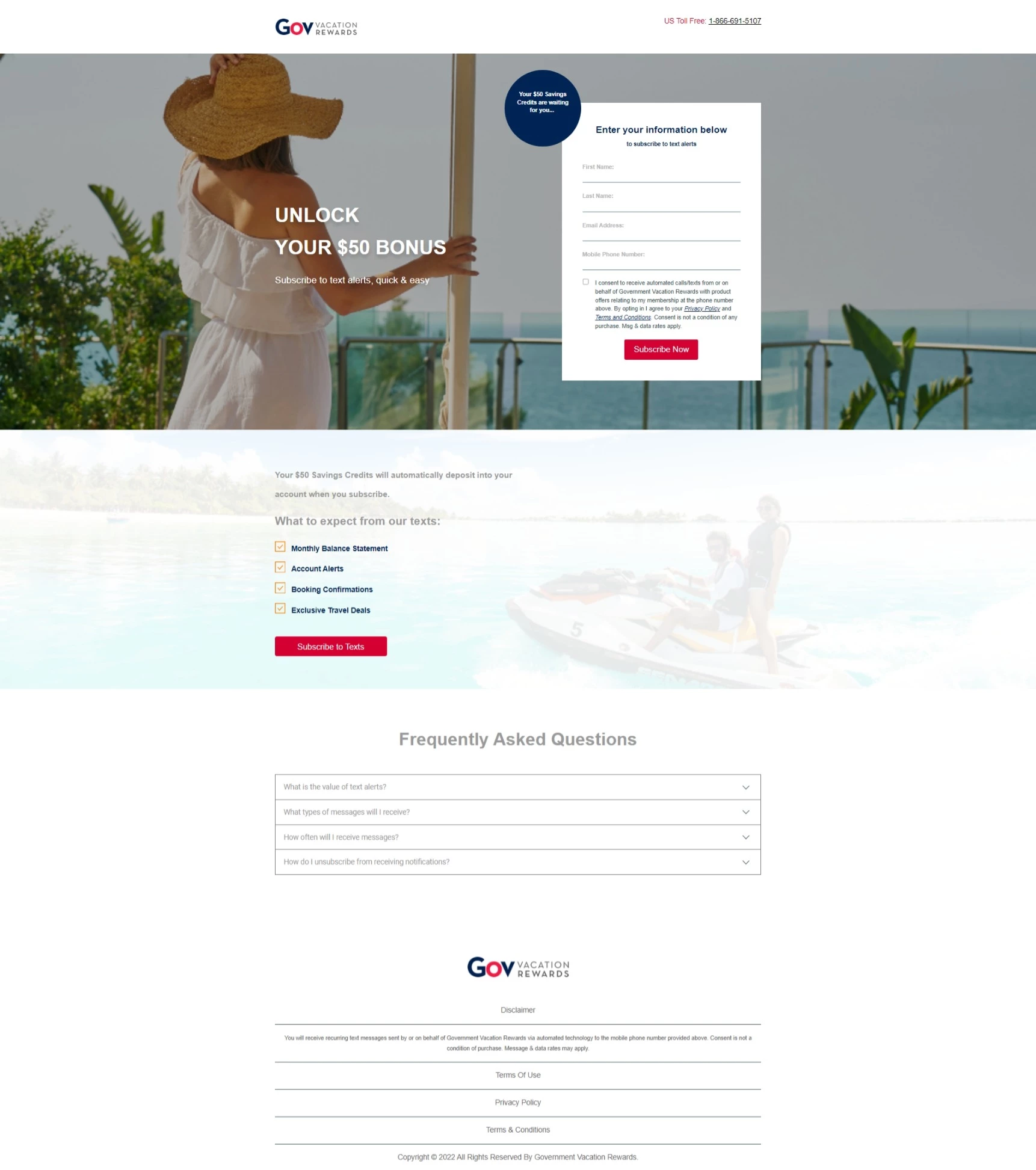
Here are screenshots of the landing page:


Dynamic Content not working:
 

Dynamic content working:
 

We are ramping up our SMS sign-up efforts and really need for this landing page to work correctly.


If anyone can provide input, suggestions, anything, it would be greatly appreciated.


Link to landing page:


https://promos.ovstravel.com/NEW-SMS-Opt-In_SMS-Subscribe-Landing-Page.html


Thank you!


LK


Thanks,
Laura

This post is no longer active and is closed to new replies. Need help? Start a new post to ask your question.
Best answer by Darshil_Shah1

If the image has been added via the rich text module, you'd want to select the image, then click the Insert/Edit Link button. In the edit Link pop-up, make sure the Track Link checkbox is checked. This product doc should help you with the step  by step instructions! You'd want to ensure that "mktNoTrack" class isn't added to to the link HTML.


Also, if you see the "mkt_tok" param on clicking the link from email it means that the tracking on the link is enabled.


1 reply

Darshil_Shah1
Community Advisor and Adobe Champion
June 6, 2022

Is the link on "Subscribe to Text Alerts" image tracked? If not, You'd want to enable the tracking on the link for the tokens on the non-cookied browser session to work.


Level 6
June 6, 2022

Hi Darshil,


How do I verify if the image is tracked or not?


And if it's not being tracked, how would I enable tracking?


Thank you much,


LK


Level 6
June 6, 2022

Hi,


I had received the same email and I just clicked on the Subscribe To Text Alerts image:


I quickly took a screenshot of the LP URL and I see mkt_tok:


The branding (dynamic content) is appearing fine for me.


This is the same email that was sent to all of our customers on Saturday.


Now I'm really confused...Hmmmm.