Label not aligned with checkbox 2.0 form | Community
Skip to main content
Gina_Powers
Level 2
July 20, 2016
Solved

Label not aligned with checkbox 2.0 form

  • July 20, 2016
  • 2 replies
  • 8781 views

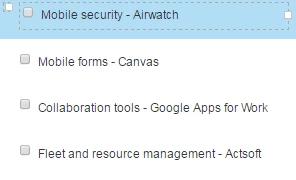
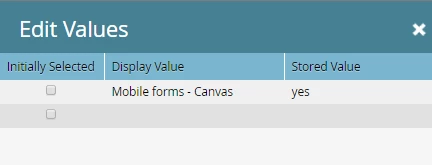
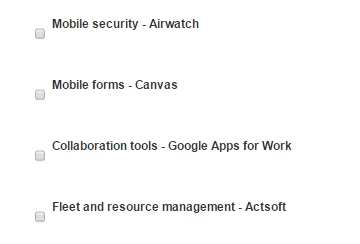
I am using the Marketo 5A guided landing page with a form in the footer section. I have no custom CSS associated with the form. I want to understand why the check boxes are not aligned with the display label. I looked at the CSS in the landing page code, but I don't see what is causing the issue. Can I put some custom CSS in the form to correct this? The form does not behave this way when I use a different LP template.  The field type is "Check boxes" and I'm using the display value associated with the checkbox.
This post is no longer active and is closed to new replies. Need help? Start a new post to ask your question.
Best answer by SanfordWhiteman

Ok. We did publish the page this morning.

https://BusinessSolutions.sprint.com/Healthcare-Webinars.html


You're overriding min-height for <INPUT> in a local stylesheet (see the selector #f input).

You can undo this for checkboxes:

#f input[type="checkbox"] {

    min-height: 0;

}

But I suspect whoever put this together wasn't thinking about checkboxes as <INPUT> elements, so there will likely be other things to overcome.

2 replies

July 20, 2016

hmmm.. i tried but could not reproduce this.  Have you tried looking at the font size, field width and label alignment?

Gina_Powers
Level 2
July 21, 2016

The CSS limits the form to 350 so I've made sure my fields are no wider than 350. I can't find the font for the form in the CSS but it displays much larger than what I have on the form (13). I cannot find the label alignment in the CSS, but I could tell by the behavior of the landing page that the CSS likes 1 field per line. So I wondered if the issue stems from the field having both a label and a box.

SanfordWhiteman
Level 10
July 21, 2016

You need to provide a link to a URL and the browser version + OS in which you are seeing this problem.  We can't troubleshoot screenshots!

Gina_Powers
Level 2
July 21, 2016

landing page: Login | Marketo and

form Login | Marketo.

I am seeing this in Firefox 47.0.1, Chrome 51.0.2704.106  and IE11.

SanfordWhiteman
Level 10
July 21, 2016

Those are private URLs in your instance. Need something I can access.