
Issues when inserting social buttons on free-form landing page
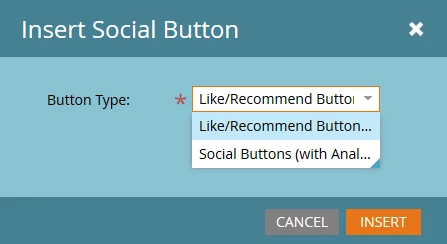
Before I open a support case, I thought I'd check to see if others are experiencing the issues we're facing when adding social buttons to a free-form LP. This is done by dragging the "social button" icon from the LP elements on the right; and then selecting "Like/Recommend Button" from the button type drop-down:
When clicking the gear icon to configure the buttons, there are several issues we're experiencing. For example, the "Layout" option is messed up. When clicking on it, an "undefined" value appears - with no ability to modify this:
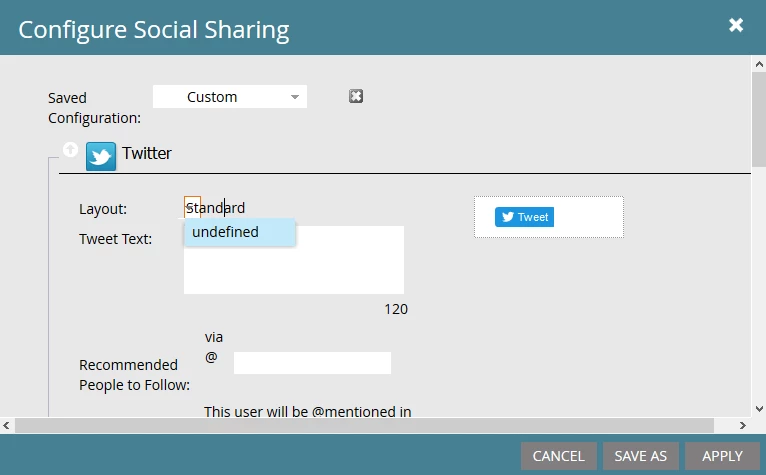
And when attempting to save our configuration by giving it a name, there's no way to do so (the "Custom" text cannot be replaced/edited.
Also, is there no way to turn off specific social networks - like Google+ - so that only our preferred networks are contained in the toolbar?
Something feels very broke here.