Issues adding custom css to form theme | Community
Skip to main content
August 27, 2014
Solved

Issues adding custom css to form theme

  • August 27, 2014
  • 13 replies
  • 2912 views
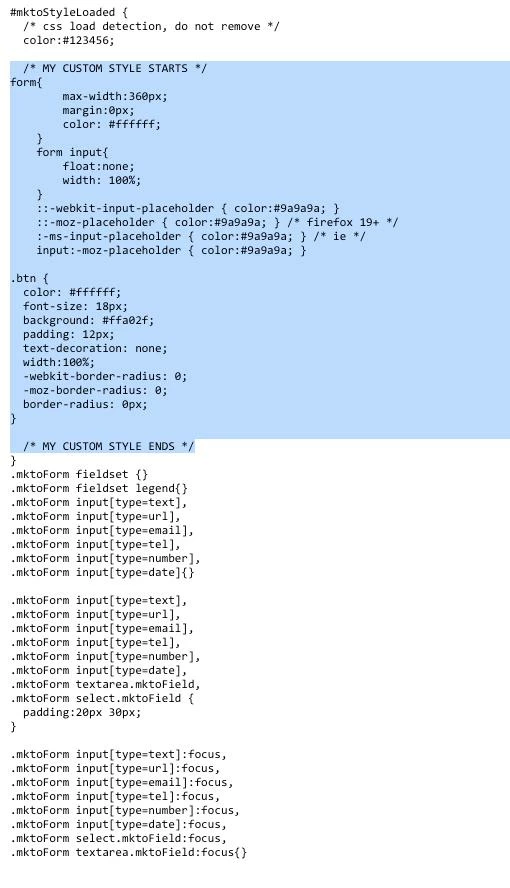
Using forms 2.0, I selected the form theme "simple" and all I wanted to do is change the button style and change the font color to white since my background color is blue. I followed the instructions "edit the css of a form theme" tutorial and I copied the code and pasted it in the "edit custom css" field. Still no luck.

Not sure if it makes a difference but I am embeding the code into my custom css landing page.

Thanks in advance.

See attached added code in blue. Thank you in
This post is no longer active and is closed to new replies. Need help? Start a new post to ask your question.
Best answer by
By using the WYSIWYG button style, the style is overriding the ones I provided. You can either revert back to the original button or add !important tags at the end of each one of my properties (i.e. font-size:18px !important).

13 replies

August 27, 2014
Almost there. I appreciate you guys helping. http://info.cnlsecurities.com/formtest5.html

How do I update the asterisk from red to white. I assume that the color: fff wouldve udated that.

The code above helped change the font color to white but it appears to ignore the rest of the button styles. It did accept the button style to width 100% but everything else didnt showup. However,  I went to the wiziwig to change the button color to orange which worked out great. Just need to fix the font 18px and padding 12px. Any thoughts? Again, I appreciate you guys helping out a new marketo user.


Corey_Bethel
Level 4
August 27, 2014
Add this code to change the color of the asterisk:

.mktoForm .mktoAsterix {
    color: #FFFFFF !important;
}
Corey BethelConsultant | Etumos
Accepted solution
August 27, 2014
By using the WYSIWYG button style, the style is overriding the ones I provided. You can either revert back to the original button or add !important tags at the end of each one of my properties (i.e. font-size:18px !important).