Level 7
February 7, 2018
Question

Issue with Code in Email Template

  • February 7, 2018
  • 1 reply
  • 4751 views

Hi all,

I've cloned over the attached email template (Template-A-Original) and wanted to combine the following content modules (CTA and CTA Text, dealership information, separator-3, dealership links, separator - 4, Blank Space-clone-1, footer links, and Blank Space) into one editable section (excluding the Footer).

I've also attached what I've built together so far: Template-A-Dynamic, but when I preview email the footer no longer expands 100% (see screenshot below):
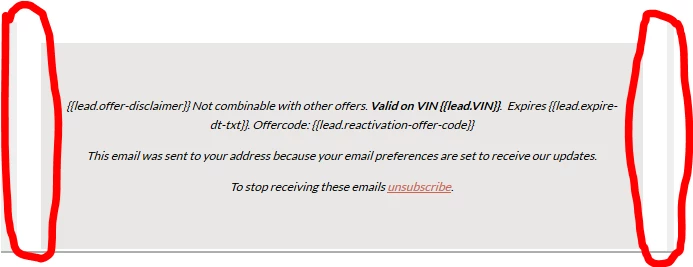
Also, when I try to approve template the following error message appears:
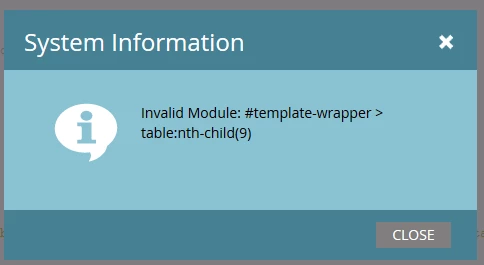
If someone can review my code and provide any suggestions I would greatly appreciate it!

Thanks,

Tom

This post is no longer active and is closed to new replies. Need help? Start a new post to ask your question.

1 reply

Community Advisor
February 7, 2018

Your "outer" container is 650px wide; your footer is "table600" centered, so you're getting 25px on each side as a result. Change to 100% or 650px to match.

As for the error you're getting, it's basically saying the 9th item in your container is either not a module. I'll check the code for that in a bit.

Community Advisor
February 8, 2018

Okay - this is a difficult way of saying this -- but in the word doc of code you sent, on page 28 of 43 there is an empty table:

<table>

<tbody>

</tbody>

</table>

That's causing your 'invalid module' call

Community Advisor
February 8, 2018

after Marketo refreshes the code, the lines are on 484-487