
Cecile_Maindron
Level 10
June 16, 2014
Question

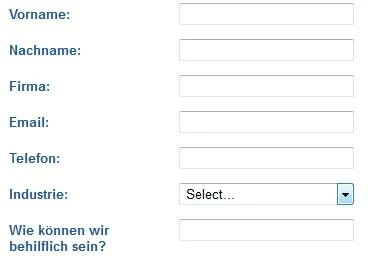
Is it possible to translate "Select" in the dropdown lists on 2.0 forms?

  • June 16, 2014
  • 3 replies
  • 1287 views

Hello,

I would like to localize my 2.0 forms. I have been able to translate everything except the Select inside drop-down list. Do you know how I can achieve that?
This post is no longer active and is closed to new replies. Need help? Start a new post to ask your question.

3 replies

Dory_Viscoglio
Level 10
June 16, 2014
Hi Cecile, unfortunately I don't think you're able to within forms 2.0. I had a similar issue to this with wanting my state field to be able to say state when United States was chosen, and province when Canada was chosen. It's a little bit different, but I think the same concept where the picklist will need to have the same top value.
June 17, 2014
Hi:
You can change the display value of the "Select" default in a drop down list. Click on "Edit Values" and then click on that "Select" value in the display value column. You can then change the word to whatever you would like. We have used this multiple times with non-English forms since Forms 2.0 was introduced and it appears to work perfectly.


And Cecile, we have had an issue like you describe with the state field/province field and had no issue with it either. We just edited the visibility issue to have two separate conditions: "If Country IS USA, Show State (and keep label as state)" and "If Country IS Canada, Show State (and change label to "Province"). Works like a charm:


Cecile_Maindron
Level 10
June 19, 2014
@ Michaela: thanks for instructions for Select.

I already knew about the Visibility rules (specific picklist values per country) but I never thought about changing the Field Label! So thanks for the unsollicited tip, you have made my day!