Is it possible to have different label positions inside same form? | Community
Skip to main content
Cecile_Maindron
Level 10
May 7, 2014
Solved

Is it possible to have different label positions inside same form?

  • May 7, 2014
  • 3 replies
  • 1199 views
Hi,

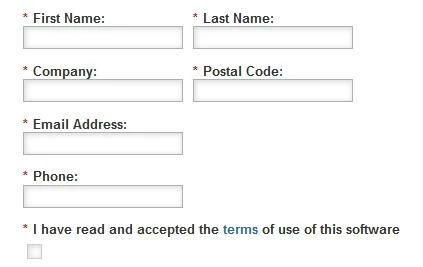
I have checked documentation but I cannot find if (and how!) is it possible to have different label positions inside same form

I would like that the last label is on right side (option doesn't seem to exist at all) or at least on left side

[]  I have read....
I have read.... []
This post is no longer active and is closed to new replies. Need help? Start a new post to ask your question.
Best answer by
I don't think you can mix label positioning, at least not without additional javascript.
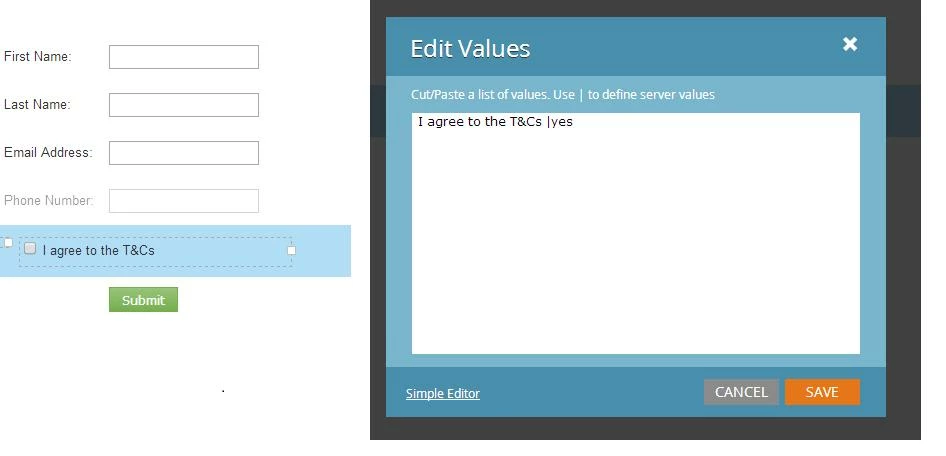
This is cheating a bit but you could try something like this


by removing the field label for the checkbox field and adding it as the display value for the yes submission.

It will be a bit out of line with the left margin though....

3 replies

Accepted solution
May 7, 2014
I don't think you can mix label positioning, at least not without additional javascript.
This is cheating a bit but you could try something like this


by removing the field label for the checkbox field and adding it as the display value for the yes submission.

It will be a bit out of line with the left margin though....
Cecile_Maindron
Level 10
May 7, 2014

I thought about adding T&Cs in display value but I need url to the actual T&Cs. I have tried to add a rich text but I find that the asterisk looks a bit awkward. Unfortunately the field is mandatory... Is it possible to have fields mandatory w/o asterisk?

Dory_Viscoglio
Level 10
May 7, 2014
We have removed the asterisk by having:

.mktoForm .mktoAsterix {
    display:none!important;
}

in our template. This might work for you?