Is a smart campaign and trigger necessary for unsubscribes? | Community
Skip to main content
Hayley_Sheaffer
Level 2
October 21, 2019
Question

Is a smart campaign and trigger necessary for unsubscribes?

  • October 21, 2019
  • 3 replies
  • 6732 views

In our instance every email we send has smart campaigns that listen for unsubscribes, and the flow in Salesforce is to mark them as that status for the email campaign? Is this necessary? I have attached pics that show what we do.

I don't know why we have done it that way, but it doesn't seem like that is truly doing anything with people who unsubscribe. If people are clicking the unsubscribe link at the bottom of the email that should be tracked or managed elsewhere in Marketo database, correct?
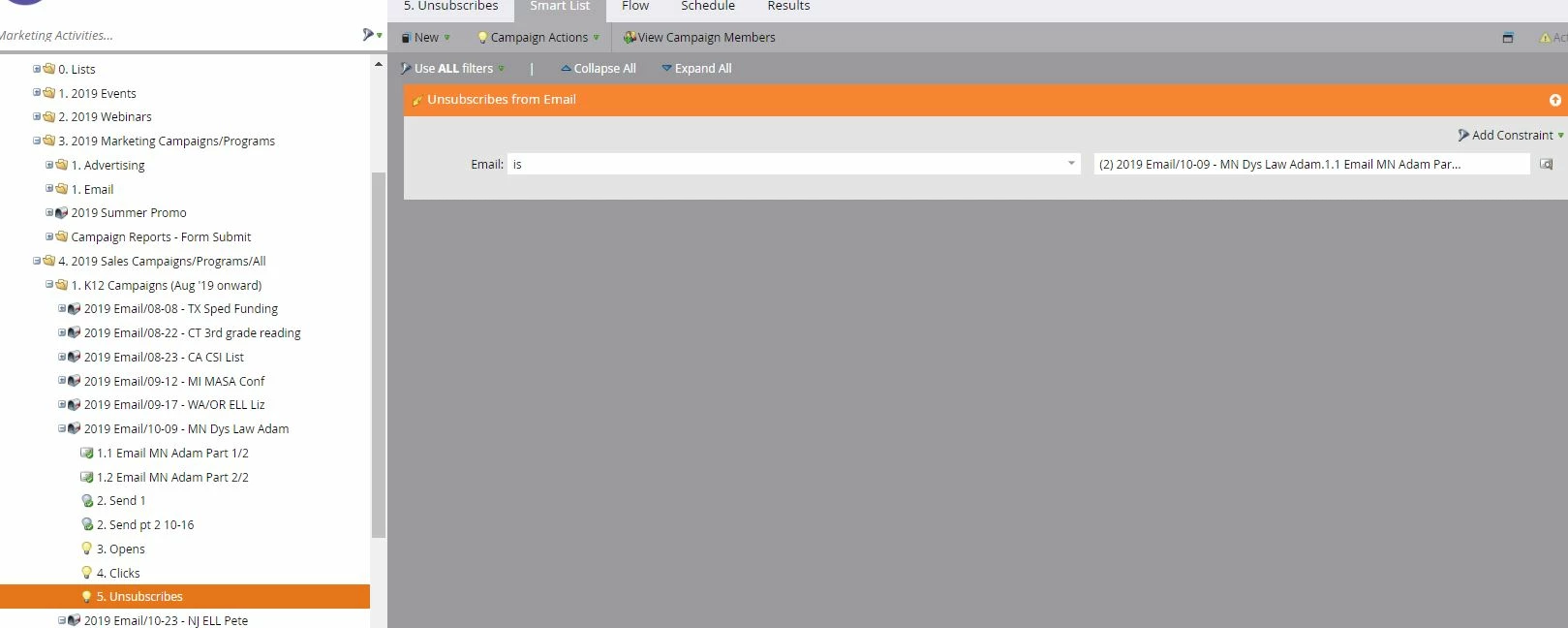
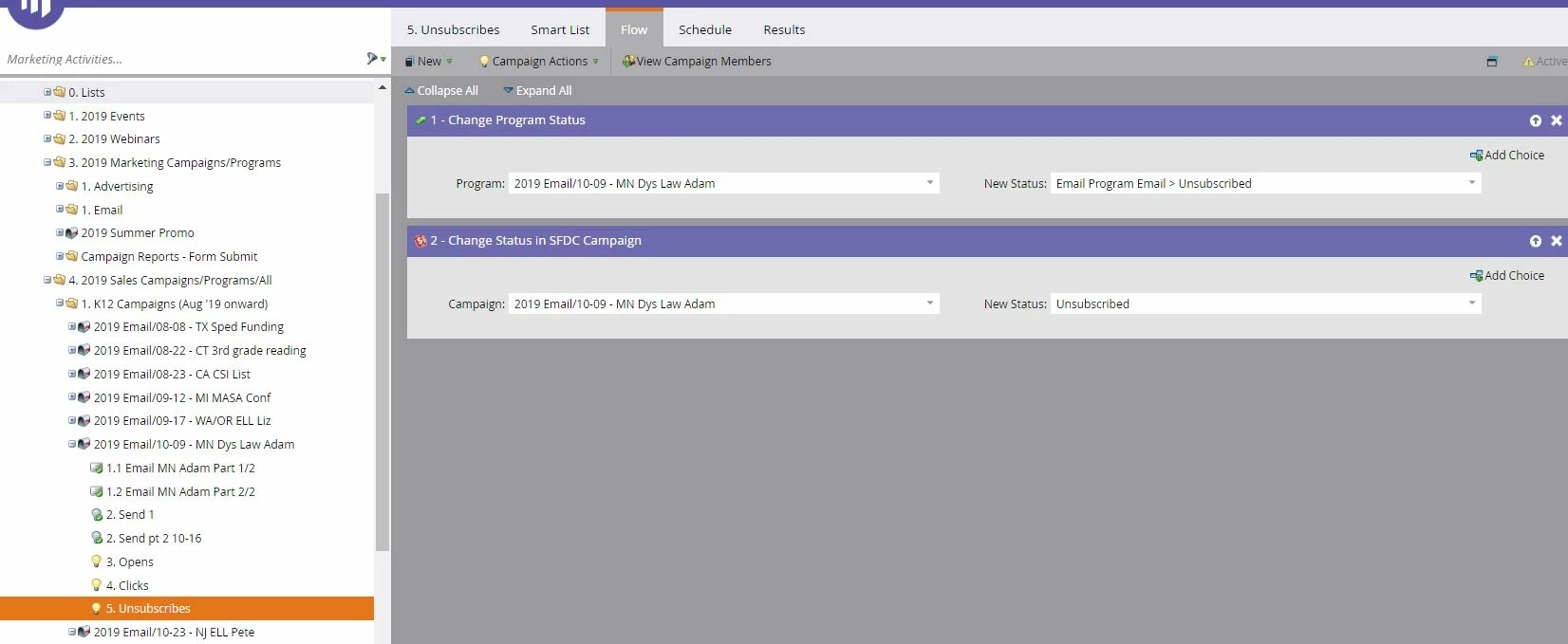
I am trying to streamline our process and figure out why we have done things the way we have over the years, but there is no one here that was using Marketo previously. 

Thanks! 

This post is no longer active and is closed to new replies. Need help? Start a new post to ask your question.

3 replies

SanfordWhiteman
Level 10
October 21, 2019

Could you pls remove the attachments and paste the images inline? Not all users can see attachments, so they can be very confusing.

Hayley_Sheaffer
Level 2
October 21, 2019

Did that, thank you

Grace_Brebner3
Level 10
October 21, 2019

Hi Hayley,

I actually do basically exactly this (minus the SFDC part) in my instance. For me, running an instance with multiple brands all on custom unsubscribe fields, it's enormously valuable as it enables me to report on unsubscribe rates using the program performance report (adding channel tag columns in settings), rather than digging into smart lists constantly - unsubscribe reporting in email reports only works if you're using the system unsubscribe field.

It's also incredibly helpful because it gives me longer term reporting ability on this (when historical activity like "data value change" aren't held long term).

If your instance uses custom unsubscribe fields, I would strongly recommend that you continue working this way.

Chris_Wilcox
Level 8
October 22, 2019

@Grace Brebner - You can tag non-standard unsubscribe links in your emails by adding the param "?mkt_unsubscribe=1&mkt_tok=##MKT_TOK##" to your links.  This allows Marketo to track the "unsubscribe" activity based on the clicks to that link in your email. More documentation here!  This will get the unsub counts onto your email reports even if you're using different unsub links by brand, you just have to append those unique landing page URLs with the params above.

SanfordWhiteman
Level 10
October 22, 2019

It's a little more complex than that -- you need to change the Unsubscribed field as part of the posted form data (not in a Smart Campaign afterward).

Merely visiting the page doesn't represent an unsubscribe, after all. Only the form post means an unsubscribe happened. But the special query string indicates a link click that you (typically) want to exclude from engagement reports.

Amanda_Reilly1
Level 2
October 28, 2019

Hi Hayley, 

I've used these smart campaigns in the past in order to track which campaigns are responsible for an unsubscribe. It's purely to show performance of a specific campaign at a high level. This is just changing the program status so that it doesn't show the person as being a success from say, opening or clicking, because their ultimate action was unsubscribe, so it changes their status. 

I would also guess the campaign isn't synced 1:1 with Salesforce, so the program status is being manually changed in Salesforce as well. It's for reporting purposes.

Hope that helps!

Amanda