June 25, 2014
Question

iPad App Screen Problems

  • June 25, 2014
  • 5 replies
  • 1028 views
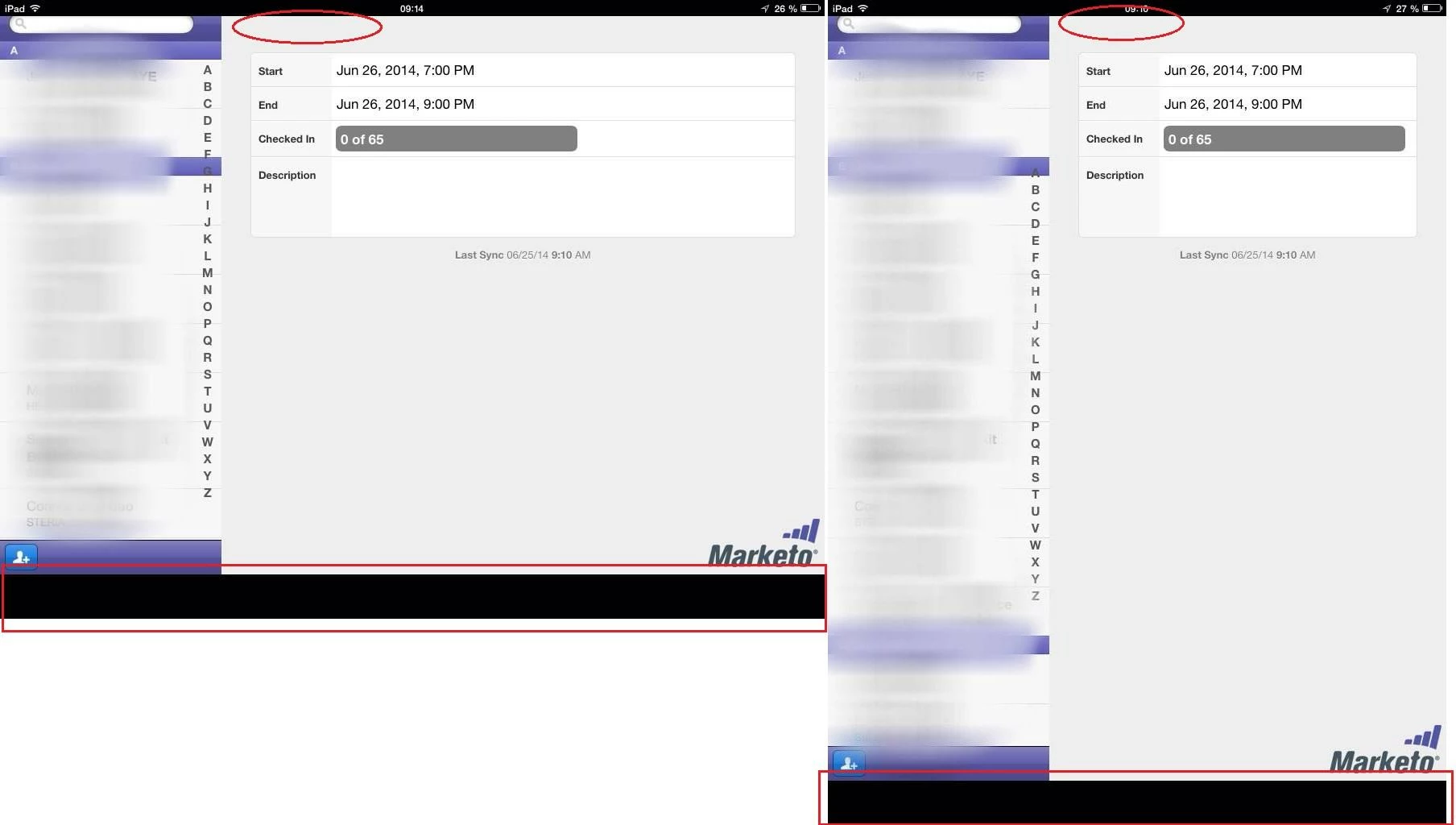
When we use the app, it doesn't take the whole screen of the ipad. It is actually a little bit about the bottom, and it goes beyond the top of the screen. In effect, the Sync button cannot be seen at the top and we cannot sync contacts when we check them in. Does anyone have a solution to this ? 

This post is no longer active and is closed to new replies. Need help? Start a new post to ask your question.

5 replies

June 25, 2014
I've tried closing the app and turning my iPad so many times, but it still doesn't solve the problem.
June 25, 2014
Which iOS version release are you using?

It may feel a silly question in first place. It makes sense if I put it into perspective: I am contributing to free open source projects on iOS and Android among others.

iOS's rendering engine has evolved massively. There are minor malfunctions in specific releases that were improved in later ones. To be more specific iOS 5.1.1's rendering engine has a deep glitch that does not affect the vast majority of web pages. It surfaces in very specific circumstances, usually when it needs to wrap text around a picture. The picture is cropped. The text renders normally.


I can test on iOS 5.1.1 and 7.1.1 on iPad 1 and Air respectively. 
June 25, 2014
It's an iPad Air v7.1.1
June 26, 2014
I was able to find a fix to the problem. The problem starts when at the login step. When the keyboard is at the bottom of the screen, it pushes the whole app up and it remains like that if you login with the keyboard at the bottom. If you push the keyboard up, it puts back the app at the right level of the screen and remains that way when you login with the keyboard up.


June 27, 2014
That behaviour is set by iOS when apps take full screen. The programming guide clarifies that functionality: https://developer.apple.com/library/ios/documentation/StringsTextFonts/Conceptual/TextAndWebiPhoneOS/KeyboardManagement/KeyboardManagement.html