
Invalid values for Link Name / Web Page | Community
Skip to main content
Christina_Euric
August 2, 2018
Solved

Invalid values for Link Name / Web Page

  • August 2, 2018
  • 1 reply
  • 5319 views

Hey everybody,

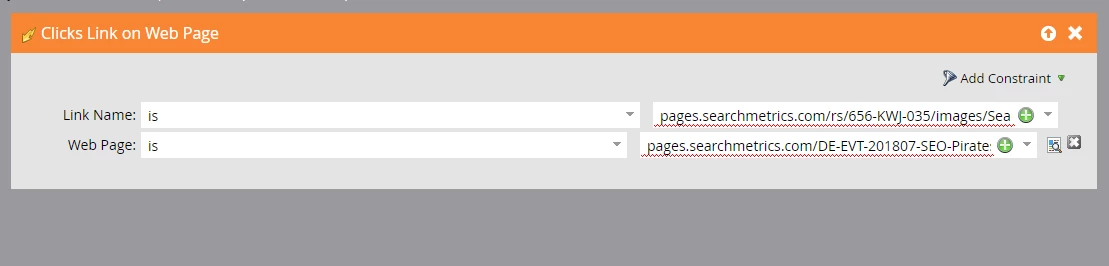
I'm trying to create a smart campaign right now where the smart list includes the trigger "Clicks Link on Web Page" .

I put in the Link Name (the URL is the URL of a .pdf file in our Marketo Design Studio) and the URL of the Web Page (it's the approved Landing Page of this program).

But Marketo tells me that the values are invalid. I even tried to put "" in front of the URLs but it's still not working.

We used other Landing Pages from Marketo before in our Smart Campaigns and it always worked.

Does somebody know anything about this problem?

Kind regards

Christina
Best answer by Dan_Stevens_

The link/page will only be there if it has previously been indexed.  Whenever publishing a new page/links, have your team visit/test it to get those items indexed in Marketo - so that they will appear in the list (eventually).  Also, when using Marketo LPs, it's easier - and sometimes more reliable - to reference the LP by it's asset name (rather than the URL).

1 reply

August 2, 2018

Hi,

try to expand the available link names and web pages (+ icon) and search for the link in the list and add it from there.

Best;m

Christina_Euric
August 2, 2018

Hey Matjaz,

thank you very much for your advice.

I tried to search for the link but it is not listed in the list.

Kind regards

Christina

August 2, 2018

Then its not in the Marketo database yet. One cookied user should click on the link/page to push it into Marketo and then it should work. Alternatively, change the "is" condition to "contains".

Best;m