Invalid Encoding Error Message when uploading .CSV list | Adobe Higher Education
Skip to main content
Level 2
March 15, 2024
Risolto

Invalid Encoding Error Message when uploading .CSV list

  • March 15, 2024
  • 1 risposta
  • 3231 visualizzazioni

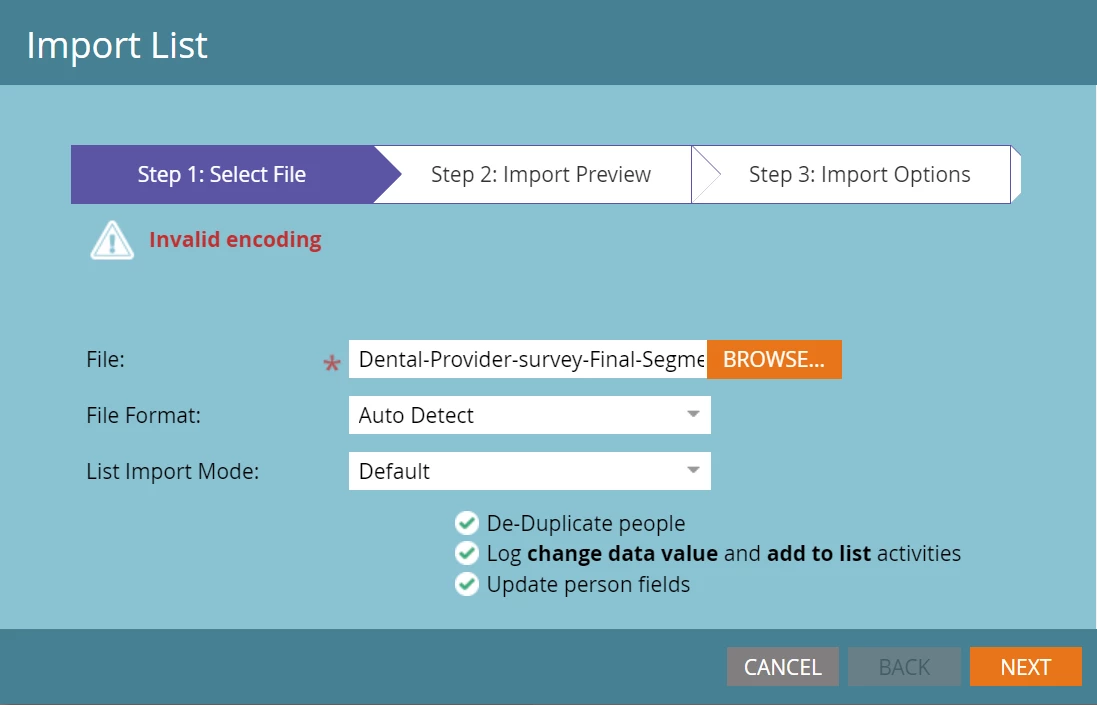
I am trying to upload a .csv file of email addresses into Marketo and keep getting an "invalid encoding" error message. Not sure why this is?
Questo argomento è stato chiuso alle risposte.
Migliore risposta di SanfordWhiteman

This can signal

  • a UTF-8 or UTF-16 encoding problem (i.e. the way characters are stored)
  • a CSV formatting problem (bad commas, quotes, etc.)


Create a CSV with sample data that triggers the error and attach that file.

1 risposta

SanfordWhiteman
Level 10
March 15, 2024

This can signal

  • a UTF-8 or UTF-16 encoding problem (i.e. the way characters are stored)
  • a CSV formatting problem (bad commas, quotes, etc.)


Create a CSV with sample data that triggers the error and attach that file.

Level 2
March 18, 2024

Saving as a CSV UTF-8 file helped resolve the issue, thanks!

SanfordWhiteman
Level 10
March 18, 2024

OK, good to hear. To be clear, Marketo supports UTF-8 and UTF-16 encoding (the standard “Unicode” encoding used by Excel, for example, is UTF-16LE and it works fine). But if you were trying to use, say, ASCII encoding with characters outside the ASCII set that would obviously be a problem.