
Incorrect Dynamic Date Token | Community
Skip to main content
Itay_Billet4
Level 8
October 22, 2017
Question

Incorrect Dynamic Date Token

  • October 22, 2017
  • 1 reply
  • 1650 views

Hi Team, we have a flow that sends notifications based on a date token and a wait step.

the 1st Wait step said: 7 days before {{my.Event_Date}} at 5:00 PM IDT (adding the screenshot below for a reference for the rest of the wait steps)
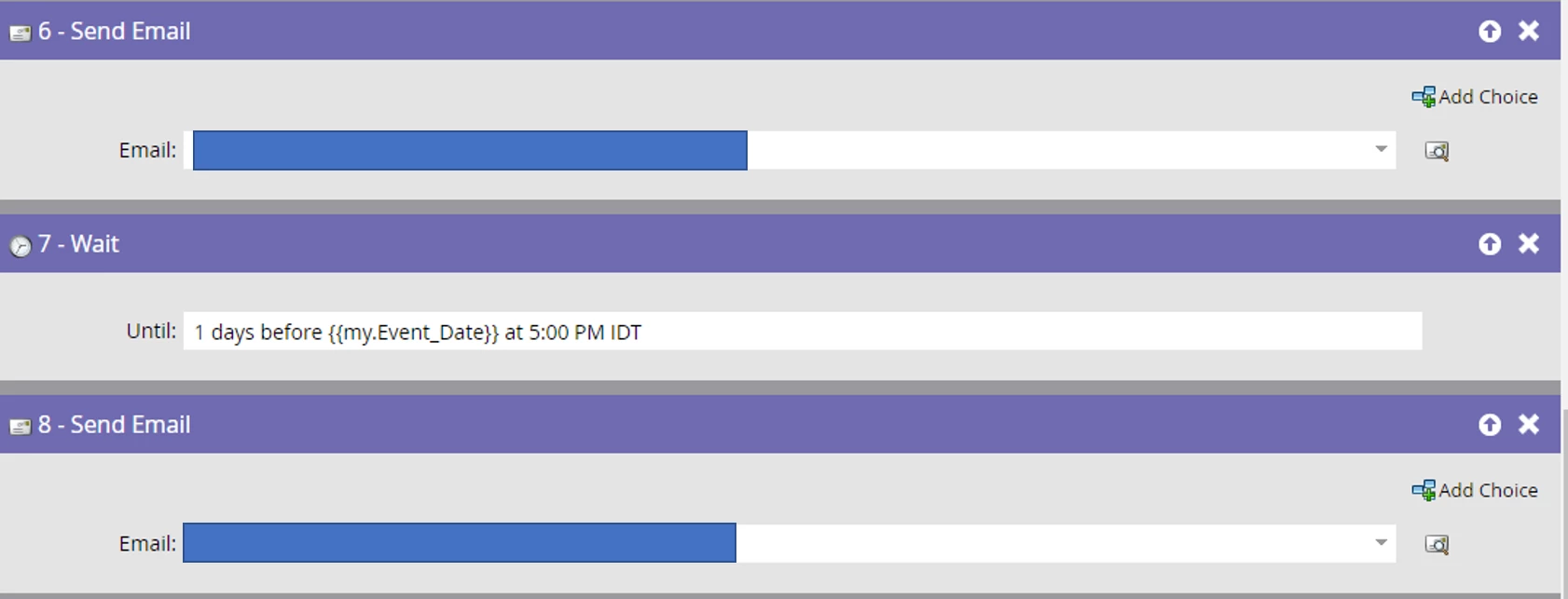
We noticed that the reminder notifications were sent on October 19th (and not a week before Nov 29th). Any idea why this might happen?

Thanks!

Itay

This post is no longer active and is closed to new replies. Need help? Start a new post to ask your question.

1 reply

Gerard_Donnell4
Level 9
October 22, 2017

Have you double checked the token in the program to make sure the name or the token matches the one in the flow step? If not it could be inheriting from one in its parent folder. The screenshots look perfect though.

Itay_Billet4
Level 8
October 24, 2017

Yes, I checked that. I think it might be related to the fact that the dates under "schedule" was set to next week. I changed it, will check if it will happen to the next email sends.