"Include View as Web Page" option - set as default? | Community
Skip to main content
August 6, 2014
Solved

"Include View as Web Page" option - set as default?

  • August 6, 2014
  • 4 replies
  • 2193 views
 Can you set the "Include View as Web Page" as checked on emails so that it is the default setting?
 
This post is no longer active and is closed to new replies. Need help? Start a new post to ask your question.
Best answer by
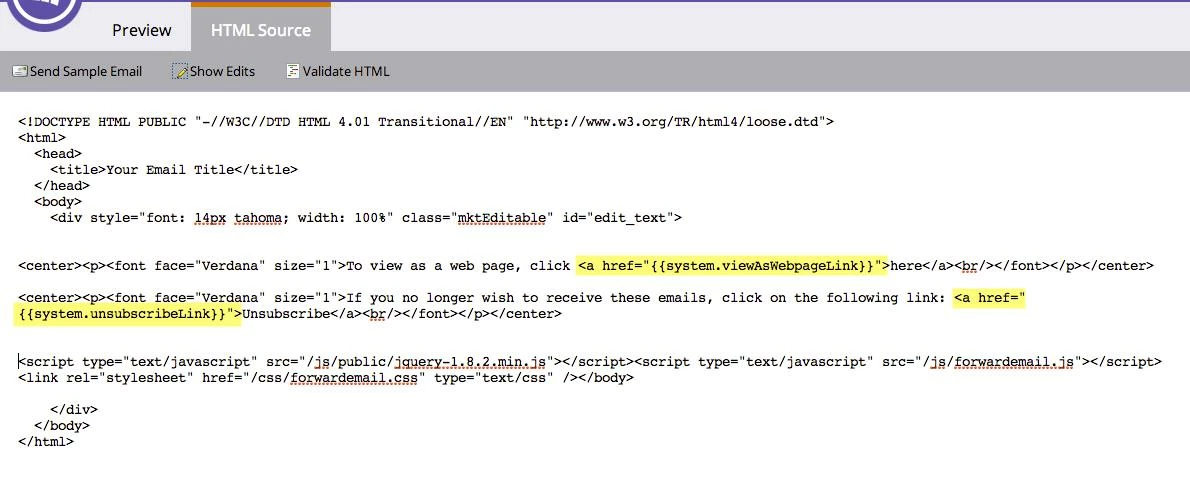
Here's a screenshot of what you need to add to your email template (of course, you can change the text):


<center><p><font face="Verdana" size="1">To view as a web page, click <a href="{{system.viewAsWebpageLink}}">here</a><br/></font></p></center>
 
<center><p><font face="Verdana" size="1">If you no longer wish to receive these emails, click on the following link: <a href="{{system.unsubscribeLink}}">Unsubscribe</a><br/></font></p></center>

4 replies

Edward_Masson
Level 10
August 6, 2014
You can add the system token of 'View as webpage' on your email templates and lock it in.
August 11, 2014
FYI, in case you didn't already find it, here's a help article describing how to use that system token.
August 15, 2014
Thank you both for your responses. I want to add this feature, View as a Webpage, to our templates which I am realizing can only be edited within the html code. Is this correct and if so, how do I add a token with html code?
Accepted solution
August 15, 2014
Here's a screenshot of what you need to add to your email template (of course, you can change the text):


<center><p><font face="Verdana" size="1">To view as a web page, click <a href="{{system.viewAsWebpageLink}}">here</a><br/></font></p></center>
 
<center><p><font face="Verdana" size="1">If you no longer wish to receive these emails, click on the following link: <a href="{{system.unsubscribeLink}}">Unsubscribe</a><br/></font></p></center>