July 24, 2013
Question

Import List - Auto Detect Feature doesnot work

  • July 24, 2013
  • 6 replies
  • 1482 views

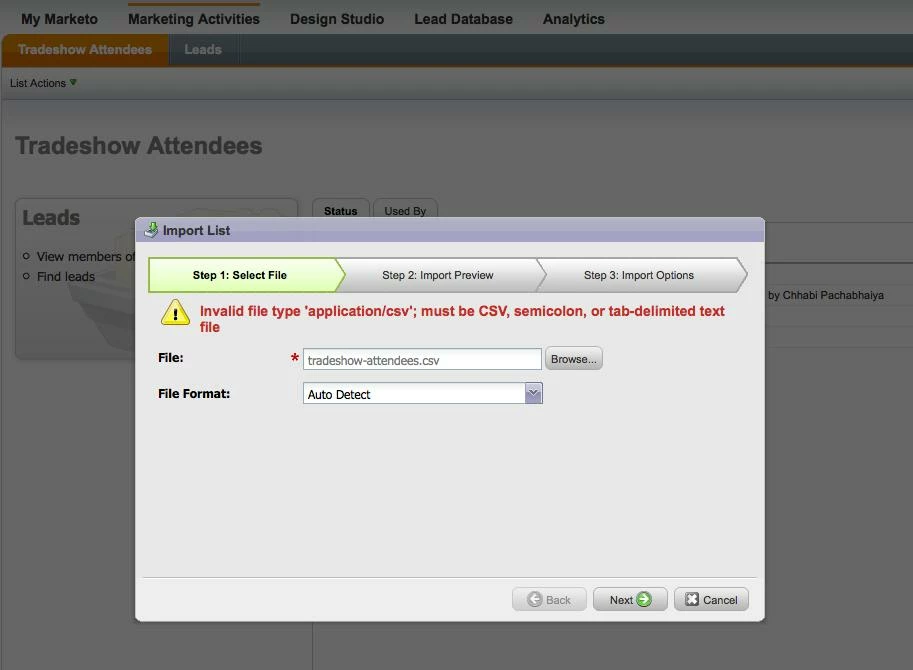
When importing the list of leads data from the csv file, Auto detect feature is not working. It displays the message as shown in the attached picture.
But, when I select file format = 'comma separated values', then it works.

Is it only me getting this error ?

This post is no longer active and is closed to new replies. Need help? Start a new post to ask your question.

6 replies

July 24, 2013
I haven't gotten that error. How are you creating your csv file? Can you paste a line of your csv for a sample?
July 25, 2013
Thanks Hitoshi for the reply.

Strange, it's working now with the same csv file.
For some reason, I got the mentioned error.

This was the csv file i used: http://community.cdn.marketo.com/tradeshow-attendees.csv

Anyways, it works now. :)
July 25, 2013
Chhabi I saw this issue previously when the filename had a space in it.  The hypen might have a similar issue.  Have you tried this without the hypen?
Dan_Stevens_
Level 10
August 16, 2013
This is happening to me as well.  I'm using the "tradeshow-attendees.csv" file.  I even removed the hyphen from the filename as well as remove the extra blank row that gets added when you save the file from Excel (I removed the row using Notepad).  I still get "Invalid file type" error.
August 20, 2013
Dan are you able to get it working when you choose CSV as the file type?
Dan_Stevens_
Level 10
August 20, 2013
Yes, I am.  It appears the "auto-detect" feature shouldn't even be an option given the number of issues users are experiencing with it.