
IE changing form format | Community
Skip to main content
James_Zolinski
Level 4
December 21, 2018
Solved

IE changing form format

  • December 21, 2018
  • 1 reply
  • 5275 views

Have an issue with Internet Explorer changing the format of our forms on landing pages. I've come across a number of conversations on the community but all seem to be 2-4 years old. Does anyone know why or how to get IE to render forms on a landing page like Chrome and Firefox.

Below is an example of the form on IE
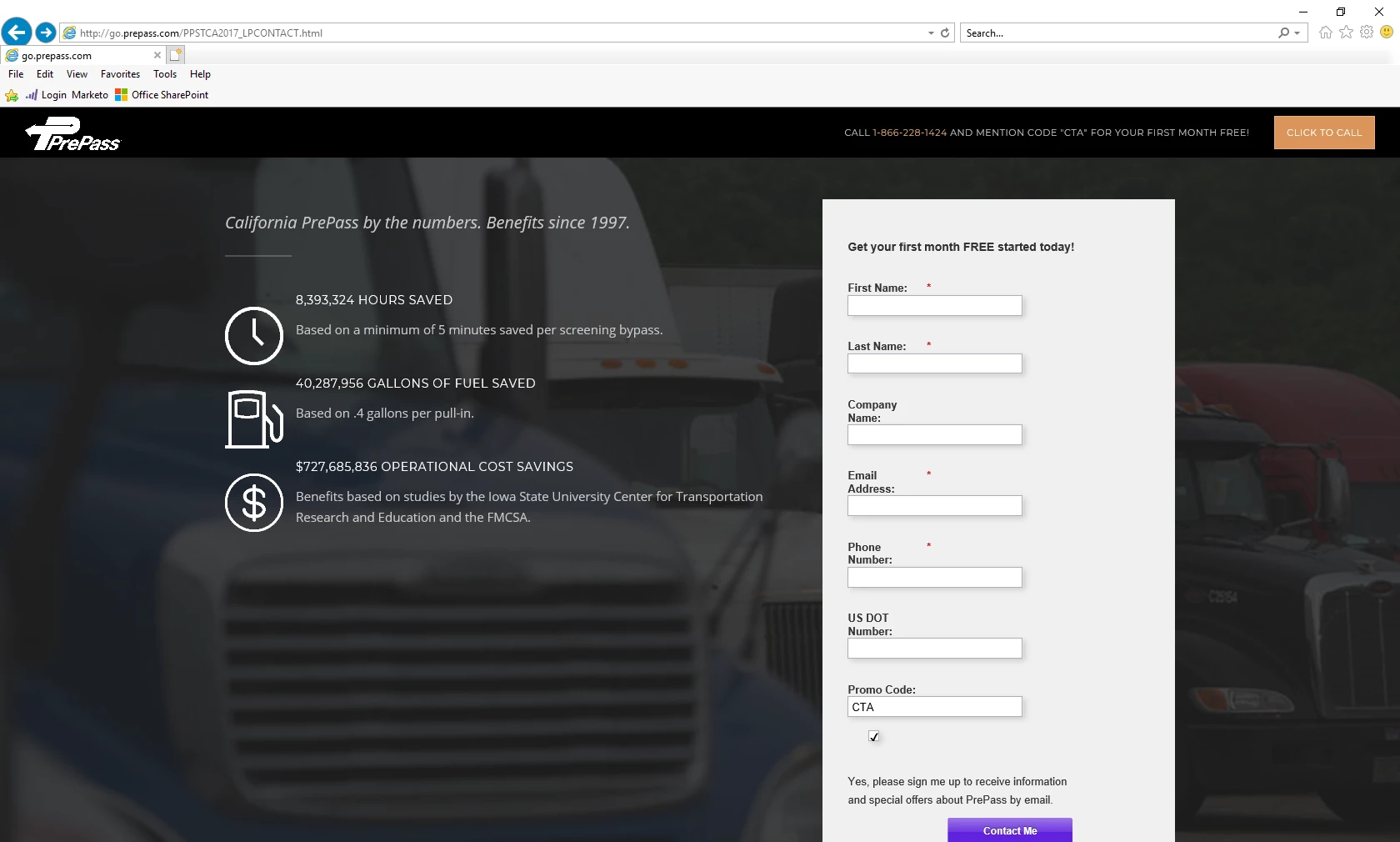
Here is how the form should look like on Chrome and Firefox
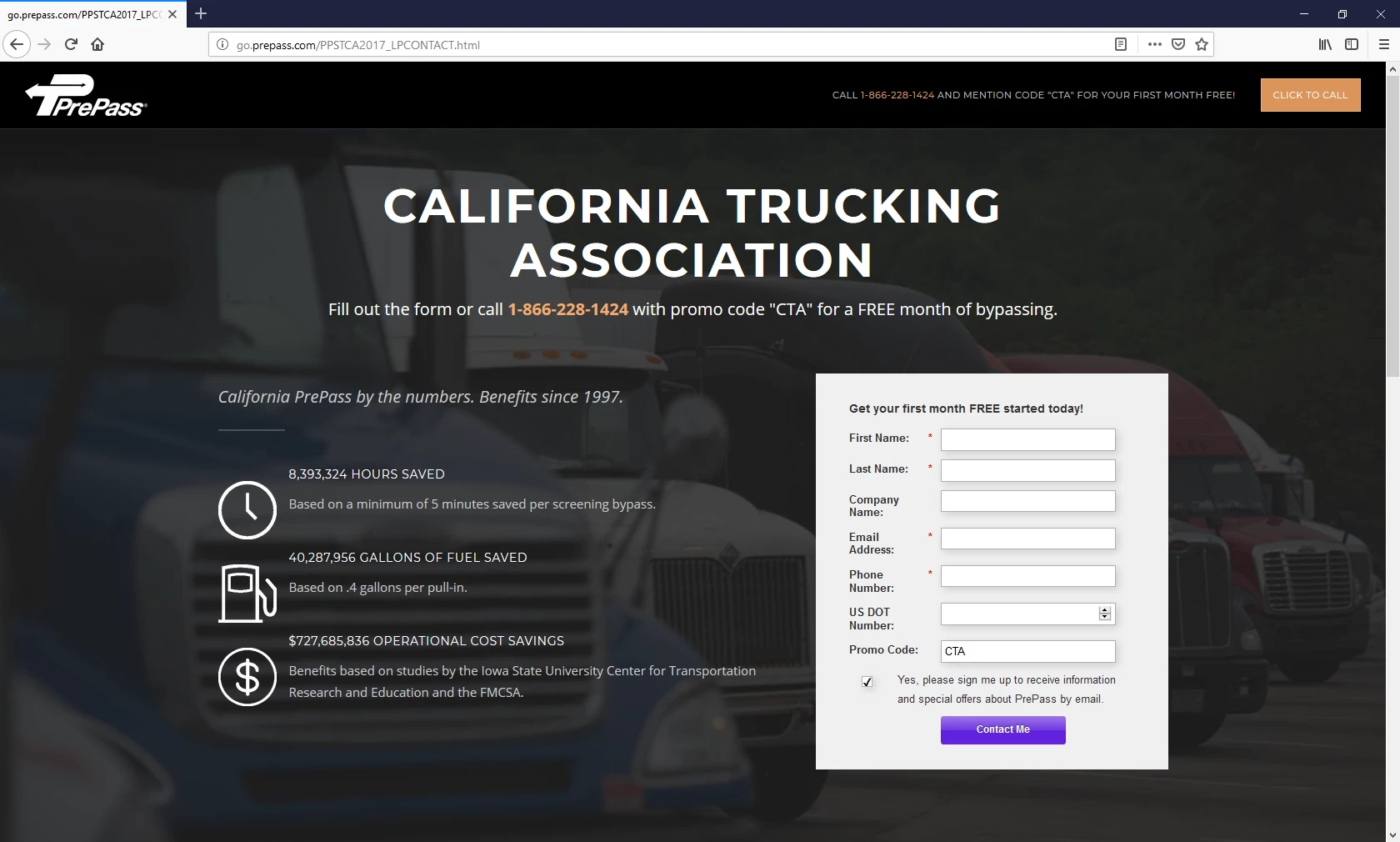
Here is the url for the page:

http://go.prepass.com/PPSTCA2017_LPCONTACT.html

Thank you

This post is no longer active and is closed to new replies. Need help? Start a new post to ask your question.
Best answer by SanfordWhiteman

Sanford, thanks for the tip on changing the box-sizing from initial to content-box, it worked perfectly. I’d like to mark your answer as correct but don’t see the option to do so.


I’d like to mark your answer as correct but don’t see the option to do so.

Strange, it should be there. Maybe open the thread in its own tab (click the name of the thread)?  Anyway, glad it's working.

1 reply

SanfordWhiteman
Level 10
December 21, 2018

IE 11, I assume?

James_Zolinski
Level 4
December 21, 2018

Your assumption would be correct mr Watson. So what does that mean?

SanfordWhiteman
Level 10
December 22, 2018

You're adding a custom style that isn't supported in IE (this isn't related to Marketo's default form styles, it's a line you added on the page itself):

No version of IE supports initial. You want to use

box-sizing: content-box;

which has exactly the same effect for the box-sizing property.