
HTML Encode Tokens in Emails from latest release broke our emails | Community
Skip to main content
Grant_Booth
Level 9
December 20, 2017
Question

HTML Encode Tokens in Emails from latest release broke our emails

  • December 20, 2017
  • 1 reply
  • 4372 views

Just making sure people are aware this happened so they can fix quickly:

In the latest release, it looks like Marketo pushed a change in Field Management so there is now a "HTML Encode Tokens in Emails" checkbox. When this rolled out, all fields defaulted to CHECKED.


As a result, the text area field we were using to populate dynamic rich text in our email footer was encoded HTML, causing it to show up as though it were plain text:
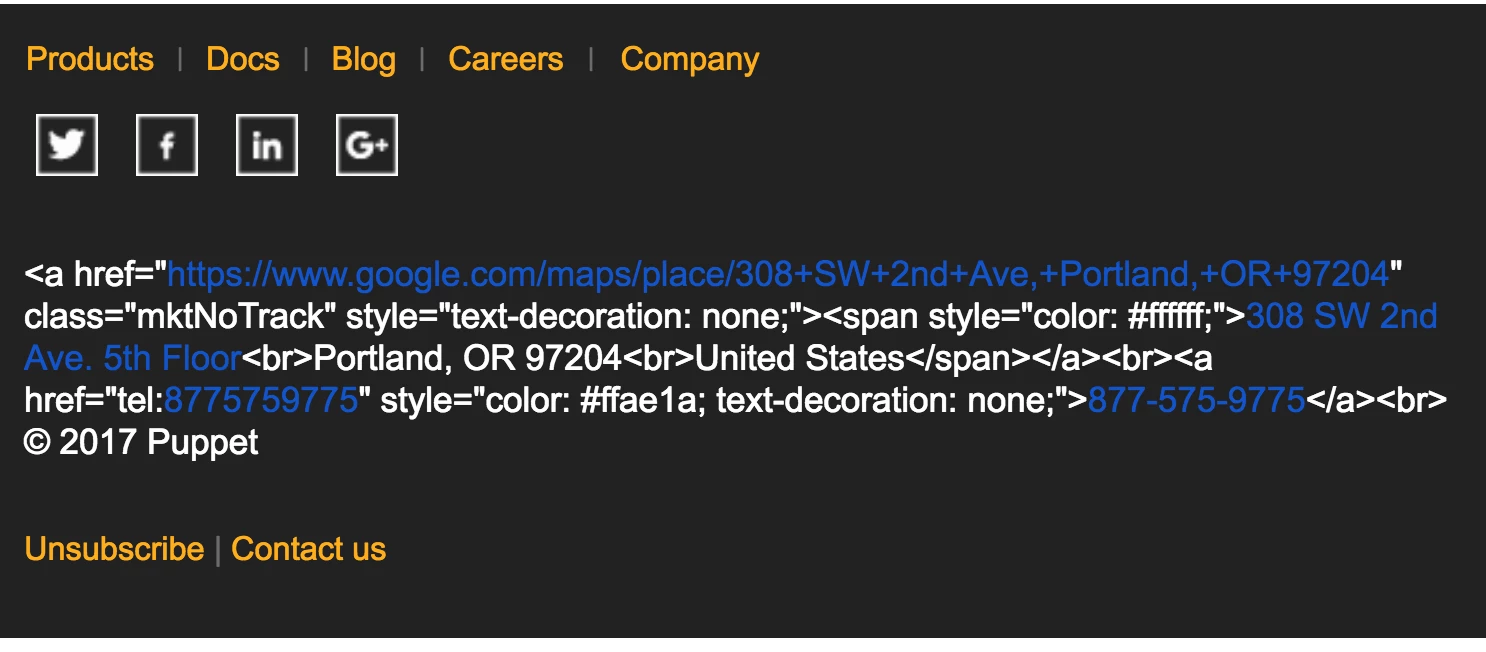
I'm guessing this is a security improvement intended to help neutralize code injection - but it would have been nice if this had been mentioned in the release notes...

I recommend other users audit what fields they are using in this fashion and make sure this is unchecked in Admin > Field Management.

This post is no longer active and is closed to new replies. Need help? Start a new post to ask your question.

1 reply

Grant_Booth
Level 9
December 21, 2017

Update on this: it looks like this feature is older, but is supposed to be opt-in? HTML Encode Tokens - Marketo Docs - Product Documentation

We are quite certain we did not enable it. Do others see this feature has been enabled in their instance without opting in to it?

SanfordWhiteman
Level 10
December 21, 2017

HTML Encode Tokens in Emails is a modified setting name. Previously, it was HTML Encode Tokens.

It does appear that the default has changed. You can read about some related behavior here.

Community Advisor
December 22, 2017

why hasn't Marketo asked you to teach Velocity scripting as a break-out of Advanced University Day at Summit, yet!? I can only imagine the gold nuggets we'd take away!