How would you do an emails send with a follow-up schedule? | Community
Skip to main content
DeAnna_Humphrey
Level 2
May 18, 2018
Question

How would you do an emails send with a follow-up schedule?

  • May 18, 2018
  • 1 reply
  • 7438 views

Hi,

I am trying to move some of my current time-based workflow emails from Salesforce.com. to Marketo.  What I am struggling with is how to set these triggers in Marketo then how to send them in the same format I currently do from Salesforce.  Reasons for my need to transition from SFDC to Marketo emails is I need these emails to come from the correct domain and I want to be able to track them. Also, too many time-based workflows are slowing down performance in SFDC.  I think I would be setting up a Smart Campaign and have a setup something like below but I did a test lead and it's not triggering.  I am not sure if I am on the right track.
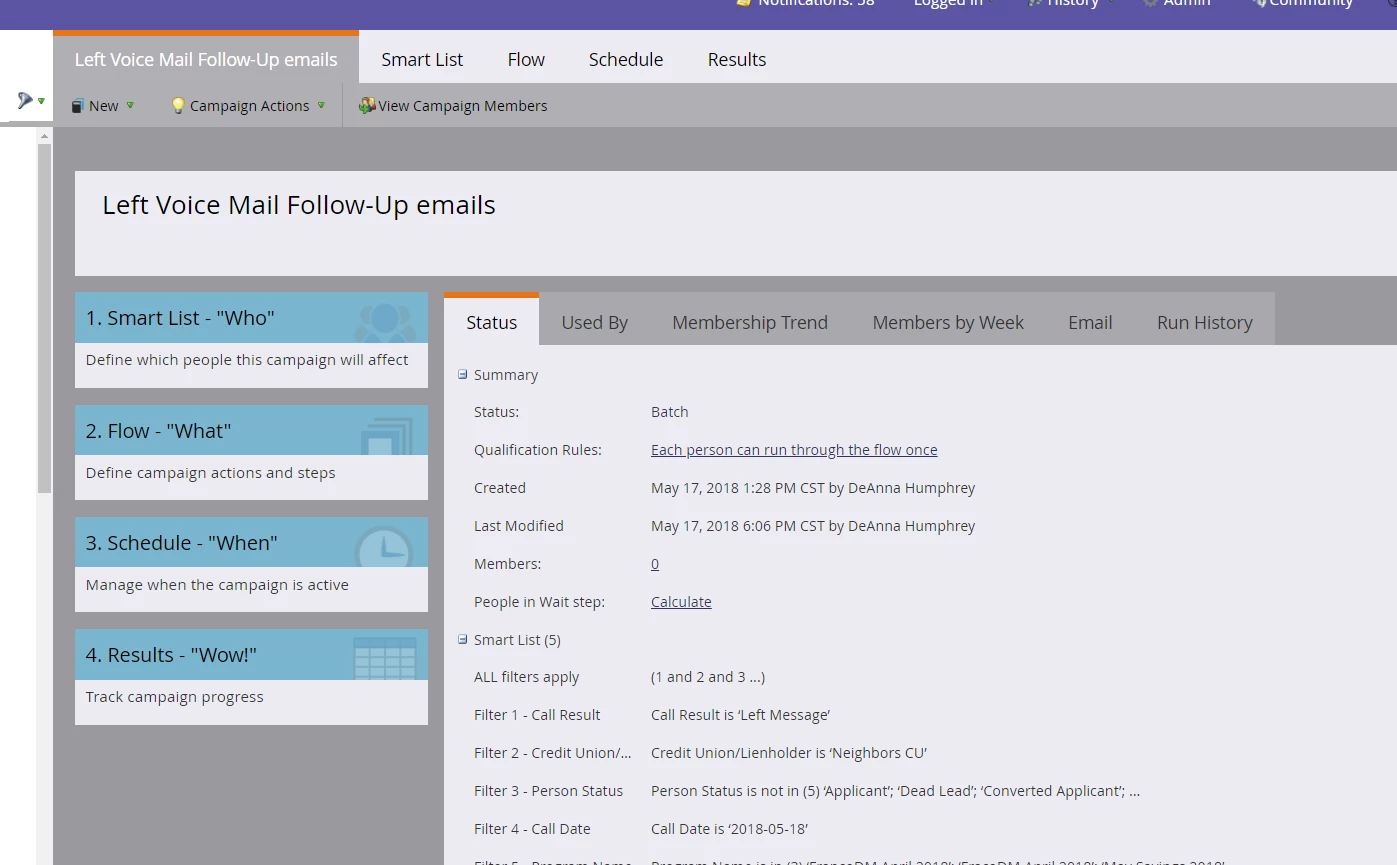
Any and all help is much appreciated.

Thank you,

DeAnna

Here is my current set-up in SFDC example:
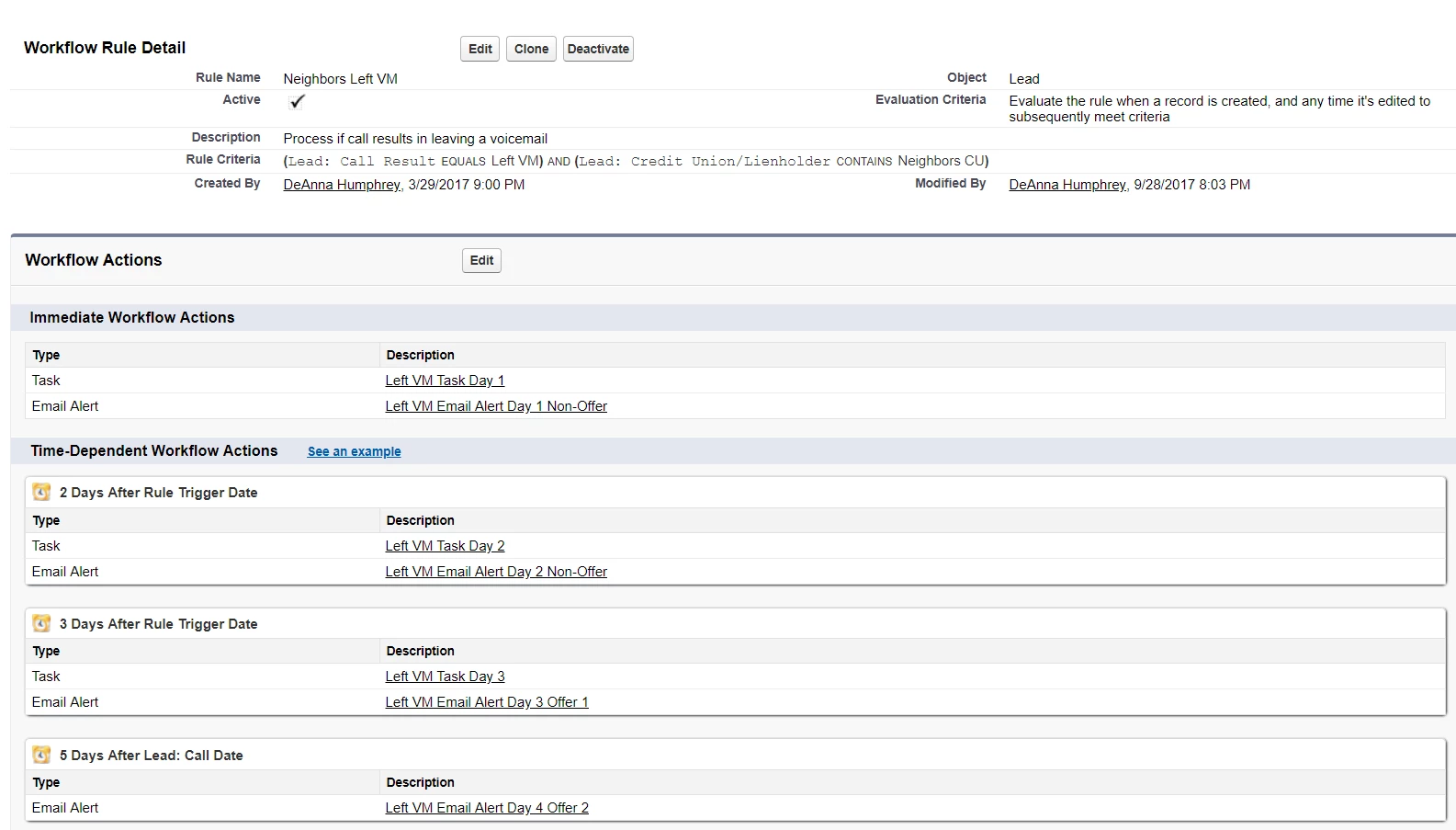
This post is no longer active and is closed to new replies. Need help? Start a new post to ask your question.

1 reply

Jay_Jiang
Level 10
May 18, 2018

Hi, your smart campaign currently doesn't have a trigger. Triggers are orange coloured rules.

What is the field that gets saved in Salesforce (from the looks of things "Call Result"?)? you'll need to use that field in a "Data value changed" trigger

DeAnna_Humphrey
Level 2
May 18, 2018

Jay,

Thank you. During my wait for a response, I discovered exactly what you are

suggesting. I tested it and it is working. My only fear is how this

campaign will compare to SFDC setup. If I set up the flow to occur at

different intervals after data value changes to Left Voicemail. If the data

value changes before the cycle of emails go through would it stop sending

emails? For example, if the Call result changes from Left Message to

Contacted which is another Call Result. Will the emails stop sending? See

the second illustration, to advise if my setup would stop if call result

after 3 days is no longer left message.

On Thu, May 17, 2018 at 9:21 PM, Jay Jiang <marketingnation@marketo.com>

Jay_Jiang
Level 10
May 18, 2018

Create a second smart campaign

Smart list trigger would be data value changes > call result > new value = contacted

Flow would be Remove from Flow and choose the smart campaign that's doing the sending

You'd probably want to set it so leads can run through every time in Schedule > Smart campaign settings