

How to write custom activities with the API
Hello Marketo Engage community,
Here are the steps for writing a custom activity into a lead record in Marketo. I pieced together the documentation with the open source github library to get people started.
Prerequisites include you have downloaded Python 3 and above, you have an environment setup to write calls using your IDE of choice.
Resources for reference:
Marketo rest endpoint documentation:
Marketo-rest-python open source library: https://github.com/jepcastelein/marketo-rest-python (Jep Castelein thank you)
Let's us begin,
First create the custom activity in your instance within the admin section.
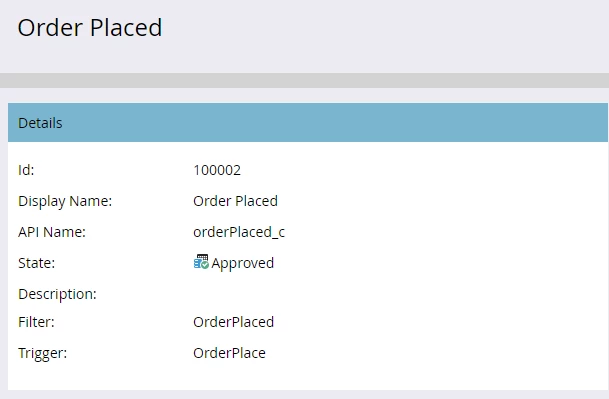
create your fields attached to the custom activity:

perfect, now we have what we need in Marketo to write the activity to the lead record.
Now lets write some code:
The key values:
Lead id: (Lead id of the record you want to write the custom activity to)
ActivityDate: (2023-09-07T09:51:00-08:00) Must be in this format
ActivityTypeId: 100002
apiName: orderPlaced_c
name: Order placed
PrimaryAttributeValue: "Confirmed Order"
PrimaryAttribute: [apiName: confirmedOrder, name: Confirmed Order, description: order placed]
from marketorestpython.client import MarketoClient
from dotenv import load_dotenv
#I use dotenv it is the most secure way to write calls into Marketo using python
load_dotenv()
mc = MarketoClient(os.getenv('munchkin_id'),
os.getenv('client_id'),
os.getenv('client_secret')
)
def create_custom_activity(self):
"""
 https://developers.marketo.com/rest-api/lead-database/activities/

 :return:
 """

 custom_activities = [
{
"leadId": f"{self.lead_id}",
"activityDate": "2023-09-07T09:51:00-08:00",
"activityTypeId": 100002,
"apiName": "orderPlaced_c",
"name": "Order Placed",
"primaryAttributeValue": "Confirmed Order",
"primaryAttribute": [
{
"apiName": "confirmedOrder",
"name": "Confirmed Order",
"description": "Order placed"
 }

]
}
]

try:
    result = mc.execute(method='add_custom_activities', input=custom_activities)
    print(result)
except Exception as err:
    print(f"{err}")

if __name__ == "__main__":
   create_custom_activity()
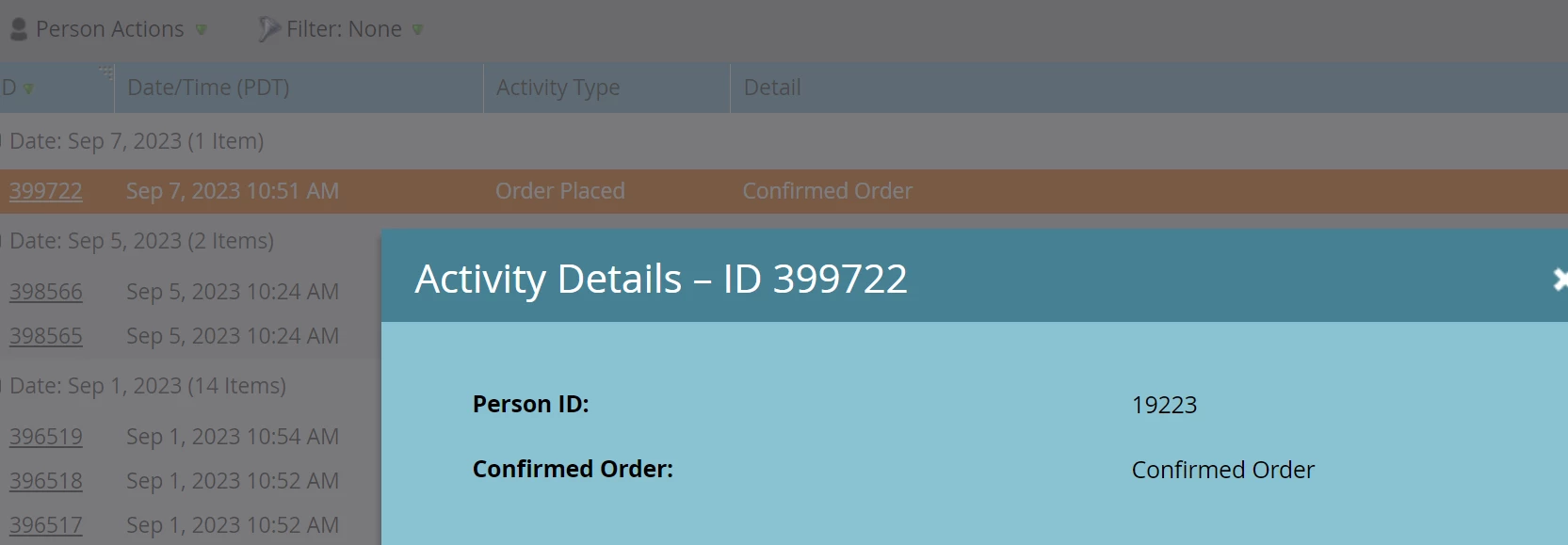
If you followed all of these instructions and filled in your values to your Marketo instance, you should have been able to write the custom activity into your instance by the lead id you chose.
It should look something like this:
Thank you all, have a great day.
Best regards,
Corey Bayless
Marketo Enthusiast at TA Digital