How to remove "I am not a robot" captcha | Community
Skip to main content
madhumita_jha
Level 2
July 16, 2019
Question

How to remove "I am not a robot" captcha

  • July 16, 2019
  • 3 replies
  • 26775 views

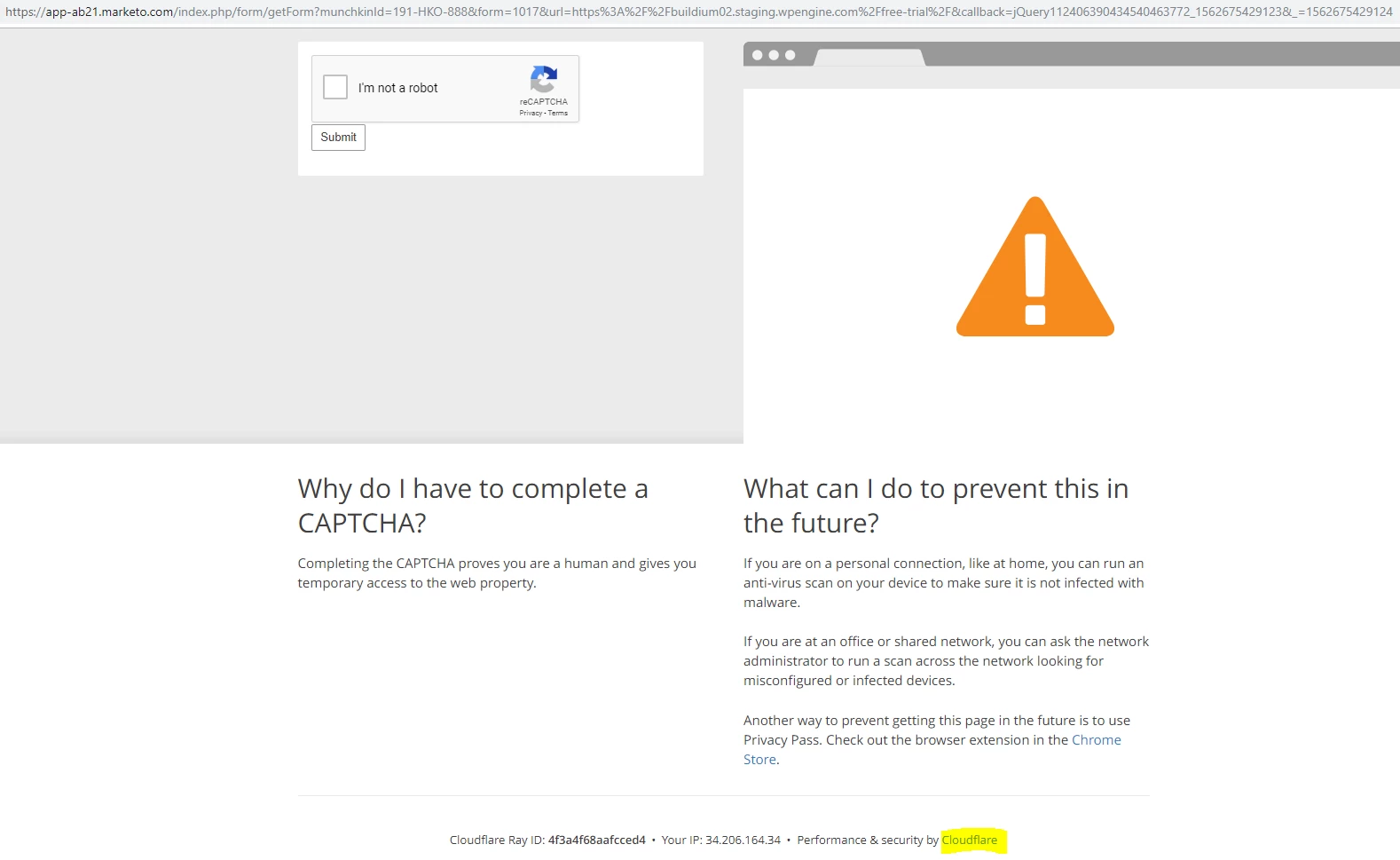
From 26th june 2019, for testing purpose when creating form using apvance tool text script, i am not able to create form when checking console then understand "I am not a robot" (security by cloudflare) captcha page is coming after clicking on submit and test failure message coming due to that.

So please anyone help me how to remove that "I am not a robot" (security by cloudflare) captcha page from my marketo forms.
3 replies

Casey_Grimes2
Level 10
July 17, 2019

In fairness, you are technically doing the types of things Cloudflare would correctly flag by trying to use a direct browser URL rather than handling this with a server. From Cloudflare's point of view, the only way you can bypass that is to actually switch certain page rules to have security set to "Essentially Off", and I don't really see Marketo being keen on setting that up.

madhumita_jha
Level 2
July 18, 2019

But we are using marketo from long back, never faced this kind of issue. From 26 June 2019 this issue started.
May i know is there any software or functionality update from marketo?

Steven_Vanderb3
Adobe Employee
Adobe Employee
July 18, 2019

Marketo has introduced additional levels of security to further protect it's infrastructure from web based attacks.  I suggest you use our supported Forms 2.0 API https://developers.marketo.com/javascript-api/forms/

madhumita_jha
Level 2
July 19, 2019

Hi Steven,

Do you have an idea how to modify that security?
I checked  developers.marketo.com/javascript-api/forms this url, but unable to find topics related to security.

Level 2
August 6, 2019

We are having the same problem. Although, we are using the Forms 2.0 API, I believe our issue is because are network is NAT'ed to a signal public IP and thus Cloudflare thinks we are a bot or are denial of service attack since all our network traffic for our marketing users, developers, application and web monitoring comes from the same public IP. Marketo support has refused to white list the IP and thus all internal users get the CAPTCHA screen. We have yet to come up with an effective solution. A warning from Marketo would have been helpful before they implemented this, so we could prepare rather than scrambling to find a fix for this. 

Excellence is Standard. - Adm. Hymie Rickover
SanfordWhiteman
Level 10
August 6, 2019

Yours is a much worse problem because it indicates how CloudFlare's mistakes (which I allude to above) have a direct impact on regular people attempting to engage with your forms.