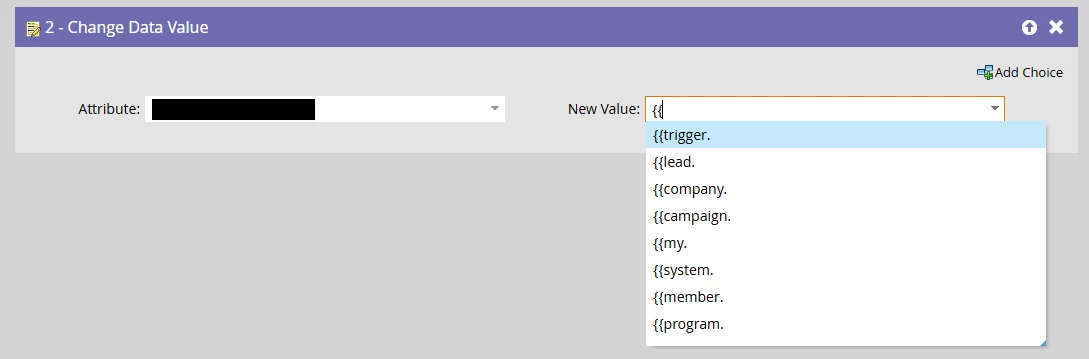
I am trying to populate data from Custom Objects in Marketo into a data field in Marketo as well. I know I can’t use smart campaigns with flow step of Change Data Value but I would like to know if there is a way to do so.
It depends on your specific use case. Do you want to write the CO data to a Lead field immediately after the CO entity is created, or at a later point?
If you want to write the data instantly, you can use the trigger type Added to <CO name> in your smart list. In this case, you can use trigger tokens in your Change Data Value step. The field names correspond 1:1 to the keys of your custom object. For example, if your CO has fields such as id or name, you can reference them using {{trigger.id}}.
If you want to copy the data later, after the CO has already been ingested into the system, I’m afraid there is no integrated solution. We addressed this by creating an SSFS that requests the information from the external database, which is the source and owner of the CO data.
It depends on your specific use case. Do you want to write the CO data to a Lead field immediately after the CO entity is created, or at a later point?
If you want to write the data instantly, you can use the trigger type Added to <CO name> in your smart list. In this case, you can use trigger tokens in your Change Data Value step. The field names correspond 1:1 to the keys of your custom object. For example, if your CO has fields such as id or name, you can reference them using {{trigger.id}}.
If you want to copy the data later, after the CO has already been ingested into the system, I’m afraid there is no integrated solution. We addressed this by creating an SSFS that requests the information from the external database, which is the source and owner of the CO data.
Similarly, if it’s too late to use {{trigger.tokens}} we’ve used a webhook-compatible service to fetch CO data from Marketo and map it back to lead fields.
But using {{trigger.tokens}} is by far the superior method (though note it will not work for updates, only the initial creation of the CO record). Consider a one-time API export of all COs + a one-time backfill import, then use the trigger going foward.
@SanfordWhiteman how can we write the form submission as CO in lead detail without any webhook or 3rd party tool. Can we get multiple form submissions of a lead under CO
You can’t. You will certainly need a webhook from Marketo outgoing to either a 3rd party platform (or to Marketo again) to write that CO record. But then, yes, you can add multiple form submissions as CO records per person.