How to manually change the Program Status of a single lead
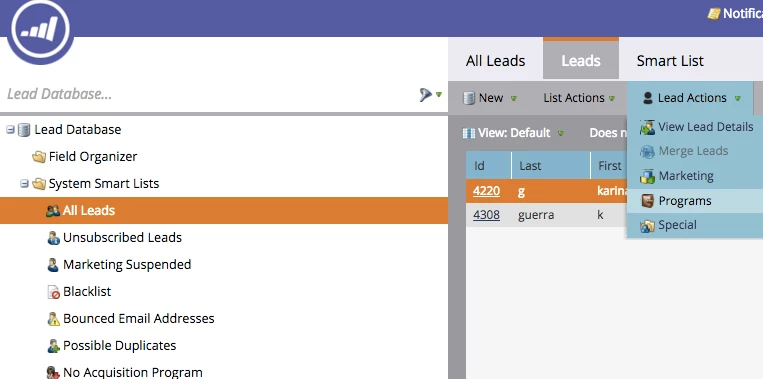
If you want to know how to manually change the program status of a specific lead this is what you have to do.
Go into the Lead Database and search for the lead, once you find the desired lead you have to select it.
Click on Lead Actions / Programs / Change Program Status
When would you need to do this?
Say for example, you are running an event and some people haven't filled the form but you know that they are attending.
You want to mark them as registered. In this case you would use this method.
Or you want to manually change the Program Statuses for the No Shows to your event.