September 21, 2015
Question

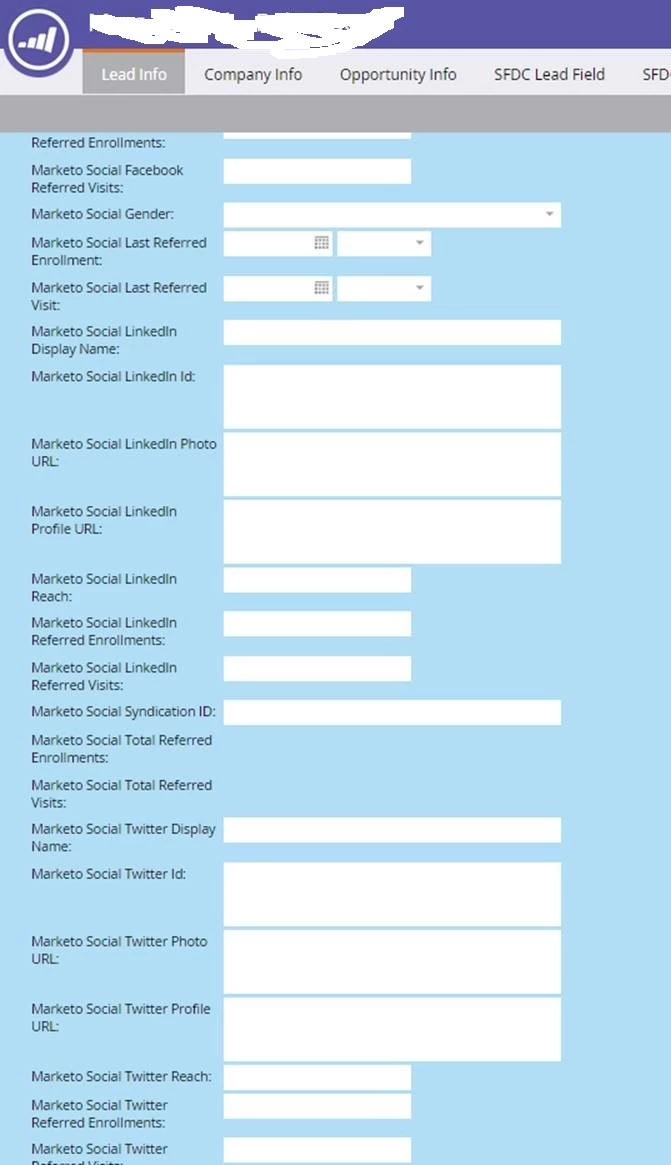
How to Capture All Marketo Social Field Forms

  • September 21, 2015
  • 3 replies
  • 2380 views

We are able to capture certain filed forms like email, and company thanks to the field forms but what is the trick to capture all of this additional information?
This post is no longer active and is closed to new replies. Need help? Start a new post to ask your question.

3 replies

Level 8
September 21, 2015

Are you using the Social Sign in Buttons, or the Social App.  I believe you can capture more data using the Social App.  I don't know if that helps pull the extra data in?

Thanks

Juli

September 21, 2015

Hi Juli,

In our actual email we have the option for social apps and still do not see that but with our Twitter, LinkedIn, Twitter campaigns, I'm not even sure if there is a way to see it either.

September 21, 2015

These fields are actually populated by the Social assets of Marketo (such as the Social Button Add a Social Button on a Landing Page - Marketo Docs - Product Docs), not the Social Form Fill option in the form editor.

September 21, 2015

So if I add a "social button" to my registration page it should pull all of that information or is there something additional I would need to do?

Level 8
September 22, 2015

As Jim suggested above, just add the social button to your landing page and this should help pull the info in.  I think combined with all the other social features such as the App and Social Sign on you should get a number of fields starting to populate.

September 22, 2015

Thank you both. We already had the social button added (where it has the option to share and then has the FB, LinkedIn, and Twitter icons next to it) but for some reason when we go to look at the registration data it is not pulling what I have in my screenshot.