How to add Job functions to Marketo | Community
Skip to main content
Level 2
August 8, 2022
Solved

How to add Job functions to Marketo
  • August 8, 2022
  • 2 replies
  • 3515 views


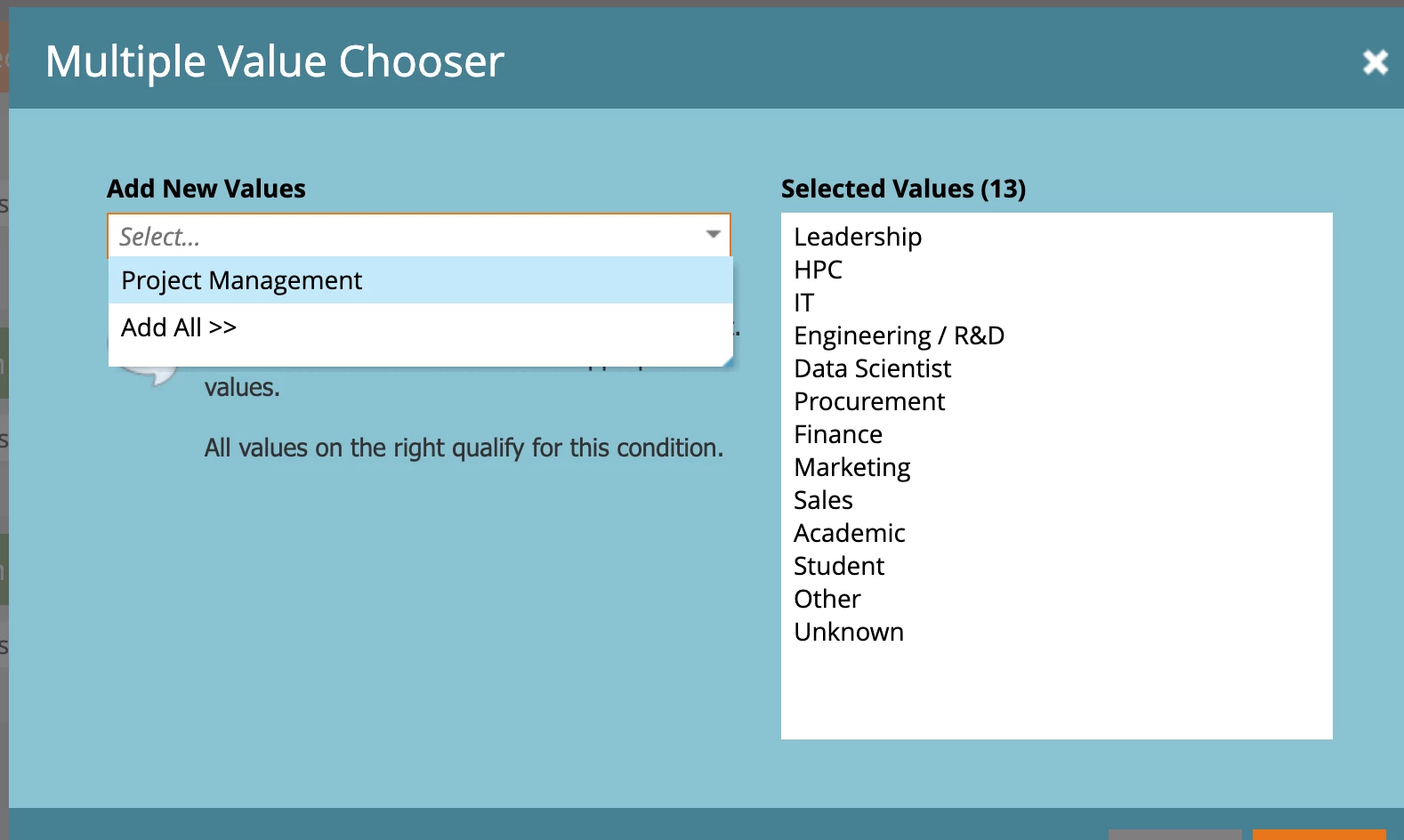
Hello! I am trying to find a way to add more Job Functions into Marketo. At the moment what we have is seen above, all the info I am finding is on how to create job function segments but I just need to add more to the list seen in the screen shot 

This post is no longer active and is closed to new replies. Need help? Start a new post to ask your question.
Best answer by SanfordWhiteman

You can add whatever values you want to the right hand side, the dropdown is just showing the values already seen (and indexed).

2 replies

SanfordWhiteman
SanfordWhitemanAccepted solution
Level 10
August 8, 2022

You can add whatever values you want to the right hand side, the dropdown is just showing the values already seen (and indexed).

Level 2
August 9, 2022

Hello, by the post, I need to add more options than what is shown, an example would be to add Automobile. I was told what is shown can only be displayed by Salesforce?

SanfordWhiteman
Level 10
August 10, 2022

Hello, by the post, I need to add more options than what is shown, an example would be to add Automobile. I was told what is shown can only be displayed by Salesforce?


You can filter on whatever values you want on the Marketo side. (Marketo still reads so-called "inactive values" and can write values if the SFDC picklist is not restricted.) 


Also see this post: https://nation.marketo.com/t5/product-discussions/controlling-picklist-values-between-marketo-and-sfdc/m-p/302906#M170641

Vinay_Kumar
Community Advisor
Community Advisor
August 9, 2022

You can add the values in the white section in the right. 

Just add a value in the white section and press enter to add new value.