How do you get labels inside the form field? | Community
Skip to main content
August 14, 2013
Solved

How do you get labels inside the form field?

  • August 14, 2013
  • 4 replies
  • 1791 views
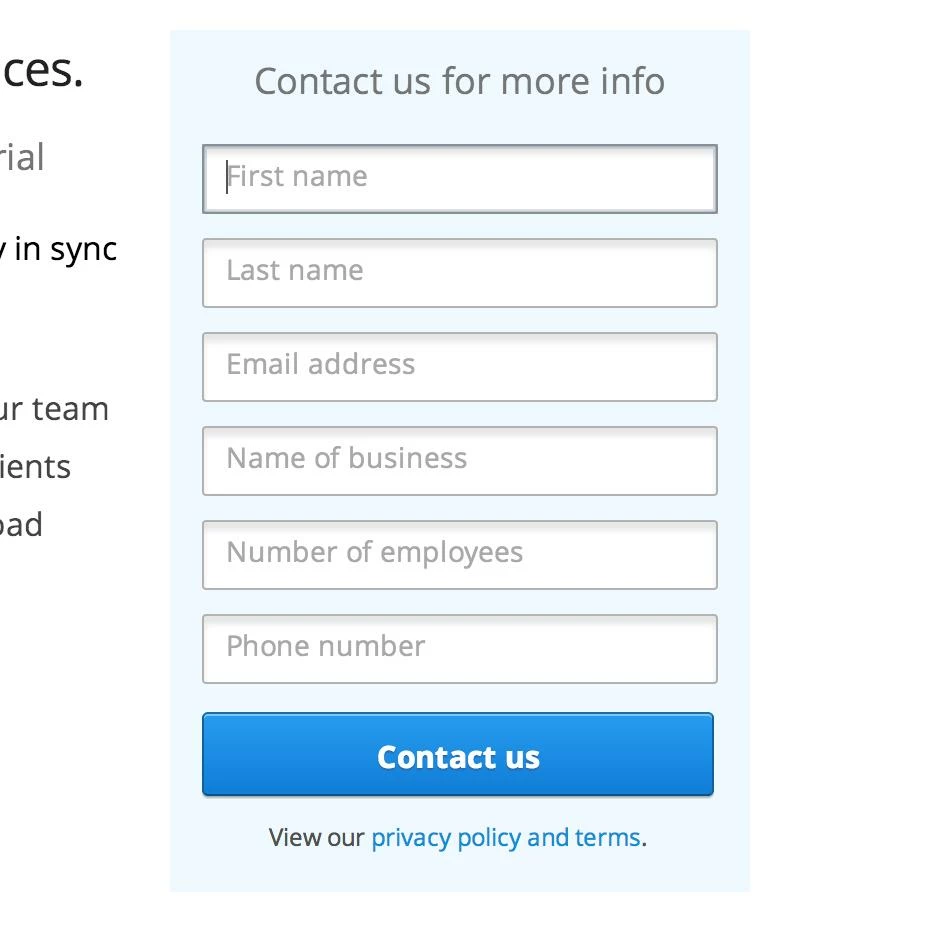
How do you get labels inside the actual field? It's much cleaner and takes up less space on the landing page.
Like this: 
This post is no longer active and is closed to new replies. Need help? Start a new post to ask your question.
Best answer by
There isn't an out of the box capability for doing this in the form designer, but there is a good discussion of ways to do this using html at http://stackoverflow.com/questions/781473/how-to-create-a-label-inside-an-input-element

4 replies

Accepted solution
August 14, 2013
There isn't an out of the box capability for doing this in the form designer, but there is a good discussion of ways to do this using html at http://stackoverflow.com/questions/781473/how-to-create-a-label-inside-an-input-element
August 14, 2013
I believe you will need to do this with custom java and a non-marketo form.
August 14, 2013
That's too bad. Thanks for that info Elliott. I'll have to see how scalable it is. The last thing I want to do is make it difficult for everyone on my team to roll out landing pages/forms. 
August 14, 2013
Louis:

I actually wrote an article on this a while ago with a how-to (link here)! I was having the same design challenge for our own landing pages. 

The JavaScript there takes the "Instructions" field on each input field and makes a new HTML5 "placeholder" property for the input field. Then you throw in an HTML5 Placeholder shiv of your choosing (example included) so that it works for all browsers. I found this is the best way to do it for Marketo, for all the reasons described in that article.

You can see an example of the final result on any of Yesler's landing pages (this recent webinar one, for example).

Let me know what you think! 


Best,
Edward Unthank
SEO/Web Specialist
Yesler