How do I pull a hidden custom field into a smart campaign? | Community
Skip to main content
Level 4
April 10, 2019
Question

How do I pull a hidden custom field into a smart campaign?

  • April 10, 2019
  • 2 replies
  • 4646 views

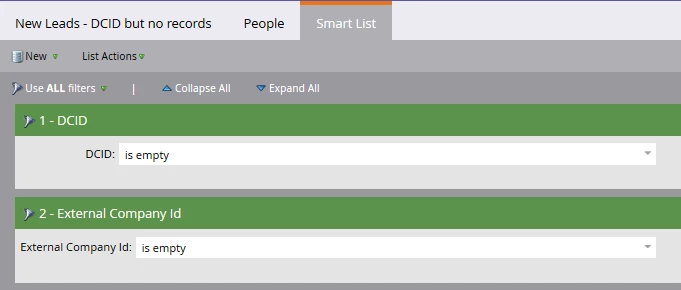
We have a custom field that I can see has been used in smart campaigns (External Company ID) but I cannot find it to use in smart campaigns/lists, etc. But I can see it in Field Management and it has been used previously. How can I gain access to this custom field?
This post is no longer active and is closed to new replies. Need help? Start a new post to ask your question.

2 replies

Chelsea_Kiko
Level 4
April 10, 2019

Hi there, in the field management section where you can see the field has been used, can you take a screenshot so I can help? Is this field synced with your CRM?

RonnBuAuthor
Level 4
April 10, 2019

Chris_Wilcox
Level 8
April 10, 2019

Hi Ronn,

Marketo shouldn't allow you to mark a field as "Hidden" if it is currently in use somewhere in the instance. You can check this by visiting the Field Management section in Admin, finding the field, and looking at the settings. You can see in my screenshot below where it shows "Hidden" as "True," if that's the case for your field, you can click the field actions dropdown and unhide the field.

If it's NOT hidden and you're not seeing it in smart list filters, message back or send some screenshots of the field settings so we can get to the bottom of what's going on.

Thanks!

Chris

RonnBuAuthor
Level 4
April 10, 2019

Okay. Well, that "Unhide Field" got me this far and then I hit this road block.

Also, it does not appear to be synced to our CRM - which is a custom CRM therefore not synced to our Custom Objects. I inherited this world but it looks like these are list imports maybe? Not sure. I don't understand how I can see it used in places yet I can't access it.

Chris_Wilcox
Level 8
April 10, 2019

Definitely a weird one. The reason you can't access is because it's hidden (which frankly is the expected behavior of Marketo, hidden = you can't find it). However, I didn't think it was possible to hide a field if it was being references somewhere in Marketo, which is why you see it in Smart Lists but you can't search for it yourself.

If it were me, I'd submit a ticket to support. Maybe they can unhide it for you in the backend to get around that error?