How do I create a token that pulls values from a field in a list I've imported, but not added to the lead record? | Community
Skip to main content
Douglas_Meierdi
Level 2
September 5, 2017
Solved

How do I create a token that pulls values from a field in a list I've imported, but not added to the lead record?

  • September 5, 2017
  • 1 reply
  • 6522 views

Hello Marketo Community -

I want to test an email to customers where I show them what areas their contractor specializes in - for instance, Alice (Customer) has hired Bob (Contractor) to help with setting up email marketing campaigns. Alice would receive an email asking how that project is going and then saying, "Bob can also help you in other areas. Bob's specialties include: SEM, SEO, Google Analytics." The idea here is to encourage the recipient to discuss new projects with their contractor hopefully resulting in repeat business.

I do not have my contractor specialties in Marketo. What I would like to do is import a list from our data warehouse that would contain:

  • Recipient First Name
  • Recipient Email Address
  • Recipient Project Name
  • Recipient's Contractor's First name
  • Recipient's Contractor's List of Specialties

I do not want to add Project Name & List of Specialties into Marketo fields at this time - I want to build tokens to personalize the message and directly reference the values within the list I imported.

Is that possible?
This post is no longer active and is closed to new replies. Need help? Start a new post to ask your question.
Best answer by Andy_Caron3

Hi Doug,

If you're going to use tokens in Marketo you need to have the values in the system in one way or another.

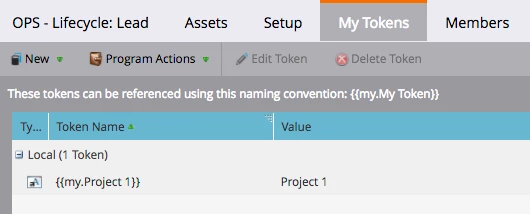
To get the values into the system, you'd need to execute in one of two ways, create fields to house project & specialties data OR use local tokens in the program that have values in them.

If each project & specialties is going to be different or extremely varied then using local tokens is going to be hard as you'd have to play with dynamic content or different emails for each set which (IMHO) kills the whole purpose of tokens. As an alternative to creating new fields specifically for this campaign that you're then saddled with for all time, you can use the different route of creating two or three new temp fields:

TempSend_01

TempSend_02

TempSend_03

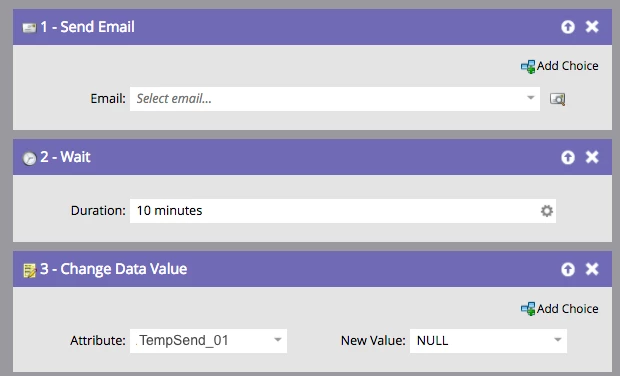
When you import you would write to those fields and then use the token {{lead.tempsend_01}} etc in your email. Once the campaign is done, or as a final flow step (see below), you can NULL the values out and use the fields in the future as needed.

1 reply

Andy_Caron3
Andy_Caron3Accepted solution
Level 3
September 5, 2017

Hi Doug,

If you're going to use tokens in Marketo you need to have the values in the system in one way or another.

To get the values into the system, you'd need to execute in one of two ways, create fields to house project & specialties data OR use local tokens in the program that have values in them.

If each project & specialties is going to be different or extremely varied then using local tokens is going to be hard as you'd have to play with dynamic content or different emails for each set which (IMHO) kills the whole purpose of tokens. As an alternative to creating new fields specifically for this campaign that you're then saddled with for all time, you can use the different route of creating two or three new temp fields:

TempSend_01

TempSend_02

TempSend_03

When you import you would write to those fields and then use the token {{lead.tempsend_01}} etc in your email. Once the campaign is done, or as a final flow step (see below), you can NULL the values out and use the fields in the future as needed.

Andy Caron
Douglas_Meierdi
Level 2
September 5, 2017

Thanks Andy - I was afraid of that. This is going to be a challenging test to pull off. Thanks for answering!