How do I change a roadsow to a tradeshow change event type? | Community
Skip to main content
August 5, 2014
Solved

How do I change a roadsow to a tradeshow change event type?

  • August 5, 2014
  • 4 replies
  • 1464 views

I am creating an event and accidently set it to roadshow and would like to change it to tradeshow.

I also accidently moved the date to tomorrow.

Can I change the event type?
This post is no longer active and is closed to new replies. Need help? Start a new post to ask your question.
Best answer by
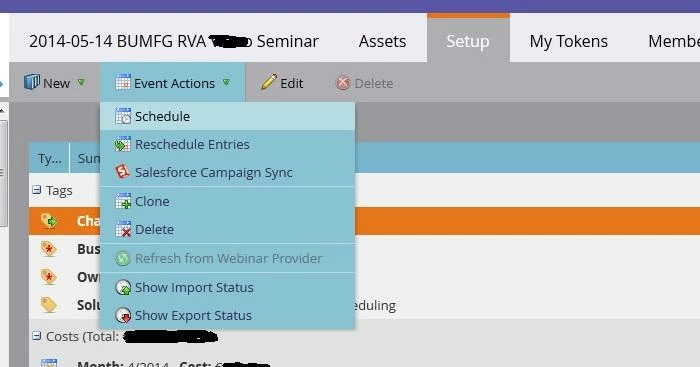
Click on the program setup tab. Click on the channel. And change it. You can only change it if there are no members in it. recently you could have used the same approach to change the date, but with the new layout, click on Schedule to change the date.

4 replies

Accepted solution
August 5, 2014
Click on the program setup tab. Click on the channel. And change it. You can only change it if there are no members in it. recently you could have used the same approach to change the date, but with the new layout, click on Schedule to change the date.

Colin_Ryder
Level 4
August 5, 2014
Also, you can only change the channel, if you have not used any of the Program Statuses in any Smart Campaigns.


August 5, 2014
Adding a detail to the two suggestions above: defining a new event and adding the members from the original would be the simplest solution if you already have event members. You can use filters such Member of Program in order to set the progression status in the new program.

May 26, 2015

Adding detail to the above:

Be aware of double scoring members if you end up moving them to a new event. Depending on how your channel scoring is set up, you could potentially score individuals for both events. You can rectify this with a "Change Score" flow step.

Justin