How can I modify Lead Activity in SFDC? | Community
Skip to main content
March 4, 2014
Solved

How can I modify Lead Activity in SFDC?

  • March 4, 2014
  • 2 replies
  • 939 views
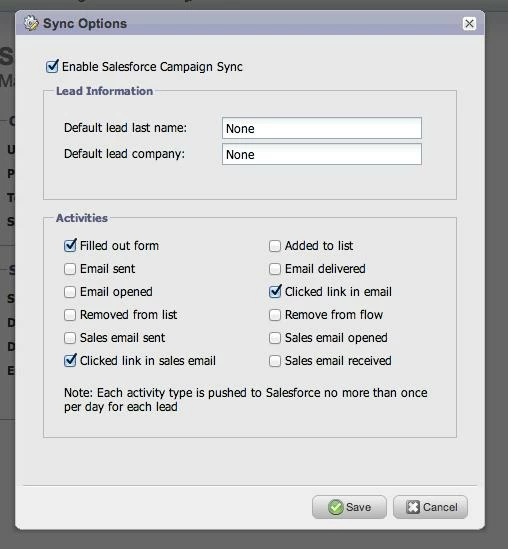
I want to minimize the lead and contact activity in SFDC to "sent email and opened email".  I want to eliminate delivered email, etc. from the activities because it's filling up the lead view and is really hard to get through.  I can't remember how to change this - anyone know how?
This post is no longer active and is closed to new replies. Need help? Start a new post to ask your question.
Best answer by

Hi Monica,

You'll need to go into your Admin tab, click on Salesforce under the Integrations section in the left-hand column and un-checkmark "Email delivered."


2 replies

Accepted solution
March 4, 2014

Hi Monica,

You'll need to go into your Admin tab, click on Salesforce under the Integrations section in the left-hand column and un-checkmark "Email delivered."


March 5, 2014
Thank you so much, Safia.  I forgot where this was!