
Question
Google reCAPTCHA - Marketo Form
Hello,
Here is the steps I have taken;
- I went to https://www.google.com/recaptcha/admin and add my domain and subdomains which generated side key and secret key.
- I have created 3 fields which are LastReCAPTCHAUserResponse (string), LastReCAPTCHAServerStatus (boolean), LastReCAPTCHAServerSuccess (datetime) - Thanks @Sanford Whiteman
- I have created my Webhook in Marketo
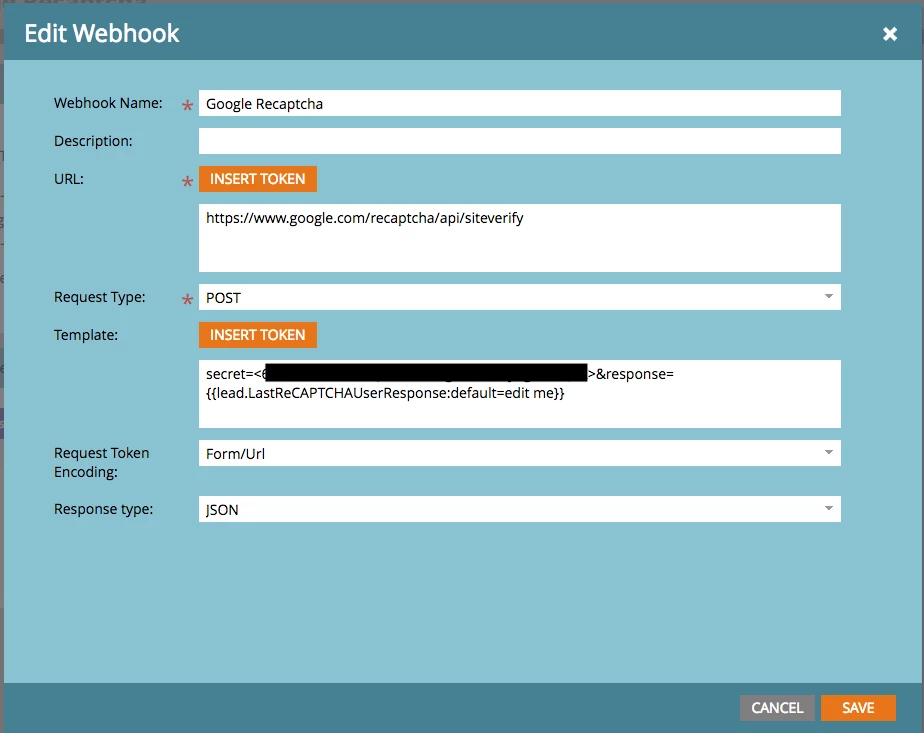
- After I saved, I have crated responsive Mapping. success to lastReCAPTCHAServerStatus.
- I have crated SC, here is the Smart list and Flow screenshots
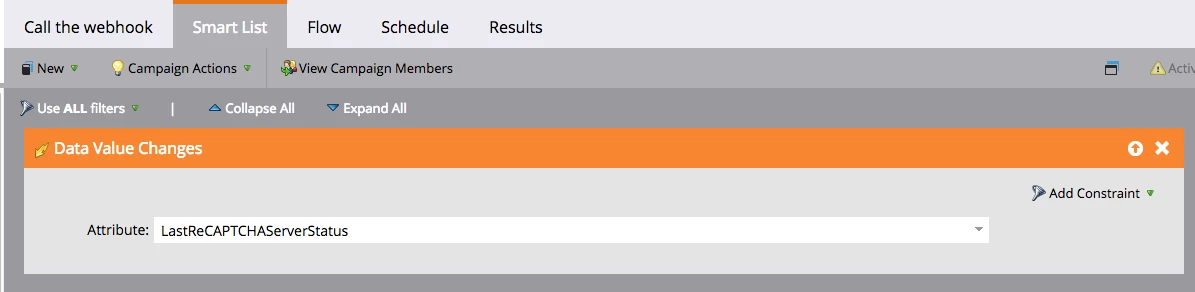
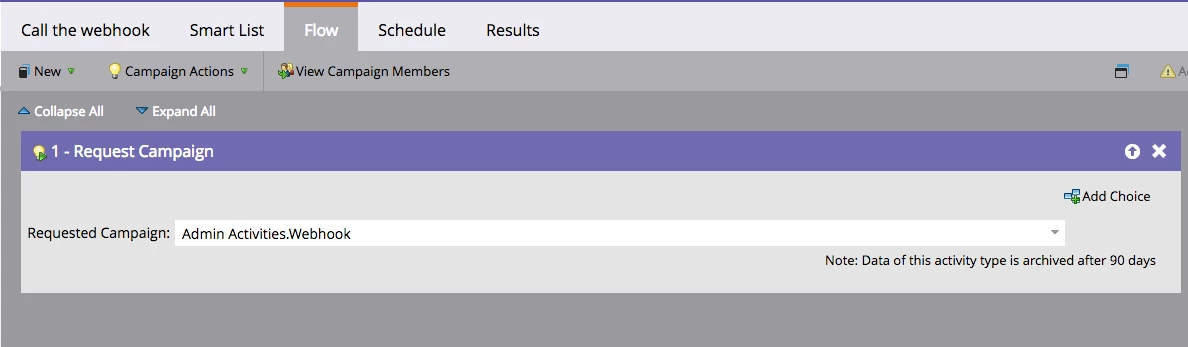
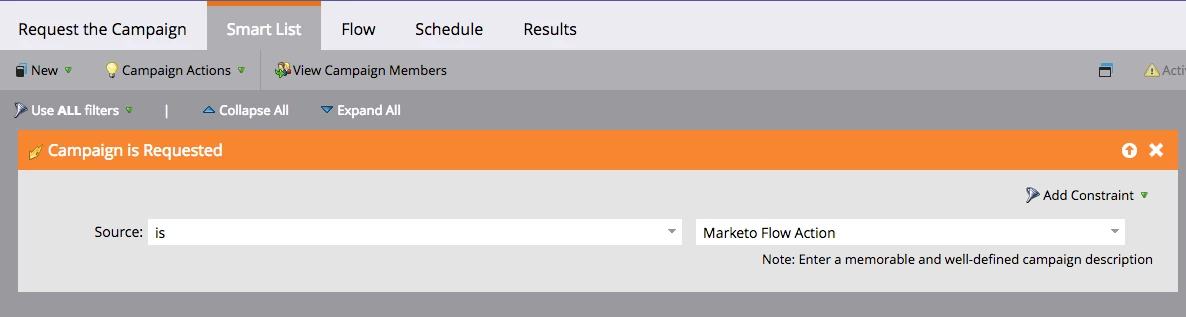
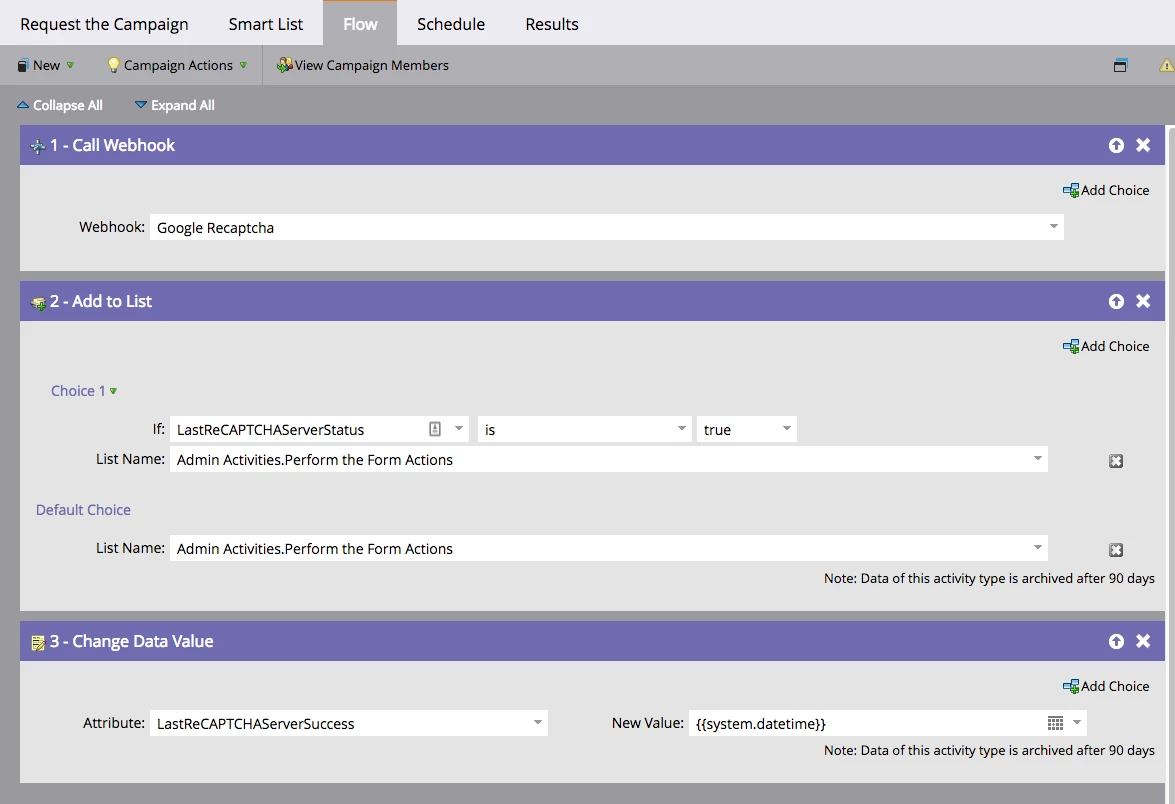
- I have created Test Sule Landing page Template and added following snippet before the closing </head> tag on my template:
- <script ></script>
- Also passed following snippet at the end of the <form >
- <div class="g-recaptcha" data-sitekey=“MY_SIDE-KEY-WENT-HERE"></div>
- Here is my Landing page that I have ReCAPTCHA:
- info.nopsec.com/Admin-Activities_test.html
Here is my Questions:
- Why doesn’t “I’m not a robot” box show up before Submit button?
- Currently, I can submit a form without checking that box, what am I missing?
- I have a feeling that I should use following JS code somewhere. Where should I put JS code in Marketo?
- How am I going to deploy this on our website?
Thanks!
Sule