Google Places Auto Complete into Forms 2.0 | Community
Skip to main content
October 16, 2016
Question

Google Places Auto Complete into Forms 2.0

  • October 16, 2016
  • 1 reply
  • 4047 views

I want to including a Google Places Autocomplete form on my landing page, I want to have the auto complete feed a Marketo Form, so that I can populate the address information along with any other information we may currently have on the lead on a follow-up landing page. These leads may or may not currently be active leads.
We are asking them to enter their address on this form to get more information about our service (based also on their physical address.)

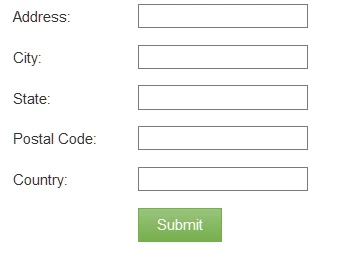
I am new to this and have the Google field populate fields in a table that is essentially from the Google sample site. See this sample Landing Page.

Pillow | Vacation Rental Management on Airbnb, HomeAway, VRBO, and More

The idea is to have the viewer start typing in their address, then on submit, have the form populate and open part 2, where this form will be completed on the page. I will add additional data that we will need to capture. But know that there is a simple solution that I am missing.
<script src="//app-ab17.marketo.com/js/forms2/js/forms2.min.js"></script>

<form id="mktoForm_1085"></form>

<script>MktoForms2.loadForm("//app-ab17.marketo.com", "869-FPO-715", 1085);</script>

I would like to combine these fields in the Address field if possible. "street_number" and "route"

Can someone help? I am striking out every time I try it.

This post is no longer active and is closed to new replies. Need help? Start a new post to ask your question.

1 reply

SanfordWhiteman
Level 10
October 16, 2016

You've read the comments and checked the demo here? https://nation.marketo.com/message/95217

October 16, 2016

Yes, but I cannot translate this into what I need.

I used the code to try and re-build. This is using the Google to auto-populate a field in the form, and then populate other fields within the form to fill other fields.

Is there a way to utilize the auto-populate field provided by Google to push into a form? Is this the best way to populate a follow-up page?

SanfordWhiteman
Level 10
October 22, 2016

You'd need to provide more detailed requirements (and really, you might need to hire a developer to get this right, if you can't work it out from the template).

Is there a way to utilize the auto-populate field provided by Google to push into a form? Is this the best way to populate a follow-up page?

In my demo, the Google Places chooser is linked to a visible field, but there's no reason it couldn't be linked to a hidden field.  In turn, the hidden field can be used to determine the Thank You URL that the lead sees next.