This post is no longer active and is closed to new replies. Need help? Start a new post to ask your question.
4 replies
A
Anonymous
June 27, 2013
Can't see the problem. Have you tried a deliverability tool like Litmus? They can give you quick insights into browser and email provider compatibility with your code, in addition to visual review of the email
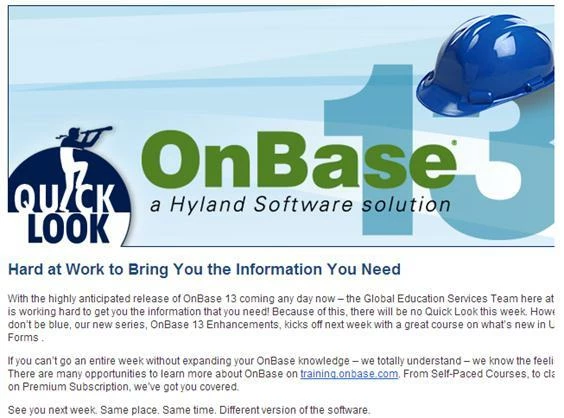
Steven, if you look at the right side the text is cut off.
A
Anonymous
June 27, 2013
It will always fall back on the coding of the email template.
What pixel is the With of your email?
Is the picture original size from the source? or try to resize it with HTML
I will suggest you use Litmus as Steven refers and read post with your HTML designer so you test in larger client.
Mailchimp have a small post here. http://kb.mailchimp.com/article/how-to-code-html-emails
You email you code shall be look good in responsive mobile clients. This you need to create a bunch of extra CSS and thinking of this in the Table. Then your more Optimized for Android and others.
The Email shall have the same look and field on Desktop. If your Audience use
Gmail
Outlook
Notes.
Then this is where you focus shall be. If others then this need to be include in the testing process.
A
Anonymous
July 1, 2013
Best guess, there is a fixed width on your table and image. Typically you'll use a width of 600px for images and tables, if your image and text are set to fill the table and the table is too big, you'll see a problem like this.