Forms 2.0 - How to I add extra spaces between lines? | Community
Skip to main content
June 12, 2015
Question

Forms 2.0 - How to I add extra spaces between lines?

  • June 12, 2015
  • 2 replies
  • 1804 views

Hi there,

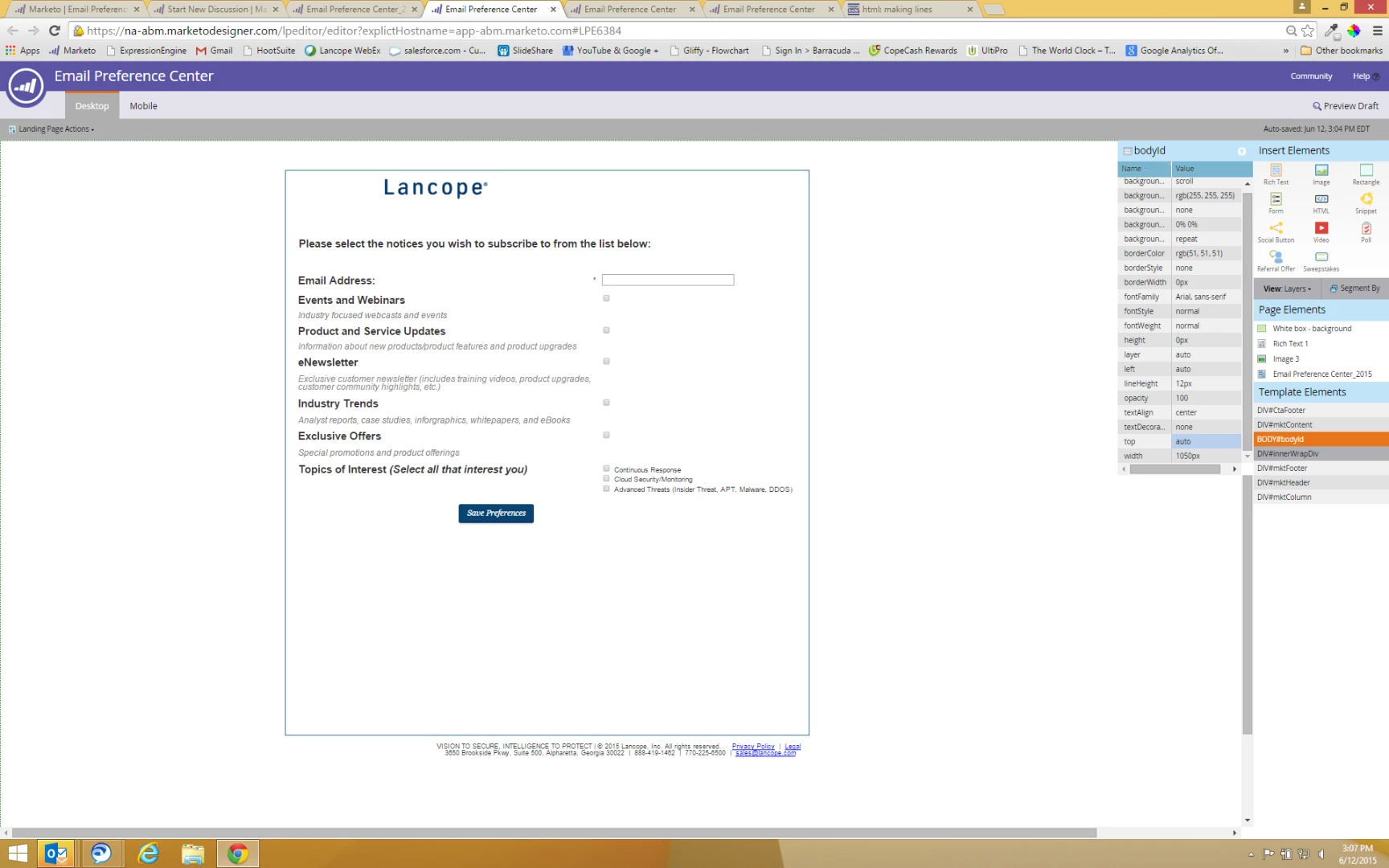
I am in the process of creating an email preference center...I would like an extra space between the field names for example, Email Address and Events and Webinars. How can I do that?

Also, Is there anyway to make the 'Topics of Interest' options listed under the field name versus to the right? It looks odd all the way out there.

Thank you!

Mandy
This post is no longer active and is closed to new replies. Need help? Start a new post to ask your question.

2 replies

June 12, 2015

Have you tried adding Rich Text sections with blank space? Add a Rich Text to a Form - Marketo Docs - Product Docs

SanfordWhiteman
Level 10
June 12, 2015

Just add a margin with CSS:

.mktoFormRow {

       margin-bottom: 20px !important;

}

June 19, 2015

@Mandy, Sanford is correct. You can add custom CSS at the form level to change the form field/label spacing. Here's a brief bit of info on how to get to the place to edit the CSS: Edit the CSS of a Form Theme - Marketo Docs - Marketo User Manual

You'll want to copy and paste the following in the Edit Custom CSS area:

.mktoFormRow {

       margin-bottom: 20px !important;

}

Hope this helps!

-Jackie