Question
Forms 2.0 CSS
Hi,
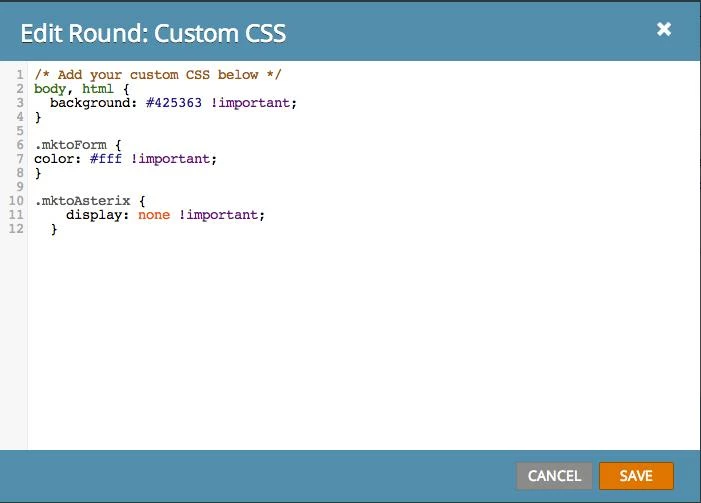
I am trying to edit one of the form theme's CSS. I noticed that some of the html has inline styles. How can I remove them? When I tried to override in the "Edit Custom CSS" section, nothing happens to the form. I added the !important and nothing happened then too. What am I doing wrong? My goal is to change the background color and font color. I also want to see how it looks without asterisks.
Thank you!
I am trying to edit one of the form theme's CSS. I noticed that some of the html has inline styles. How can I remove them? When I tried to override in the "Edit Custom CSS" section, nothing happens to the form. I added the !important and nothing happened then too. What am I doing wrong? My goal is to change the background color and font color. I also want to see how it looks without asterisks.
Thank you!