
Formatting Issue - Email Header | Community
Skip to main content
Kristina_Schrof
Level 2
June 7, 2016
Question

Formatting Issue - Email Header

  • June 7, 2016
  • 3 replies
  • 7147 views

Hello,

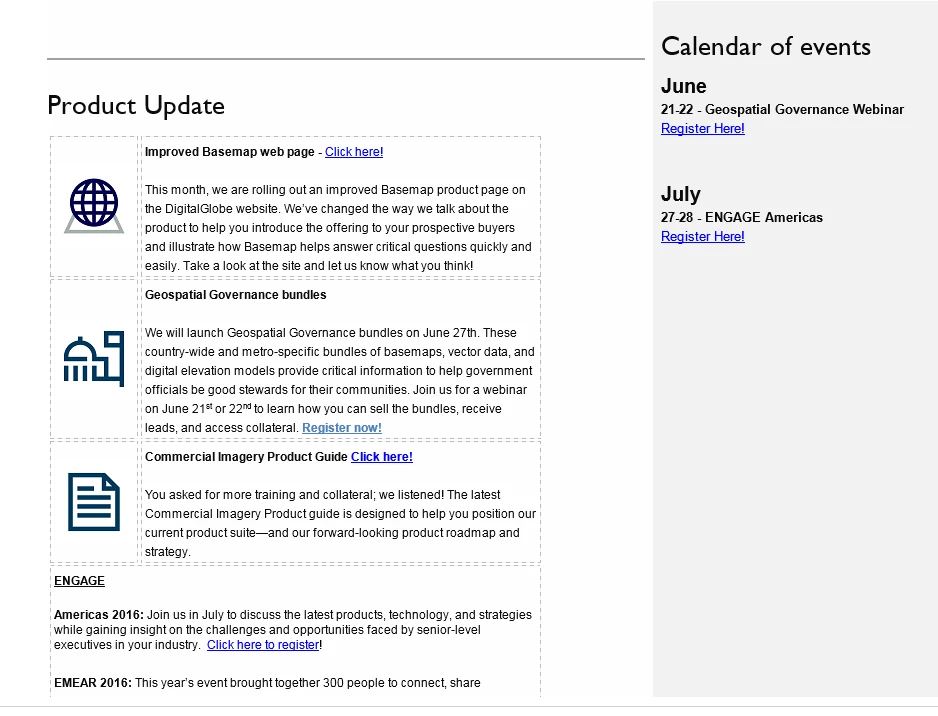
My email header is no longer the correct width when sending a sample email. See below image.

Not sure what causes the change in width of the email and makes the image header look not wide enough? Any ideas?
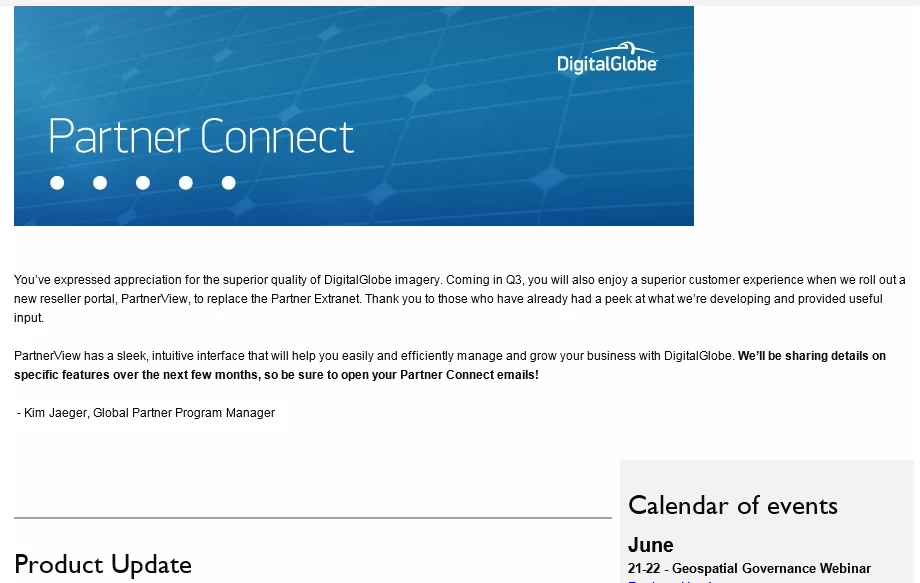
Below Product Update there is a table with images and copy. Also the icons at the bottom of the email are oddly spaces as well.
This post is no longer active and is closed to new replies. Need help? Start a new post to ask your question.

3 replies

Ulf_Deeg
Level 3
June 7, 2016

this might be due to Outlook 120 dpi scaling, which is almost impossible to properly fix.

Anyhow, it needs taken a close look at the HTML. There's no easy way to pinpoint this, could be about anything.

Kristina_Schrof
Level 2
June 7, 2016

Thanks for the response. I think it is Outlook because it works on all other email clients. So is there no best practice for Outlook to adjust?

Ulf_Deeg
Level 3
June 7, 2016
Dan_Stevens_
Level 10
June 8, 2016

This looks definitely like the issues with Outlook scaling.  Have a read of this lengthy discussion thread: Re: Marketo Removing Code for Image Scaling for Outlook at 125%dpi .  Anywhere you see "this is not supported in Marketo" is actually supported based on some of the fixes/enhancements made back in October last year.

June 8, 2016

We had this problem too and then one day we got an email that actually showed up correctly. Not sure what the difference is, but here is the email (hopefully that link works). I am also attaching a different template that we've used. Still not exactly sure what is getting around the scaling issues, but it seems to work well. There is also additional CSS in the header that with a bit of tweaking and playing around will become responsive quite nicely. Hope one of these works for you!