
Form 2.0 Select Default Not Working | Community
Skip to main content
Venus_Wills
Level 3
March 20, 2014
Solved

Form 2.0 Select Default Not Working

  • March 20, 2014
  • 3 replies
  • 1851 views
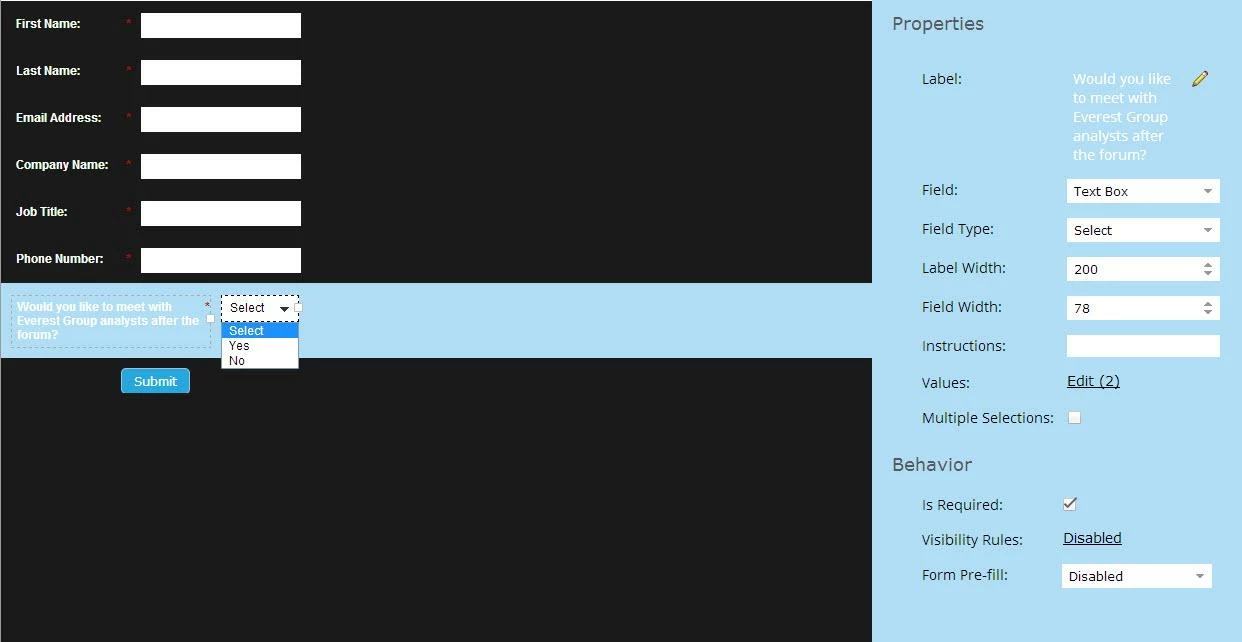
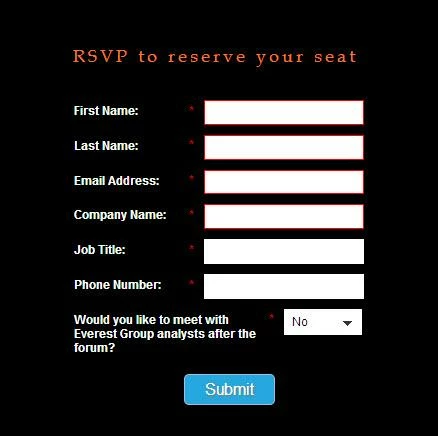
I'm using a select field for a yes/no question in my form. I want the default to be "Select" and the radio button next to "Select" is checked. The form looks correct in editor, but when I view it on the live landing page, it always defaults to No. However, if I add a random third value in addition to Yes and No, the default value is Select. Please help!

Form in editor mode:


Form on landing page:


This post is no longer active and is closed to new replies. Need help? Start a new post to ask your question.
Best answer by

This should help!

Click on "edit" then "advanced editor" and paste in the following - 

No|No

Yes|Yes|selected


3 replies

Accepted solution
March 20, 2014

This should help!

Click on "edit" then "advanced editor" and paste in the following - 

No|No

Yes|Yes|selected


Josh_Hill13
Level 10
March 20, 2014
You can also just remove "Selected" from the regular select editor. That removes "Select"
Venus_Wills
Level 3
March 20, 2014
@Vikki - That worked - thanks so much! What's the logic behind it?

@Josh - I actually wanted the drop-down to show Select as the default, but it keeps showing No as the default on my landing page.