Fill Out Form - Activity Details | Community
Skip to main content
TK9
Level 2
November 16, 2023
Solved

Fill Out Form - Activity Details

  • November 16, 2023
  • 1 reply
  • 1822 views

Hello,


Currently, our team is able to pass the "Form Fields" data via webhook to our external database.


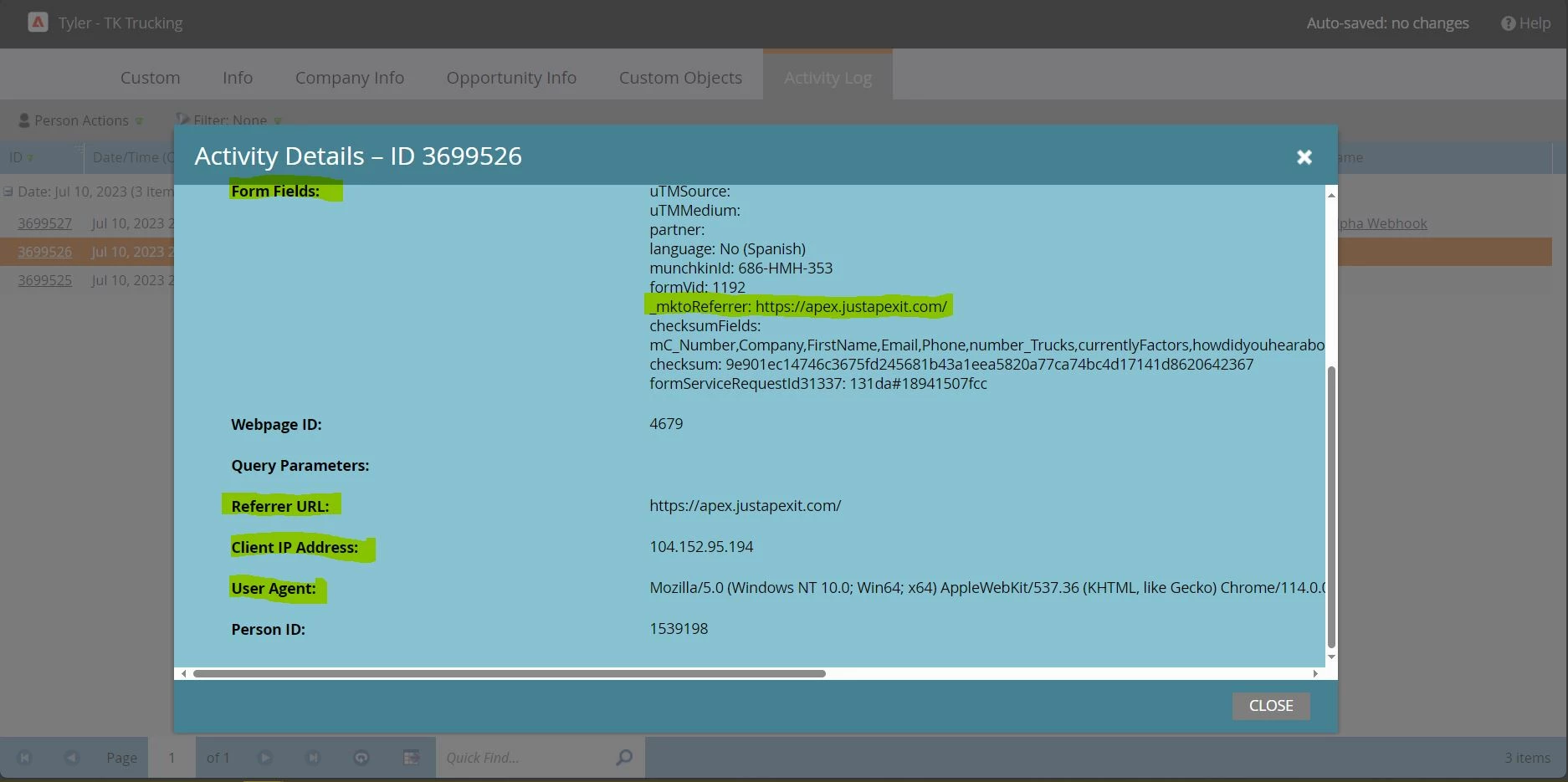
Is it possible to pass extra data like the Referrer URL, User Agent, Client IP Address, etc as well via webhook or javascript?


Input is appreciated. 


This post is no longer active and is closed to new replies. Need help? Start a new post to ask your question.
Best answer by SanfordWhiteman

Currently, our team is able to pass the "Form Fields" data via webhook to our external database.

That’s not really what you’re doing in your webhook.


You’re sending the current database values using {{lead.tokens}}. That’s not the same as sending the values that were sent with the form. For example, if a field has field updates blocked, the form data is ignored.


In order to send the form data values, you’d need to look up the Activity Log entry using the REST API. This is something we do when turning Filled Out Form entries into Form Fillout Custom Objects.


You do have additional {{trigger.tokens}} for Filled Out Form trigger metadata: {{trigger.Client IP Address}}, {{trigger.Web Page}}. Not sure if {{trigger.Browser}} works here. You can test it. Of course you could copy the User-Agent to a hidden form field if you badly wanted it.

1 reply

SanfordWhiteman
SanfordWhitemanAccepted solution
Level 10
November 16, 2023

Currently, our team is able to pass the "Form Fields" data via webhook to our external database.

That’s not really what you’re doing in your webhook.


You’re sending the current database values using {{lead.tokens}}. That’s not the same as sending the values that were sent with the form. For example, if a field has field updates blocked, the form data is ignored.


In order to send the form data values, you’d need to look up the Activity Log entry using the REST API. This is something we do when turning Filled Out Form entries into Form Fillout Custom Objects.


You do have additional {{trigger.tokens}} for Filled Out Form trigger metadata: {{trigger.Client IP Address}}, {{trigger.Web Page}}. Not sure if {{trigger.Browser}} works here. You can test it. Of course you could copy the User-Agent to a hidden form field if you badly wanted it.

TK9
TK9Author
Level 2
November 17, 2023

Thanks, Sanford. 


I understand. You're right, technically we are sending the database values but none of the current fields have blocked updates and the data is being overwritten as well. 


The REST API sounds like a better option. Correct me if I am wrong, but the REST API can create new custom objects based on new form fill-out activities? Is that something you're doing?


Thanks for the extra trigger tokens. I can try adding the "{{trigger.Web Page}}" into the webhook to produce a referral URL for now.