
'Failed to merge people' error | Community
Skip to main content
Preeth_Kumar
Level 1
February 14, 2018
Question

'Failed to merge people' error

  • February 14, 2018
  • 3 replies
  • 8452 views

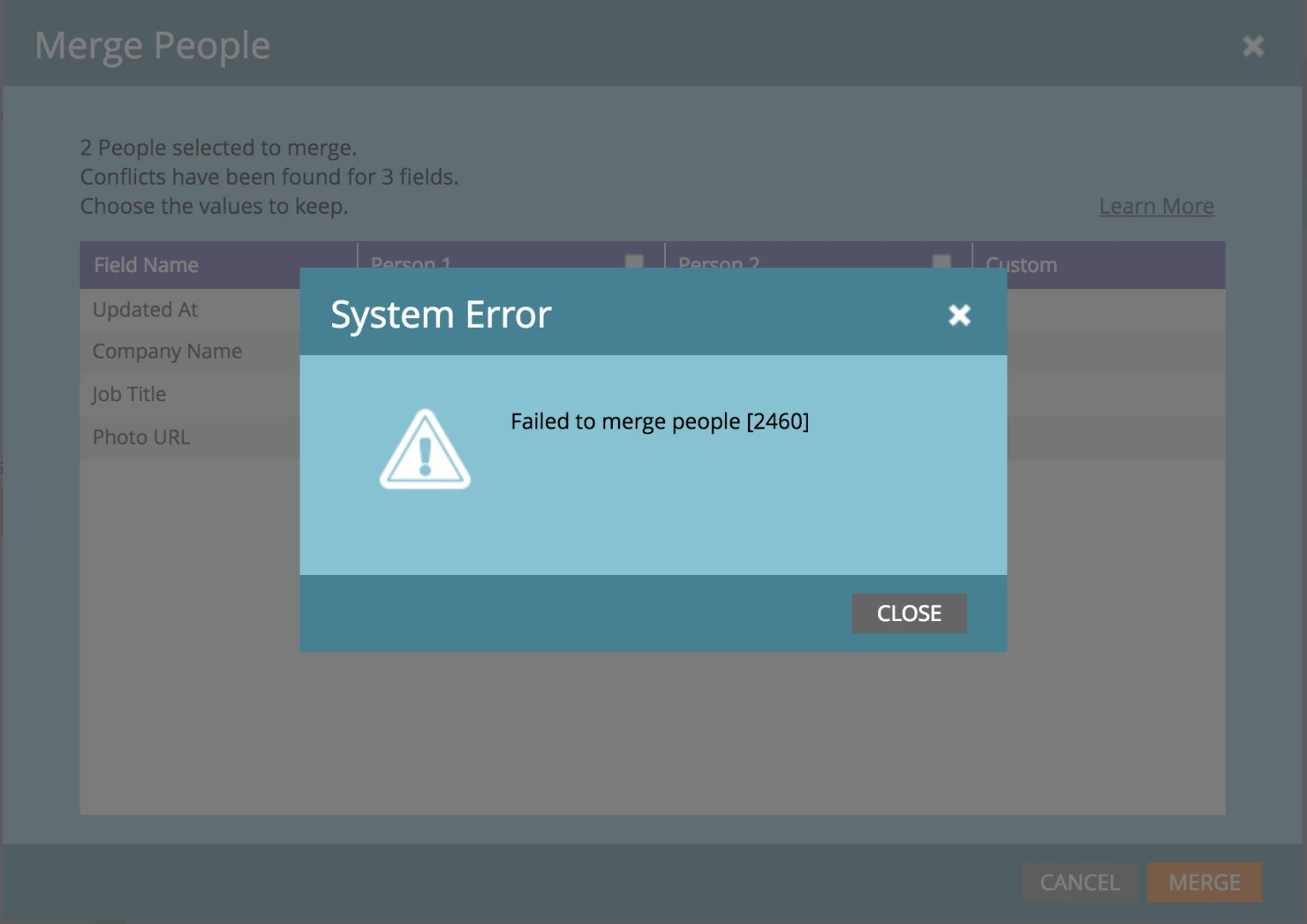
I just synced our SFDC and Marketo and noticed many duplicates--all of which originated from our CRM, since no new people have been created in Marketo yet.  I tried merging them using the default "Possible Duplicates" filter, highlighting the duplicates, and clicking "merge." I got an error screen (shown below).  Any advice on how to resolve this? 
This post is no longer active and is closed to new replies. Need help? Start a new post to ask your question.

3 replies

Grégoire_Miche2
Level 10
February 14, 2018

A few considerations here:

  • Marketo does not duplicates records coming from the CRM with records already in Marketo. Hence your situation.
  • You normally always be able to merge a SFDC Sync'ed Record (SSR) (SFDC Type [person] is not empty) with a Marketo Only Record (MOR) (SFDC Type [person] is empty). Double check that you are indeed in this situation. If this is the case, log a support ticket.
  • Attempting to merge 2 SSR in Marketo will force an attempt to merge them in SFDC first. If the SFDC merge fails, the Marketo merge will fail as well. These merges are theoretically possible, but are submitted to multiple rules in SFDC and fail more often that succeed. You might be in this case.

-Greg

Level 2
November 2, 2018

So we have the second scenario - one lead is in Salesforce, the other is only in Marketo. Some of these will merge fine, some of them will fail. We contacted support about this, and their suggestion was to sync the non-SF lead to Salesforce, then try. But our Salesforce admin has dupecatcher in place which will not allow the dupe to sync. Do you have any other recommendations? We're a little confused why Marketo won't merge a non-SF lead and a SF lead - it's been no problem in the past.

Grégoire_Miche2
Level 10
November 2, 2018

Hi Justin,

Better open a new thread than posting on an old one.

this is really weird. Sure, pushing both leads to SFDC is NOT the solution. It's even a s....d idea.

Make sure that you are keeping the sync'ed record as the winner. Usually, it will be the one with the most recent creation date.

-Greg

Gerard_van_den_
Level 3
February 15, 2018

Another issue might be that salesforce doesn't allow you to merge a Lead with a Contact.

How it works in SFDC: You need to convert the Lead into a Contact, attach it to the same Account as the existing Contact. At that point you can have Salesforce auto-merge them (Attach to existing John Doe) or create a new John Doe, and then you can merge them on your own.

Dan_Stevens_
Level 10
February 15, 2018

Not sure if it's the same in SFDC, but in MS Dynamics, the other way to merge a lead and a contact is to use the MSD API.  This eliminates the need to qualify/convert the lead into the existing contact, which will ultimately skew your reporting.

Grégoire_Miche2
Level 10
February 15, 2018

HI Dan,

Having participated in projects with Both CRMs, I can testify that things are slightly different in SFDC from Dynamics, because in SFDC leads are completely separated from contacts and need to be converted. On conversion, you can "merge" with an existing contact of create a new one. In both cases, all the lead activities are transferred to the contact. After conversion, the lead can no longer be seen on the interface, except in some reports. But the Marketo connector has the intelligence to automatically reroute the sync'ed record to the contact.

Although I tend to prefer SFDC to Dynamics as a CRM, but on the topic of lead management, Dynamics is really superior with the capability to Link leads to contacts when you "qualify" them.

-Greg

Level 2
October 30, 2019

We are able to Merge 2 SSR [Salesforce Sync Records] in Marketo via Merge API. Choose the Master record and pass that Id as Winner id in URL and Other records as [Runner ids] in URL Parameters.

Merge API : 

Method : POST

URL : Marekto Endpoint/rest/v1/leads/{id}/merge.json?leadId=1324

where

id = Winner id

leadId = Runner id [Comma separated values]

Reference : https://developers.marketo.com/rest-api/lead-database/leads/