Extend a Text Box in View-Mode | Community
Skip to main content
November 7, 2013
Question

Extend a Text Box in View-Mode

  • November 7, 2013
  • 1 reply
  • 581 views
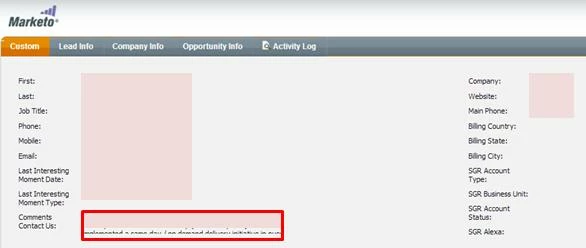
I was wondering if there is a way to extend a text field in "view-mode"?

See below for an example of a text-type field that will only allow for two full lines then cuts off. This view is entered into when a Lead Alert email is sent to Sales and they click on the link to lead details.
This post is no longer active and is closed to new replies. Need help? Start a new post to ask your question.

1 reply

November 8, 2013
You may be able to do this in your browser by right clicking on the textbox then selecting Inspect Element... Find the width attribute on that line, double click to edit, and double it (don't forget the px after the new value). This is obviously a bit of a workaround suggestion just so you can see the data for now.

If this is a custom field, perhaps a more long-term solution would be to change the type of the field to "Text Area" rather than "String". As the field is in use however, that's probably going to take some manipulation of the data to do this - but it can be done and may well fix your issue.

Hope this helps. Let me know how you get on :)