Level 5
May 21, 2026
Question

Emojis in Marketo for an Email CTA

  • May 21, 2026
  • 4 replies
  • 16 views

Hi Team,

I was referring to this page because I came across an email where I wanted to make emojis render properly in Outlook. However, when the emoji is added as an image, it does not work as expected.

Our main goal is to have the emoji/icon work inside the CTA button.

I referred to this page and created a token using the HTML hex entity, then used that token in the email body. With this approach, it does render correctly, but only when the emoji is placed beside text in the body content. It does not seem to work when used inside the CTA section, and I’m not sure why.

Could you please help with the below questions?

  • Is there a way to make the emoji work properly inside the CTA button as well?

  • Is there a way to make the emoji color match the text color so it renders consistently with the CTA text?

  • Has anyone faced a similar issue specifically with Outlook rendering for CTA buttons?

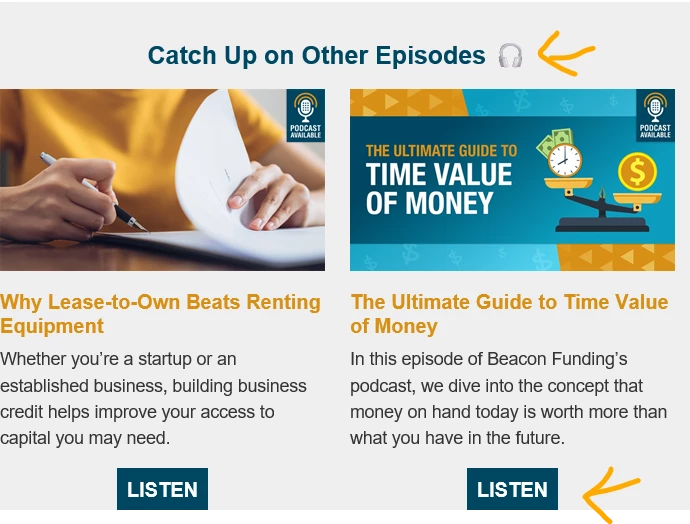
Sharing this for reference so you can see how it currently looks when it renders correctly in the body content.

This is how we would like it to be : 

This is how it currently renders for body content but still CTA doesnt work well :
Thanks,
Akshat

4 replies

BlaneMcMichen-1
Adobe Employee
Adobe Employee
May 21, 2026

Try this…

  1. Visit a site to get the Emoji HTML Entity - I like this site.
  2. The value for your Headphone character is 🎧.
  3. Create a local token, something like {{my.emoji-Headphone}}.
  4. Paste/type the value from step #2 and save it.
  5. Place the token in the email wherever you want the emoji to appear.
  6. Send yourself a sample.

Pro Tip: If you use these often, create them at the folder or workspace level so they are available to all of your program assets within them. (If you use them in multiple workspaces, you can create them in the Admin area so they will be available  across the entire Marketing Activities.)


ashah123Author
Level 5
May 21, 2026

@BlaneMcMichen-1 I already tested this but it doesnt work


This is how renders 


BlaneMcMichen-1
Adobe Employee
Adobe Employee
May 21, 2026

It looks like it works in the paragraph above the button.  It works for me in both. Maybe it has is something to do with the way your button is coded.

Email Editor View
Outlook for Mac View

FYI, I am using the Email Editor 2.0 and not the new Email Designer.

ashah123Author
Level 5
May 21, 2026

Thanks ​@BlaneMcMichen-1 , not sure why its not working on my end , did tried couple of times and i am not sure what i might be missing ? I am also using the Email Editor 2.0


BlaneMcMichen-1
Adobe Employee
Adobe Employee
May 21, 2026

Outlook does need VML coding in the template also and sometimes you need to set a width variable so it doesn’t clip or wrap the button.  Outlook client = 🤕