Email token in Send Email Campaign Flow Step | Community
Skip to main content
Level 1
October 2, 2021
Solved

Email token in Send Email Campaign Flow Step

  • October 2, 2021
  • 1 reply
  • 1941 views

We have a need to have a single smart campaign, but we need to email to be different each time the campaign is executed. I noticed that the "Send Email" step in Flow step in Smart Campaigns seems to accept tokens, like so:
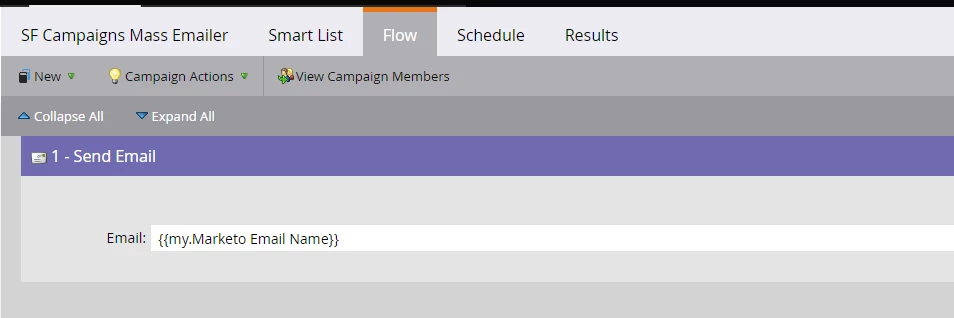
 

But I can't get it to work. I'm filling out the token (via the API) with the folder name and email name like so: My Folder.My Email


Has anyone been able to get this to work with a "my" token?


Thanks. 

Best answer by SanfordWhiteman

A combination of Velocity and a runtime {{my.token}} can do that.

1 reply

SanfordWhiteman
Level 10
October 2, 2021

Neither the temporary/runtime {{my.token}} nor a permanent {{my.token}} can be used there. It’ll be interpreted as a meaningless string, not dereferenced to the actual email asset.

Level 1
October 4, 2021

That is what I was afraid of. 


We've tried what was suggested in the examples and filled out our email detail using a template/email and a token. But the problem is that the lead tokens in the detail will not work then. We were hoping to find an answer to that. 

SanfordWhiteman
SanfordWhitemanAccepted solution
Level 10
October 4, 2021

A combination of Velocity and a runtime {{my.token}} can do that.