Email test from Template Bug?
I am not sure if this is a bug on Marketo's side or something wrong with my code.
When working on an email template and send a test from the template editor, the result looks broken vs when I send a test after approving the template.
I tried to narrow down the code to hopefully show my issue: (also attached)
<!DOCTYPE html>
<html >
<head>
<title>Test</title>
</head>
<body style="width: 100% !important;">
<table border="0" cellpadding="0" cellspacing="0" width="100%">
<tbody>
<tr>
<td align="center" valign="top" bgcolor="#F3F6F9" width="740" class="mktoContainer" id="bodycontainer" mktoname="Body Container">
<table width="740" border="0" cellspacing="0" cellpadding="0" class="100p mktoModule" id="heronav" mktoname="Hero Nav Section">
<tbody>
<tr>
<td bgcolor="#000000" valign="top" class="100p" width="740" style="border-collapse: collapse; padding: 0; padding: 30px 40px 30px 40px;">
<table border="0" cellspacing="0" cellpadding="0" width="660" class="100p" style="border-collapse: collapse;">
<tbody>
<tr>
<td align="left" width="100%" style="border-collapse: collapse; padding: 0; "></td>
</tr>
</tbody>
</table> </td>
</tr>
</tbody>
</table>
<!-- End Hero Section -->
</td>
</tr>
</tbody>
</table>
</body>
</html>
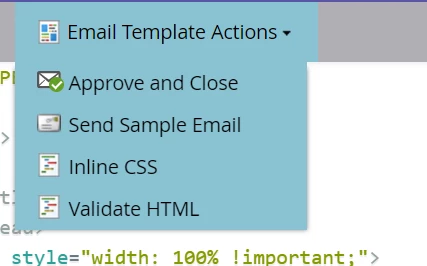
When I send from the menu in the template editor:
I get this:

Two black bars, the top one is weirdly full width
When I approve and close it first and then send the test I get the proper format:

A single not full width black bar which is what it is supposed to be.
This is a simplified model of a larger problem I have been having of templates sending broken versions when sending tests, but working fine when sending as approved templates.
Anyone else having this issue?