Solved
Email template - inconsistent styling
Hello,
I am having issues with developing the same styling for different email clients in a web and desktop app versions. I have tried using conditional css comments to detect and style different email clients but it has not been working. What am I doing wrong?
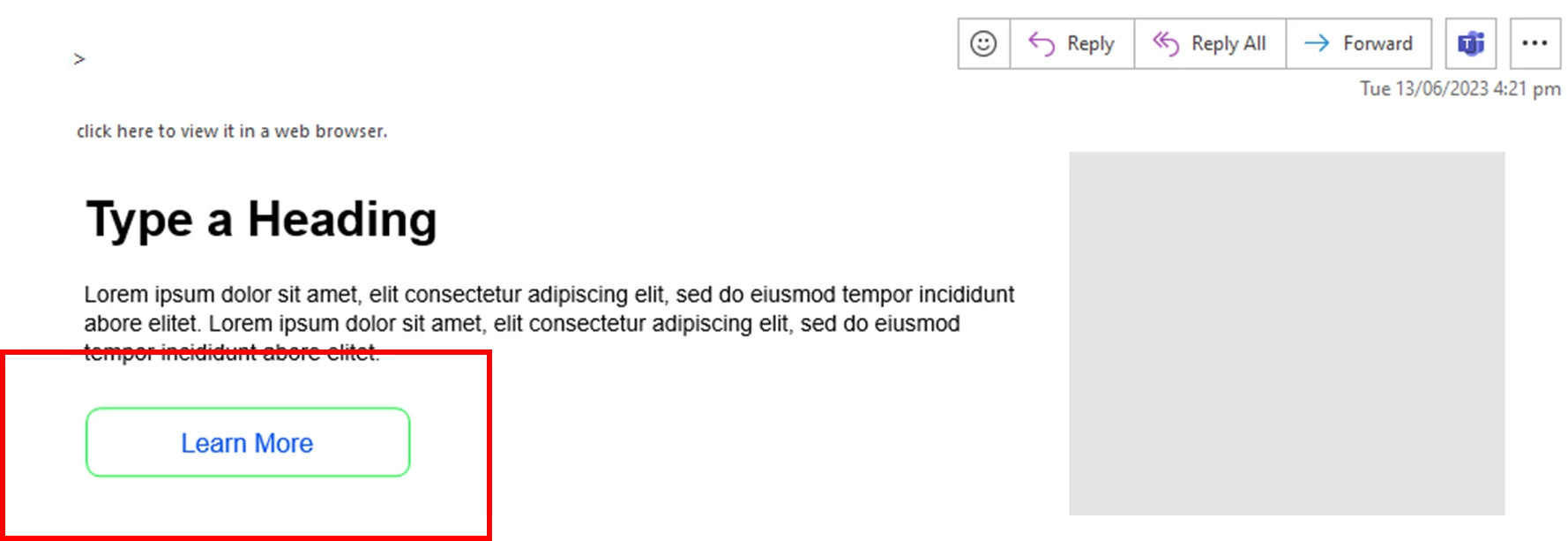
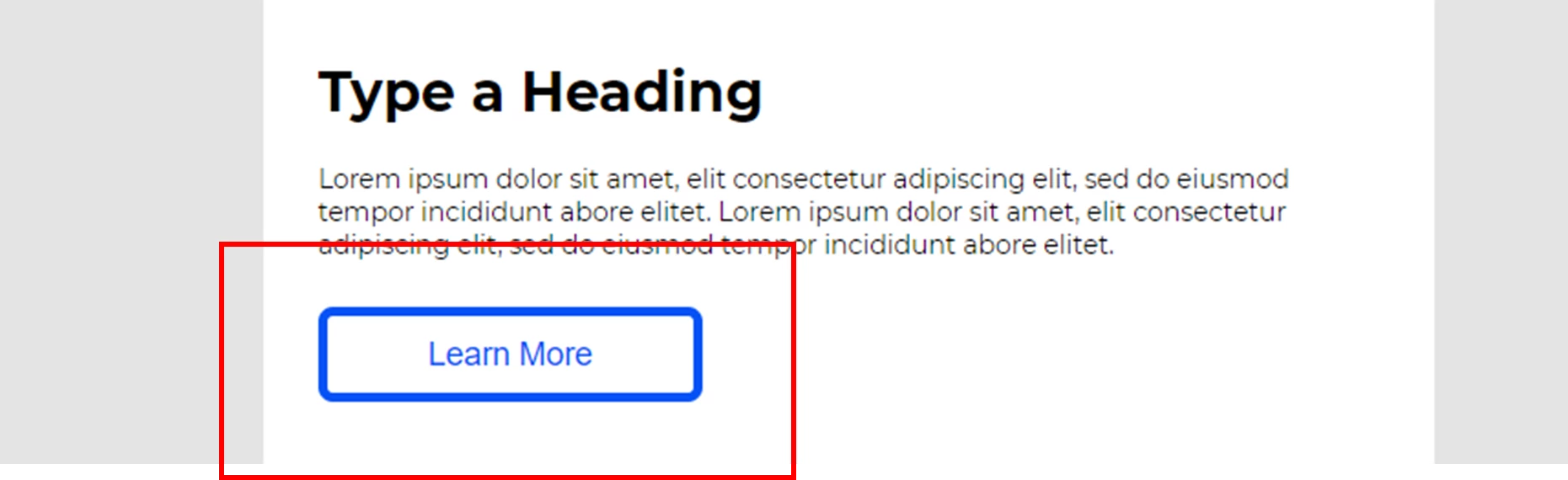
For example, I am changing the border thickness of the button. It's only applied the change on the web version of outlook but not the desktop app.
Outlook desktop app:
Outlook web:
Below is the button html code:
<a href="${CTALinkA5}" style="background-color:${CTABkColorA5};border:5px solid ${CTABorderColorA5};border-radius:12px;color:${CTACopyColorA5};display:inline-block;font-family: 'Montserrat Semi Bold',sans-serif;font-size:18px;line-height:42px; letter-spacing: -0.2px;text-align:center;text-decoration:none;width:${CTAWidthA5}px;-webkit-text-size-adjust:none;mso-hide:all;">${CTACopyA5}</a></div>
The conditional comment to target outlook desktop app:
<!--[if mso 16]>
                                                                                  	 <a href="${CTALinkA5}" style="background-color:${CTABkColorA5};border:5px solid ${CTABorderColorA5};border-radius:8px;color:${CTACopyColorA5};display:inline-block;font-family: 'Montserrat Semi Bold',sans-serif;font-size:18px;line-height:42px; letter-spacing: -0.2px;text-align:center;text-decoration:none;width:${CTAWidthA5}px;-webkit-text-size-adjust:none;mso-hide:all;">${CTACopyA5}</a></div>

<![endif]-->