Email Template Becomes Distorted When I send | Community
Skip to main content
January 5, 2016
Question

Email Template Becomes Distorted When I send

  • January 5, 2016
  • 3 replies
  • 5201 views

Hi Everyone,

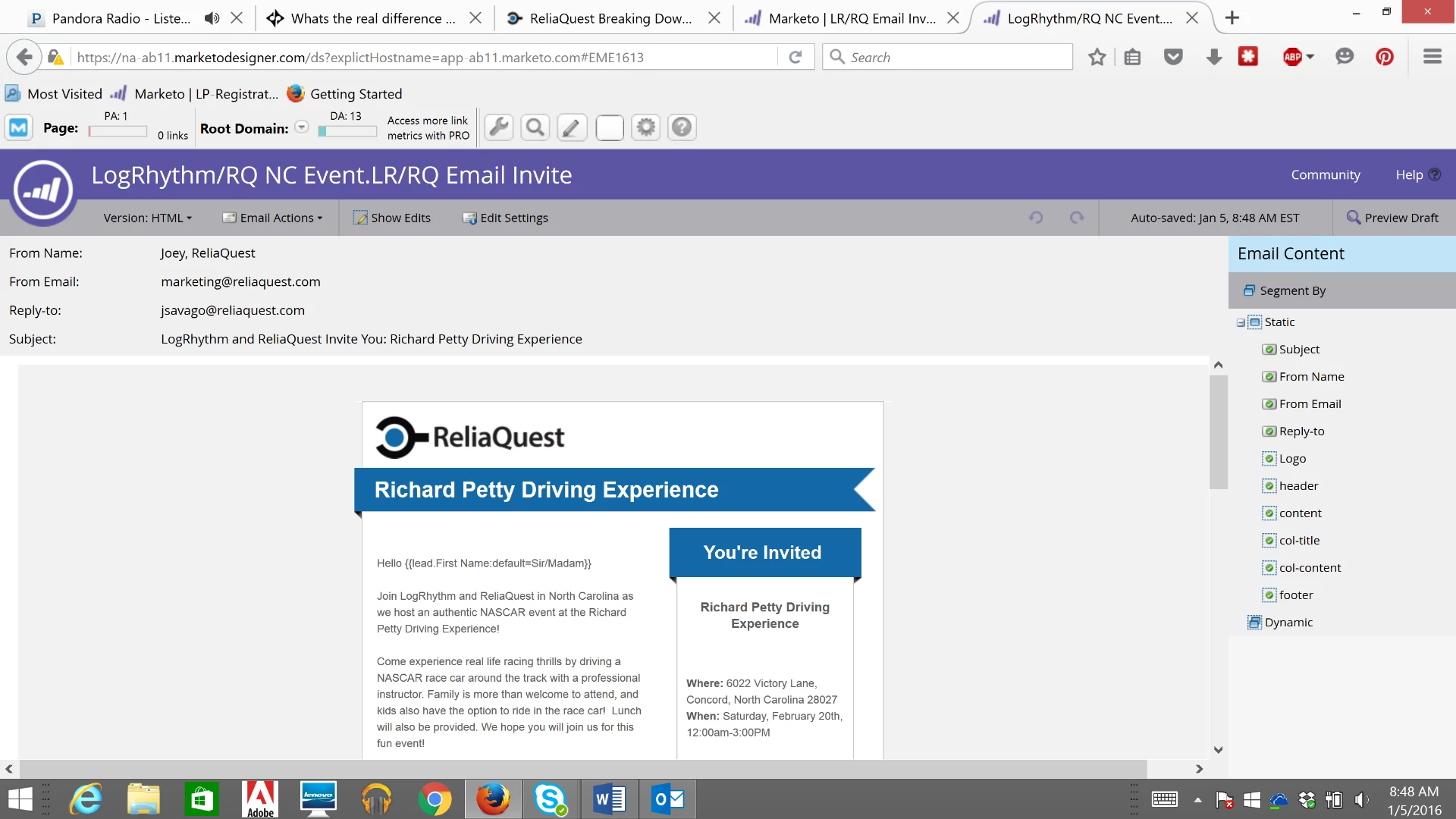
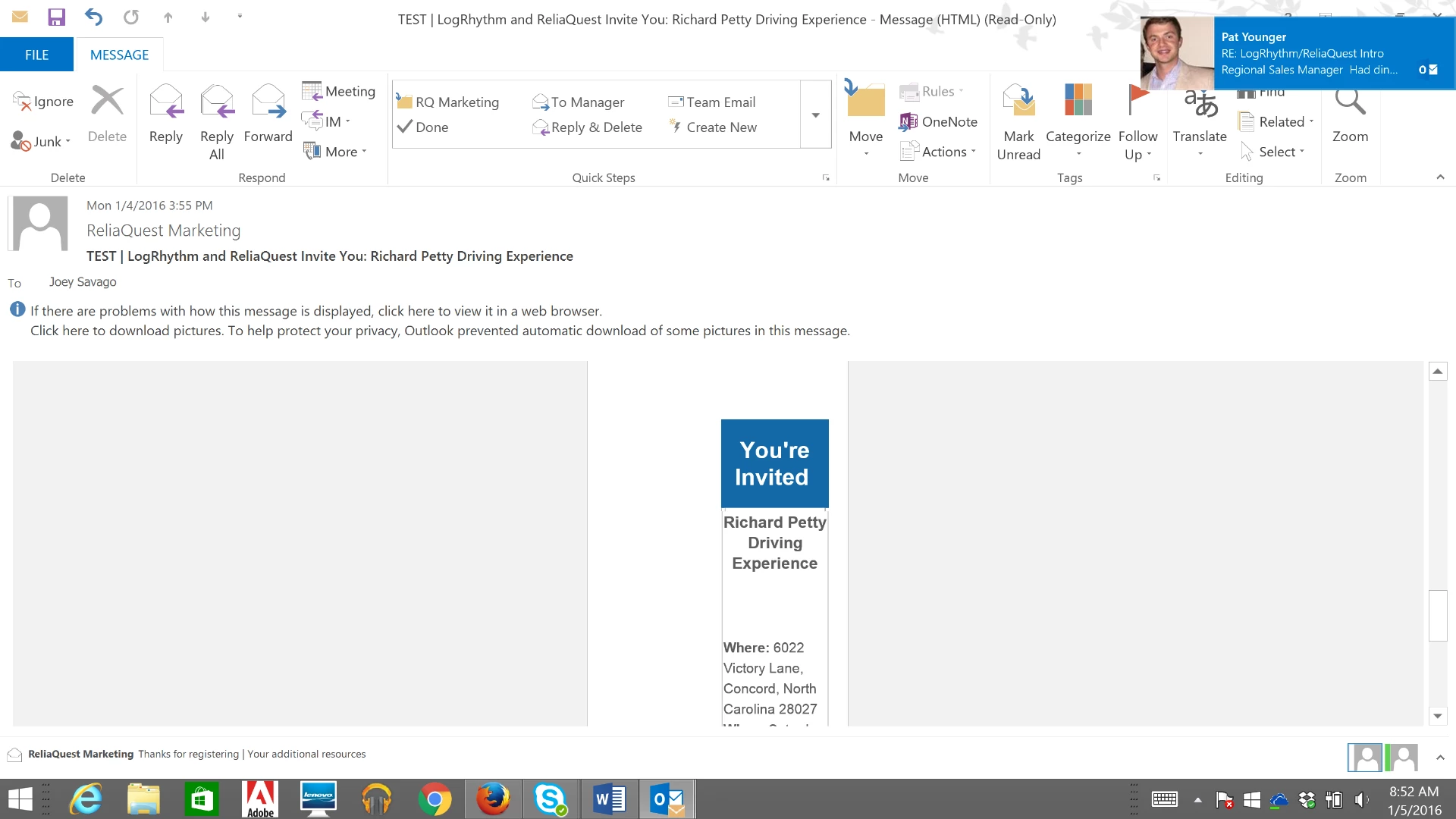
We have a template that has a side box to add additional information. In the Marketo system it shows the template as it should be however when it is sent, it distorts the template ad "moves" the side box to the bottom of the email. Does anyone have any information on why/how this could happen and the solution to resolve? Any help would be appreciated. Thanks so much!

This is how it should look in the email:
And this is how it is showing up:the box that is pictured is located all the way at the bottom of the email, below the other text.
This post is no longer active and is closed to new replies. Need help? Start a new post to ask your question.

3 replies

January 5, 2016

Is this happening in all browsers/Email Clients?

Every email client and browser combination interprets html differently so there must be something wrong with the HTML.

You could use a tool like our Deliver-ability module to trouble shoot this.  Its an upgrade from the standard licence.

January 5, 2016

I am able to see the history of the past 2 webinars that show the attended and no shows but for mine is says "attendee list unavailable" and then shows the 0 attended 0 no shows but shows the number of people that did register.

The only thing that I can see is different between mine and the other 2 webinars is that my current one that is showing the data did not get set up to "sync with a SFDC campaign". I'm not sure if that would make a difference with the data results.

Justin_Cooperm2
Level 10
January 5, 2016

Where did you get the Email Template from? Does it use MSO conditional tags?

January 5, 2016

I think our old marketing manager may have created it. I am not familiar with HTML but this is a portion of it. It almost seems like the template just needs to be wider in order for the box to appear to the side when it is sent via email.

Justin_Cooperm2
Level 10
January 5, 2016

Ok, can you do the following for me:

  • Create a new email from this template and touch nothing within the editor except give the email a subject. Then approve the new email and send it. Does it look ok?
Level 3
September 29, 2016

Hi Erica,

I know your post is from a while ago, but we are dealing with the exact same issue right now. That template came from Marketo, and I believe it's from a template site they used to have because we have the same one:

I've been researching this more and had found several posts in the community about how poor the code was on those templates, so I think that is the root of the problem.

I'm wondering if you resolved this somehow or if you scrapped your templates and started fresh?

Justin_Cooperm2
Level 10
September 29, 2016

I definitely recommend using our Starter Templates in the product rather than anything you've found at templates.marketo.com. It's not that they're bad templates, but the world evolves and so do email clients. The templates at templates.marketo.com are outdated. The starter templates are a much better place to get started.